Vendor Invoice Processing: Guide to Automation and APIs
Master vendor invoice processing with our guide. Learn workflows, automation, KPIs, and how AI platforms streamline your AP from start to finish.

Despite years of digitization, 66% of organizations still manually key invoices into their ERPs, at an average cost of roughly $9.84 per invoice, creating an 18.4% exception rate that can drag cycle times into weeks. Vendor invoice processing becomes expensive not because invoices are difficult to store, but because every missing field, mismatch, approval delay, and duplicate document creates another manual task.
The practical answer is to automate the full workflow, not just scan the page. Modern systems combine OCR, document classification, data validation, matching, exception routing, and ERP integration so finance teams can reserve human attention for the invoices that genuinely need judgment.
The Hidden Cost of Manual Invoice Entry
A 2025 industry survey reported that 66% of respondents still manually key invoices into their ERP, while 63% spend more than 10 hours per week on invoice processing and 73% of teams aren't fully automated. The survey is documented in the 2025 accounts payable automation trends report.
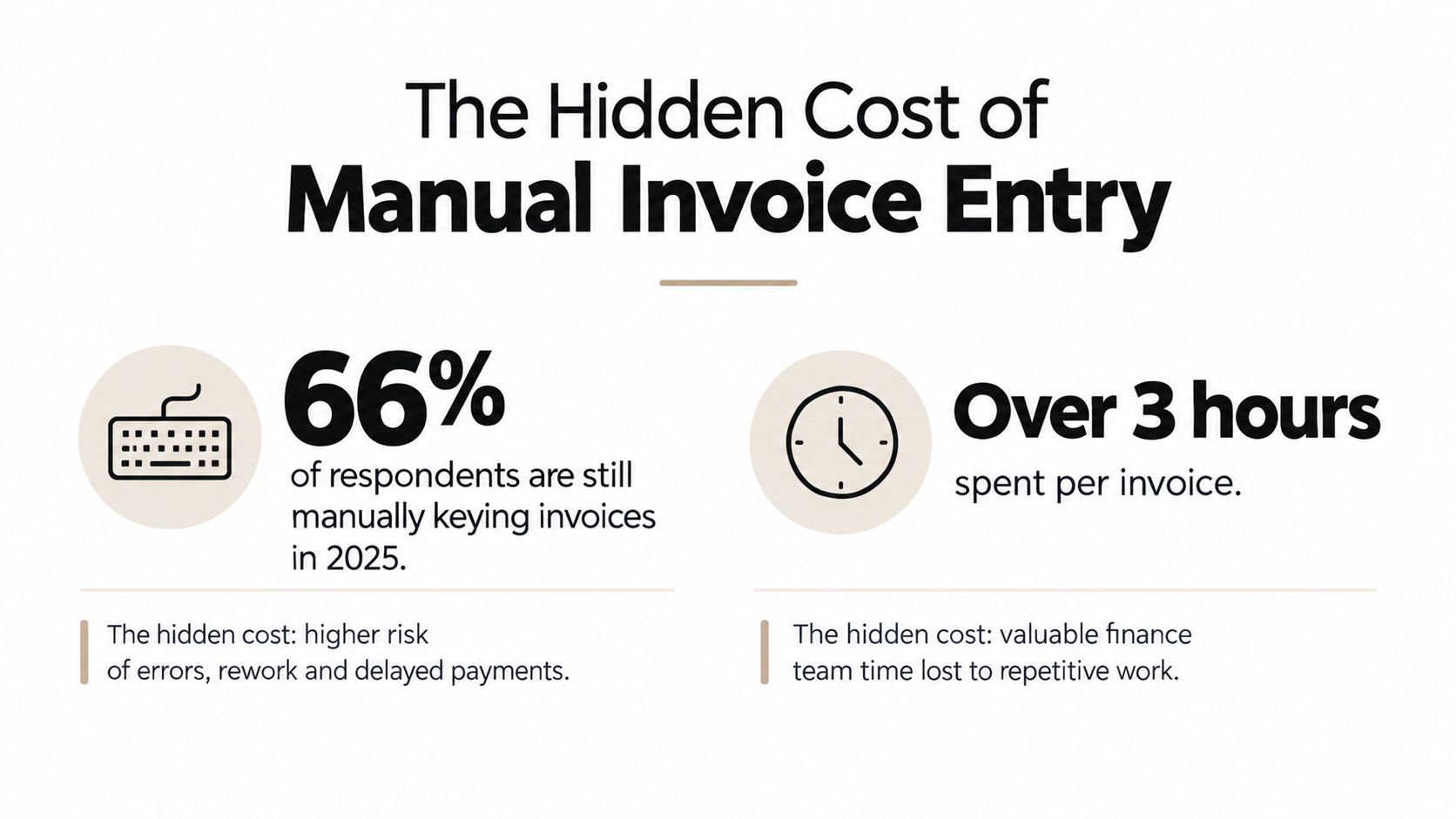
Manual entry looks harmless when viewed invoice by invoice. An AP clerk opens a PDF, reads the supplier name, copies the invoice number, checks the date, enters totals, assigns an account code, and submits the document for approval. The problem appears at scale. Each handoff adds waiting time, and each transcription creates another opportunity for a wrong amount, duplicate record, missing purchase order, or incorrect tax treatment.
The direct processing cost is only part of the damage. Teams also absorb the cost of chasing approvers, responding to supplier questions, correcting ERP records, searching for lost attachments, and reconstructing evidence during an audit. A benchmark compilation reports an average processing cost of $9.84 per invoice, with an 18.4% exception rate and straight-through processing at only 32.6%. Those figures appear in Docsumo's accounts payable statistics.
Why the old model stops scaling
Manual workflows depend on people remembering what to do next. That can work while invoice volumes are modest and supplier formats are predictable. It breaks when invoices arrive through several inboxes, portals, shared folders, and paper channels, or when procurement and AP use different references for the same purchase.
High-volume environments make the weakness visible. The same 2025 survey found that 36% of participants process more than 5,000 invoices per month, while 14% handle more than 10,000 monthly. Yet partial automation leaves staff manually correcting the hardest documents instead of removing the work that creates those exceptions in the first place.
Practical rule: Automate the repetitive path, but design a controlled route for everything that doesn't match the rules.
Approval design matters as much as data capture. A system may extract every field correctly and still leave invoices waiting in personal inboxes. Teams comparing approval workflow features and selection should look for clear ownership, escalation rules, delegated approval, audit history, and integration with the existing finance system.
The strategic issue is therefore larger than clerical efficiency. Manual vendor invoice processing limits visibility into liabilities, makes staffing hard to forecast, and encourages finance leaders to add headcount whenever volume rises. A reliable automated workflow changes that relationship by making invoice data available earlier and routing exceptions deliberately.
Understanding the Vendor Invoice Workflow
Vendor invoice processing is an end-to-end sequence. It starts when a supplier sends a document and ends when the payment is recorded and the supporting evidence is retained. Every stage should have a defined owner, a validation rule, and a visible status.
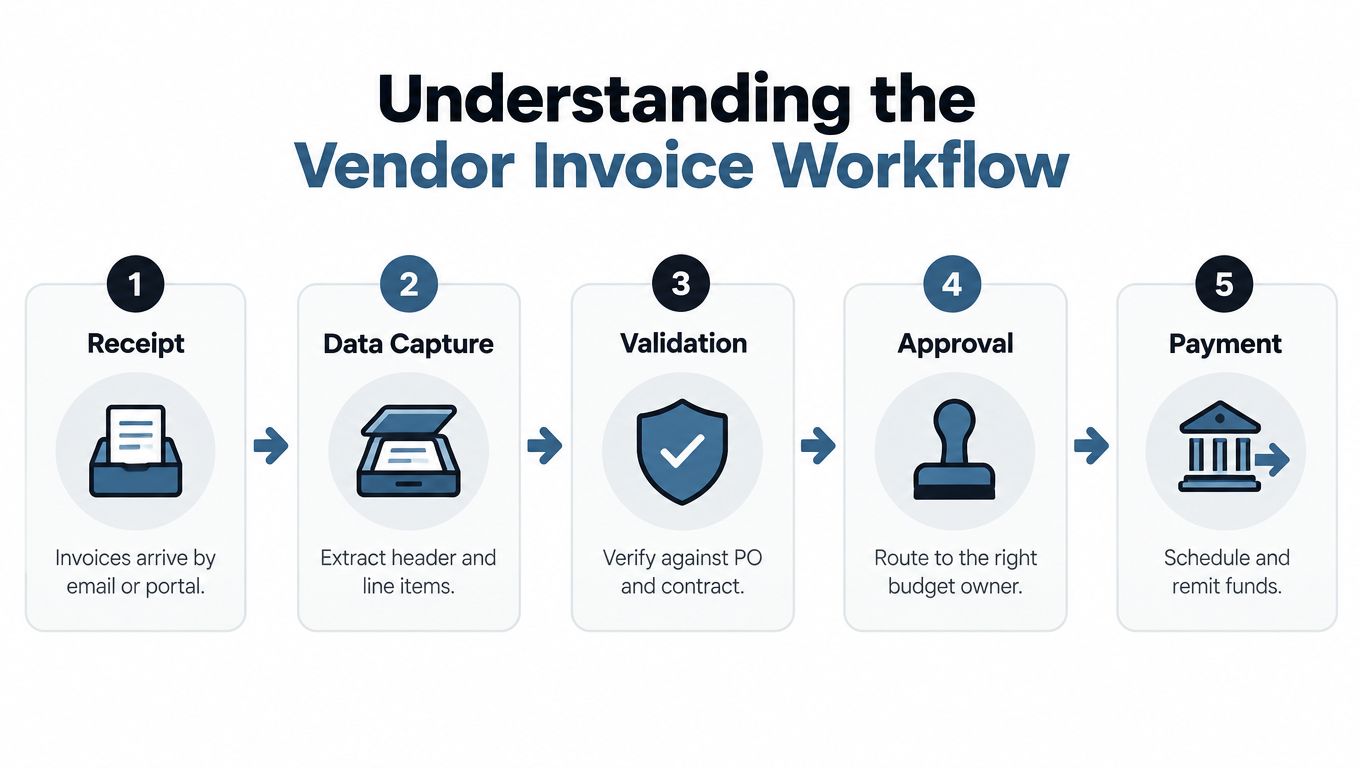
A sound workflow usually follows five stages:
- Receipt: Collect invoices from email, supplier portals, uploads, or structured feeds. Centralized intake prevents documents from disappearing in individual mailboxes.
- Data capture: Extract supplier details, invoice references, dates, totals, taxes, payment information, and line items from PDFs or images.
- Validation: Check required fields, supplier identity, duplicate indicators, purchase order references, totals, and applicable business rules.
- Approval: Route the invoice to the correct budget owner based on department, supplier, cost center, or internal policy.
- Payment and retention: Post approved data to the ERP, schedule payment, reconcile the transaction, and retain the invoice with its approval trail.
The workflow's most expensive stage is often not capture. It's exception handling. Industry benchmarks report an average invoice exception rate of 18.4%, while straight-through processing reaches only 32.6%, meaning roughly one in five invoices requires manual rework, as reported in Docsumo's AP benchmark overview.
Where invoices leave the straight-through path
An invoice can become an exception because the purchase order is missing, the quantity doesn't match the goods receipt, the supplier name differs from the vendor master, or the extracted total fails a validation rule. A human then investigates the document, contacts procurement or the supplier, corrects the record, and sends it back through approval.
Three-way matching is a useful control when the business has purchase orders and receiving records. It compares what the company ordered, what it received, and what the supplier billed. For a clear explanation of how this control fits into AP, see the Procright invoice matching guide.
Two-way matching can be appropriate when there isn't a receiving event or when the business process doesn't require one. The important point is to define the matching policy before implementation. If the system routes every mismatch to a general queue without explaining why, automation only creates a faster way to produce a backlog.
What a useful exception queue contains
An exception queue should show the failed rule, the supporting document, the responsible person, the due date, and the next permitted action. It should also preserve the original extracted values, any corrected values, and the reason for the override.
That structure gives AP managers more than a list of problems. It reveals whether exceptions come from poor supplier data, inconsistent purchase orders, weak receiving discipline, or extraction failures. Those patterns tell you where to improve upstream, rather than asking staff to process the same problem repeatedly.
OCR vs. Intelligent Document Processing
OCR documents technology converts visible characters into machine-readable text. It's useful, but text recognition alone doesn't understand whether a number is an invoice total, a tax amount, a purchase order reference, or a line-item price. It can read the page while still producing data that isn't safe to post.
A 2025 benchmark found that top multimodal models reached 96.50% accuracy on clean invoices but only 87.46% on scanned receipts, showing how strongly document quality affects extraction performance. The benchmark is summarized in Parseur's AI invoice processing benchmarks.
The difference between OCR and IDP
Traditional OCR generally follows a single path:
- Find characters on the page.
- Convert them into text.
- Return the extracted output.
Intelligent Document Processing, or IDP, adds context around that recognition step:
- OCR: Reads text, numbers, and visual characters.
- Classification: Determines whether the file is an invoice, receipt, payslip, identity document, or another document type.
- Extraction: Maps content to a defined schema, including headers, totals, taxes, and line items.
- Validation: Checks formats, required fields, relationships, and business rules.
- Routing: Sends valid documents forward and exceptions to the appropriate review path.
This distinction matters because invoice layouts vary. A supplier may place the total in a footer, use a multi-row tax table, split a document across pages, or send a low-quality scan. A model that extracts text without validating relationships can return plausible-looking values that still need manual checking.
For a deeper explanation of the architecture, see what intelligent document processing is.
Why headline accuracy can mislead
Accuracy is not a single production outcome. A system may perform well on clean digital invoices but struggle with rotated pages, handwritten notes, stamps, mixed formats, or receipts photographed under poor lighting. Field-level errors also have different consequences. A misread supplier name can block matching, while a wrong line-item quantity can affect the payment itself.
Production teams should test at least these document conditions:
| Test area | What to inspect |
|---|---|
| Document quality | Digital PDFs, scans, photos, and compressed files |
| Layout variation | Different supplier templates, tables, headers, and footers |
| Field complexity | Totals, taxes, payment data, references, and line items |
| Control behavior | Validation failures, confidence handling, and exception routing |
| Integration output | Schema consistency, JSON structure, and ERP compatibility |
The best implementation doesn't pretend that every invoice will be perfect. It defines which fields can pass automatically, which require a confidence or rule check, and which must be reviewed by a person. That approach makes OCR invoice processing useful without treating OCR as the entire automation strategy.
Building an Automated Solution with Matil.ai
A modern document API should remove more than keystrokes. It should accept PDFs and images, identify the document, extract structured fields, apply validation, and return data that downstream systems can use.
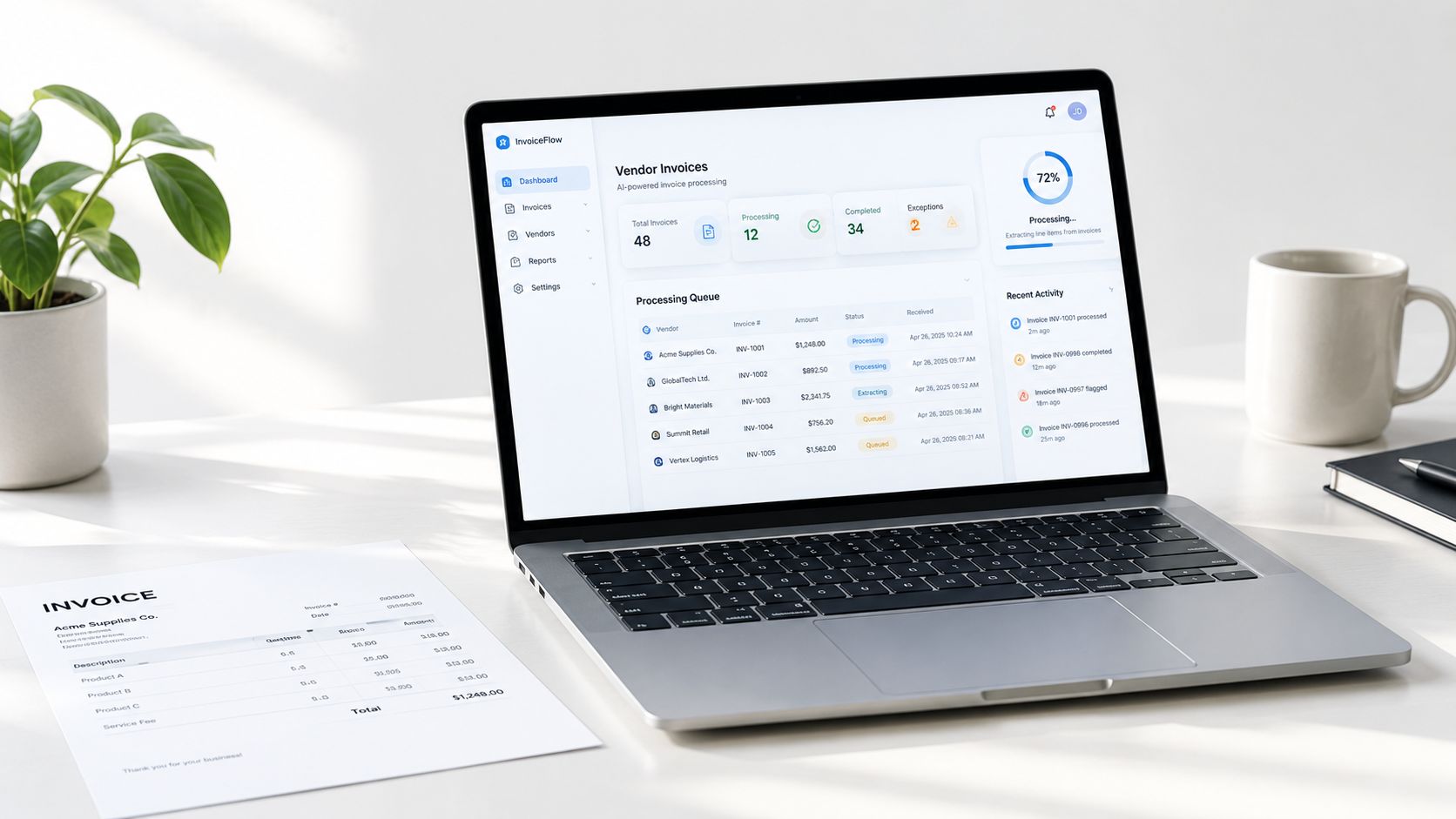
Matil.ai provides a production-grade API combining OCR, classification, and validation to extract structured data from PDFs and images, with high accuracy and a zero data retention policy. It isn't just an OCR endpoint. The workflow can identify the document type, apply a defined data structure, validate the result, and support automation around the extracted output.
For a finance team, the integration pattern is straightforward:
- Send the invoice file to the API.
- Classify the document and apply the relevant extraction model.
- Receive structured fields and validation results.
- Send accepted data to the ERP or AP platform.
- Route exceptions for review with the source document and failed checks attached.
This API-first approach lets a technical team connect invoice intake to an existing ERP, procurement platform, inbox, or internal application instead of replacing the entire finance stack. The guide to using an API to get data is useful when mapping the integration from upload through structured output.
What makes the workflow production-ready
A workable platform needs both immediate coverage and room for variation. Pre-trained models can support common document types such as invoices, payslips, identity documents, bank statements, receipts, delivery notes, and logistics documents. Custom models and visual schema definition help when a business has specialized supplier templates or fields that generic invoice extraction doesn't cover.
The required capabilities are practical:
- Precision above 99% in supported use cases, with validation rules that prevent unsafe output from moving forward.
- Classification and PDF splitting for mixed files that contain several document types.
- Customizable structures that return usable JSON rather than an unstructured text block.
- Fast personalization for new document types without a long model-training cycle.
- API and no-code integration options for both developers and operations teams.
- GDPR, ISO 27001, and AICPA SOC controls, together with zero data retention, for organizations handling sensitive financial or identity documents.
No extraction platform removes the need for process ownership. The team still has to define acceptable tolerances, decide who approves exceptions, and maintain vendor master data. Automation works when it enforces those decisions consistently.
A useful evaluation should also consider the financial workflow around the extraction layer. Teams reviewing how to cut FX costs on vendor invoices should assess payment controls, currency handling, approval logic, and reconciliation alongside document capture.
The strongest design is not “send every document straight to payment.” It is “send every document through a consistent decision path.” Valid invoices move quickly. Ambiguous invoices carry their evidence into a review queue. Both outcomes remain traceable.
Measuring ROI and Compliance Benefits
The business case for automation should combine cost, cycle time, exception volume, control quality, and staff capacity. Looking at only the extraction percentage can obscure the actual outcome. A system that reads invoice fields accurately but leaves approvals, matching, and duplicate checks manual won't remove the main bottleneck.
A 2026 benchmark reported that automation shortened invoice cycle time from 17.4 days in manual workflows to 3.1 days in automated workflows, while exception rates fell from 22% to 9%. The figures are published in the 2026 state of invoice automation report.
Speed is valuable only when controls survive
Faster processing can create risk if the system bypasses validation. Duplicate invoices may arrive through different channels, with small changes to invoice references or file names. Fraudulent payment instructions can also exploit weak vendor-master controls or rushed approval paths.
A resilient workflow combines:
- Duplicate detection: Compare supplier identity, invoice reference, amount, date, and related purchase information.
- Vendor-master hygiene: Restrict who can create or change supplier records, and preserve the change history.
- Two-way or three-way matching: Compare invoice data with purchase orders and receiving evidence where appropriate.
- Approval segregation: Keep preparation, approval, and payment responsibilities distinct.
- Audit trails: Retain the original document, extracted values, corrections, approvals, exceptions, and payment status.
This is why “touchless” should mean controlled automation, not the absence of human oversight. A person should review the cases that fall outside policy. The system should handle the cases that meet policy consistently.
Build the measurement model before rollout
Track the process from receipt to posting and payment. Useful measures include:
| KPI | What it tells you |
|---|---|
| Cost per invoice | Whether manual effort and rework are declining |
| Cycle time | Where invoices wait before payment |
| Exception rate | How often rules, matching, or data quality fail |
| Touchless rate | How many invoices pass without human intervention |
| Duplicate alerts | Whether the control layer is finding suspicious repeats |
| Approval ageing | Which teams or rules create delays |
Finance leaders can use this guide to accounts payable automation ROI to connect operational measurements with the broader investment case. The calculation should include implementation, integration, support, and exception-management costs, not just the apparent reduction in data entry.
Compliance benefits also have operational value. A complete digital record makes it easier to answer who approved an invoice, which document supported the payment, what changed during review, and whether the final posting matches the source. That reduces audit friction without asking AP staff to reconstruct the history from email threads.
Implementation Roadmap for Finance Teams
Start with the workflow, not the vendor shortlist. Document how invoices arrive, where they wait, who enters data, which fields are checked, how approvals are assigned, and what happens when a match fails. Include the manual work that happens outside the official process because that's often where the hidden cost sits.
A practical rollout sequence
Step 1, map the document population. Group invoices by source, format, supplier, language, line-item complexity, and required fields. Include scans, PDFs, multi-page files, and mixed document bundles. The aim is to understand what the system will receive, not what the cleanest sample looks like.
Step 2, select the integration boundary. Decide whether the API should connect to an AP inbox, procurement platform, ERP, supplier portal, or internal application. Keep the existing payment process in place during the first phase if changing it would create unnecessary operational risk.
Step 3, define the schema and rules. Specify mandatory fields, accepted formats, duplicate checks, matching tolerances, approval conditions, and exception owners. Don't ask a model to infer policy that finance hasn't documented.
Step 4, test representative documents. Use real variations, including poor scans, unusual layouts, long line-item tables, and invoices with missing purchase order references. Measure accepted output, validation failures, correction effort, and the quality of the exception explanation.
Step 5, run a controlled pilot. Begin with a defined supplier group or document category. Keep a human review path active, compare automated output with the current process, and capture every recurring exception.
Step 6, expand by evidence. Add more suppliers and document types only after the team understands why failures occur. Update schemas, supplier requirements, and approval logic as the workflow matures.
What to demand from a provider
Choose a platform that combines pre-trained models with rapid customization. An API should return predictable structured data, expose validation outcomes, support document classification, and fit the security requirements of finance, compliance, and technical teams.
Avoid a solution that only produces a text dump. It may look impressive in a demonstration, but AP needs fields, relationships, confidence handling, auditability, and a clear next step when extraction fails. The objective isn't to digitize a manual queue. It's to create a controlled path from invoice receipt to approved accounting data.
Matil offers an API for extracting, classifying, and validating structured data from invoice PDFs and images, with customizable models, enterprise security controls, and zero data retention. If you're evaluating vendor invoice processing, visit Matil to assess how it can fit your intake, validation, exception, and ERP workflows.


