Document Classification PDF Methods That Scale
Learn document classification PDF methods, metrics and preprocessing so mixed invoices, KYC files and bills of lading route to the right workflow.

PDF document classification assigns a business category to a file, page, or document boundary so the correct extraction schema and checks run next. It turns a mixed PDF from an undifferentiated attachment into a set of documents that can be routed, extracted, and reviewed according to their actual purpose.
The scale makes manual sorting impractical: an ISO background publication describes billions of PDFs in circulation, and compiled industry figures report that Airbus, Boeing, and the U.S. Department of Justice each held more than 1 billion PDFs. The same figures show PDFs arriving across email, cloud storage, government, and commercial workflows, not just one department or one format. The ISO background publication and its compiled PDF statistics illustrate why classification is a practical starting point for document automation.
What PDF Document Classification Decides
Consider a shared finance inbox receiving a supplier invoice, a delivery note, and a scanned receipt in one PDF. OCR can recognize characters on the pages, but it doesn't decide which content belongs in an invoice record, which page supports delivery, or which workflow should handle the receipt. Classification makes that routing decision before extraction.
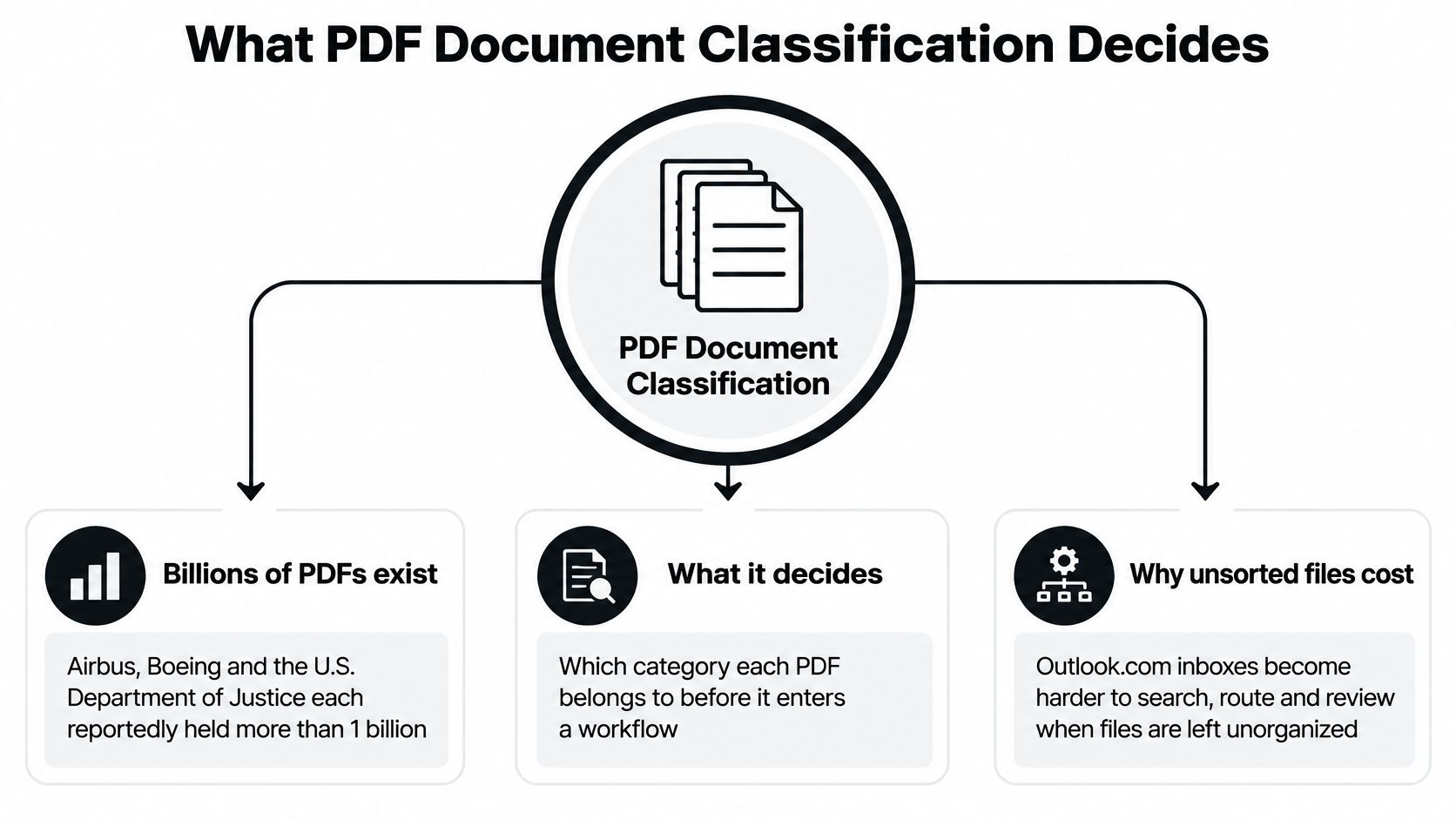
PDF document classification is the process of assigning a business category to a file, page, section, or individual document inside a file. The category tells the processing system which extraction schema, validation rules, splitting logic, and downstream workflow to apply. Depending on the incoming material, useful classes might include invoice, payslip, identity document, contract, bank statement, or bill of lading.
A PDF isn't necessarily a clean layer of selectable text. It may be born-digital, a scan, a fillable form, or a mixed packet. It may also contain embedded fonts, metadata, attachments, encryption, or pages with different layouts. A reliable pipeline first determines what it can read and how the pages relate to one another, then classifies the relevant content.
Why the route matters
An invoice sent to a receipt schema may produce incomplete or misplaced fields. Staff then have to inspect the document, correct the record, and resolve whatever exception the bad route created. That's why classification is more than a label. It controls the work that follows.
The European Commission's estimates on electronic invoicing put potential savings at about €5.28 for every electronic invoice issued and €8.40 for every one received, using a labour cost of €46 per hour. A wrong route can undermine the efficiencies that come from reducing manual invoice handling. The Commission also estimates approximately €240 billion in savings over six years from moving from paper invoices to electronic invoicing, including fewer missing invoices and lower archive and postal costs, according to its study on e-invoicing benefits.
How Rules, Machine Learning and Layout Models Differ
| Method | Best fit | Main signal | Typical failure |
|---|---|---|---|
| Rules and templates | Few stable layouts | Keywords, regex, fixed regions | New vendor, language, or scan quality |
| Classical machine learning | Moderate labeled set | Terms plus simple layout features | Shared vocabulary and class drift |
| Layout or multimodal model | Classes that look different | Text plus bounding boxes and page image | Long files and low-confidence pages |
| Zero-shot from a label description | New category, little labeled data | Category name and short definition | Weak definitions and rare long-tail types |
Match the method to the variation
Rules and templates work well when incoming PDFs follow a narrow, predictable pattern. A rule might look for “invoice number” near the top of a page or a known supplier's fixed layout. That approach is easy to inspect and can be effective when formats stay stable. A new vendor, a different language, or a skewed scan can move or obscure the signal, so teams need a review path for exceptions.
Classical machine learning learns from labeled examples rather than relying only on hand-written rules. It can combine words with simple layout features, but it still needs examples that reflect the documents it will see. If an invoice and a delivery note share terms such as “quantity” and “total,” vocabulary alone may not distinguish them. New document patterns can also make a once-reliable model less useful.
Layout and multimodal models retain both text and visual evidence. OCR text can identify terms such as “invoice,” while page images and coordinates reveal whether those terms appear in a header, a table, or a stamp. This is useful when different document classes reuse the same language but arrange information differently.
The RVL-CDIP benchmark contains 400,000 grayscale document images across 16 classes, including letters, forms, emails, advertisements, scientific reports, invoices, budgets, and handwritten documents. A multimodal classification result reported 97.05% accuracy on those classes, but that benchmark is an upper-bound indicator, not a promise for a company's own languages, scans, and categories. The RVL-CDIP multimodal classification study supports a practical design choice: preserve OCR text and visual page features rather than flattening PDFs into plain text.
Choose by failure mode: Use rules for stable templates, layout models when classes share words, and human review when the evidence is uncertain.
Zero-shot classification can help test a new category when labeled examples are scarce. It needs a clear description, not just a vague label such as “other.” It can suggest a route, but rare vendors and ambiguous definitions still need checking. In practice, the sensible system is often a mix: deterministic rules for the simplest cases, models for variation, and a review queue for uncertain pages.
Metrics That Decide Auto-Routing
| Metric | Question it answers | Use it when |
|---|---|---|
| Accuracy | What share of labels are correct? | Classes are balanced and errors cost the same |
| Precision | Of files given this class, how many are right? | A wrong route starts the wrong workflow |
| Recall | Of true files in this class, how many were found? | Missing the class is a compliance or payment risk |
| Macro-F1 | How well does every class score, averaged equally? | Rare document types must not be ignored |
| Page versus document score | Does a good page still make a good file decision? | PDFs are multi-page or contain several documents |
Overall accuracy can hide an expensive failure. If invoices dominate a test set, a classifier might look strong while missing a rare identity document or customs file that needs a specific review. A good average doesn't prove that every class is safe to auto-route.
Precision and recall answer different operational questions. Low precision means that a predicted class often starts the wrong workflow. Low recall means that the system overlooks documents that should have entered a particular workflow. Finance teams may care about both, while compliance teams often need to pay special attention to missed high-risk classes.
Macro-F1 gives each class equal weight in the average, so a small class doesn't disappear behind a large one. For multi-page PDFs, also measure the page-level result separately from the whole-document decision. Strong evidence on one page doesn't automatically mean the system routed the entire file correctly.
A 2025 regulated-domain study illustrates the difference: its synthetic-data approach achieved 88.3% page-wise average precision but 33.4% document-wise average precision. Those results show why teams should measure the file-level decision that drives the workflow, not only how well individual pages classify. The regulated-domain classification study is a reminder to test on representative PDFs and preserve page-level evidence.
Set a safe review boundary
Use a class-balanced sample of your own documents and inspect a confusion matrix: it shows which categories the system mixes up. Calibrate one confidence threshold for automatic routing and send uncertain cases to a person rather than forcing a label. Keep the threshold separate from the score used to evaluate the model. A model can score well overall and still need human review for a particular class.
How to Prepare PDFs Before Classification
Preparation affects what the classifier can see. A clean digital invoice with selectable text is different from a photo of a form inside a scanned packet. Treating both as plain text discards useful evidence before the model even makes a decision.
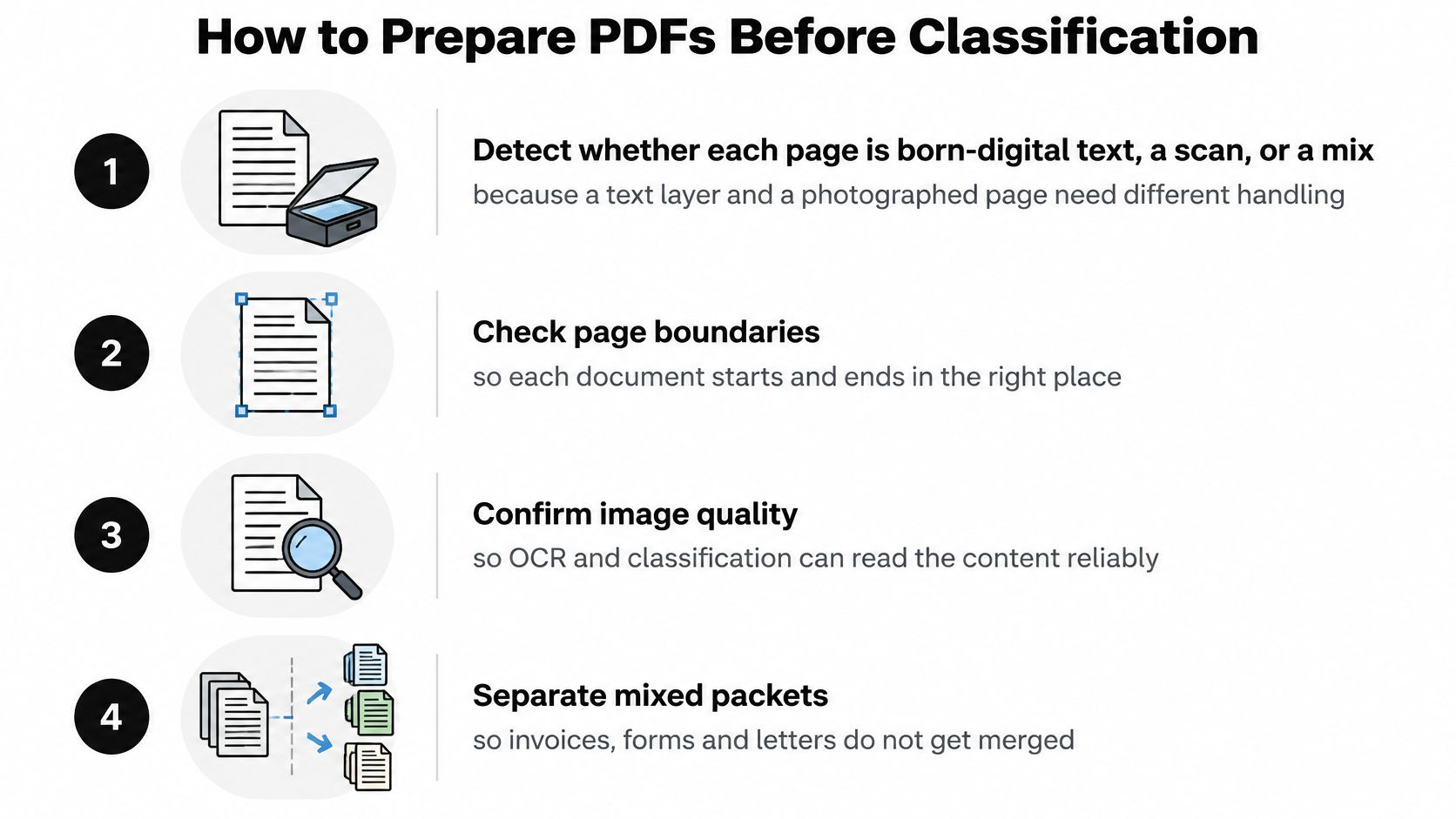
Detect what each page contains. Identify whether it has born-digital text, a scan, or a mixture. Text layers and photographed pages need different handling; image-only scans don't offer reliable selectable text. For practical approaches to scanned pages, see this guide to OCR for scanned documents.
Render pages consistently. Use the same rendering setup across the batch so that page size and visual detail don't vary arbitrarily. This prevents the model from seeing inconsistent input conditions as if they were meaningful document differences.
Run OCR and keep its evidence. Store token confidence, bounding boxes, page number, and reading order. Flattening OCR into an unordered list of words throws away where the words appeared and can make similar documents harder to distinguish.
Down-weight blank pages and non-representative pages. Cover sheets and appendices can weaken a document-level decision if they count as strongly as the page that identifies the document. Keep them available for review, but don't let them dominate classification.
Normalize page images. Correct rotation and skew, and address very low contrast before building features. This reduces failures caused by a page being difficult to read rather than by the document belonging to an unfamiliar class.
Split at evidence-based boundaries. Don't divide a PDF at a fixed page count. Look for signs that a new document begins, such as a change in layout, heading, or page structure. A 50-page packet may contain multiple business documents, and standard transformer inputs typically range from 512 to 2,048 tokens, so the whole file may not fit one context window. Learn more about how to split PDF documents.
Save the decision trail. Retain each page's predicted class, confidence, and source page with the final route. That gives reviewers evidence to inspect when a page is disputed or a packet was divided incorrectly.
Password-protected files should fail closed rather than pass into extraction with missing evidence. A useful final check is simple: if the pipeline discarded coordinates or page boundaries, it has already weakened classification before model selection begins.
When One Label Per File Breaks Routing
A PDF can contain several document types, so one accurate file-level label can still send pages down the wrong route. A scanned packet might combine an invoice with delivery evidence, or a bank statement with tax pages. If the whole file gets one label, pages with different purposes may all enter the same extraction workflow.
Choose the classification level that matches the work. Use a file-level label when one PDF represents one document and one workflow. Use page-level labels when individual pages need different treatment. For a packet containing separate records, identify document boundaries first, then classify each document. See how to split a PDF into separate documents.
Categories can overlap. If two labels trigger incompatible workflows, set a deterministic priority rule where one exists, and send unresolved cases to human review. Keep the page evidence with each decision so reviewers can see why a document was routed.
Long files and new categories need safeguards
A long contract or statement may exceed the context a model can process at once. Aggregate page-level predictions rather than relying on a truncated view of the file. Cover pages, appendices, and blank pages should not outweigh the pages that establish the document's purpose.
Label definitions also shape routing. “Supporting document” may be too vague to distinguish proof of address from a delivery receipt. Describe each category by its role and distinguishing features, then check that reviewers and the model apply those definitions consistently. Research on multi-label classification identifies weak label definitions and rare categories as ongoing challenges. The 2025 study on multi-label classification discusses hierarchical categories, page-level confidence, and an explicit unknown class as alternatives to forcing every page into a familiar label.
Confidential KYC, banking, insurance, and customs files can be difficult to label when examples are scarce or their use is restricted. Zero-shot descriptions or synthetic pages can help draft a category, but high-risk routes still need human-verified examples. Keep an unknown-class queue, monitor layout changes, and set a performance threshold for pausing automation.
A rare document sent to the wrong workflow can matter more than many routine files sent correctly.
Routes for Invoices Payroll KYC and Logistics
An invoice packet might arrive as a mailbox PDF that mixes a supplier invoice, a delivery note, and a receipt. Classify each document boundary, send the invoice to an invoice schema, and leave uncertain pages for review. This keeps totals, tax IDs, and line items from being entered into the wrong record. Teams comparing ways to prepare customer-facing billing documents may also find these PDF invoicing tools with payment options useful.
A payroll packet can combine payslips with employee forms or contract pages. Layout and page position help separate salary breakdowns and contribution bases from legal clauses, so each type gets its own handling. The outcome isn't just cleaner extraction. It's a route that respects the different purposes of payroll and employment records.
For KYC, classification should separate an ID card, passport, or NIE page from supporting evidence and preserve which page supplied each extracted attribute. Under Recommendation 10, the FATF guidance on digital identity requires regulated entities establishing a customer relationship to identify the customer and verify identity using reliable, independent evidence. Extracting a name isn't verification by itself.
Logistics teams may receive bills of lading, commercial invoices, packing lists, and customs documents together. The World Customs Organization reports average electronic submission rates of 90% for import declarations, 90% for export declarations, and 93% for transit declarations in its survey of customs administrations. Supporting PDFs still need to be classified and checked before their fields join an electronic declaration.
One pipeline, different business rules
For all four workflows, the order is classify, split at document boundaries, route each class to its schema, validate, and escalate unknowns. That order lets each document keep its own purpose instead of inheriting a label from the file that happened to contain it.
Adoption doesn't mean every incoming record is clean or newly digitized. In 2025, 78% of surveyed enterprises were operational with AI for intelligent document processing, while 66% of new intelligent document-processing projects were expected to replace existing systems, according to AIIM and Deep Analysis. Fax machines were still used in 37% of intelligent document-processing processes in 2025, according to AIIM's market research. Design for current scans and legacy archives as well as digital PDFs.
Confirm the Route Before You Automate
Before going live, test whether document-level precision and macro-F1 on your own sample are suitable for automatic routing. Keep page evidence with each decision, and send unknown or low-confidence files to a person. Rare KYC records, unfamiliar customs packets, and new-vendor layouts should stay reviewable until your team has validated the route.
An API can combine classification, splitting, extraction, and validation instead of stopping at OCR. Matil provides a single API pipeline where a classifier can use a category label and short description, a partitioner detects where documents begin and end, and a compositor routes each class to its own extraction schema in one API call. It's OCR plus classification, validation, and automation, not character recognition alone. Matil offers pretrained structures for common document types, accuracy above 99% in multiple use cases, and customization options that don't require a long model project. Learn how a connected document-processing workflow can handle classification through extraction.
When assessing a production setup, verify how personal data is processed, what security certifications apply, and how long documents and results are retained. Matil processes personal data under the GDPR on the client's instructions and supports ISO 27001 and AICPA SOC requirements. Confirm retention terms against your own operational and compliance needs rather than assuming that every service uses zero data retention.
Start with one mixed batch: invoices plus one KYC or logistics type. Preserve an unknown queue, compare the automated routes with human decisions, and widen the taxonomy only after the pilot shows that the whole document, not just its easiest pages, reaches the right workflow.
Matil combines OCR, PDF classification, document splitting, validation, and extraction through an API, so each document can reach the schema and workflow it needs. If you're evaluating document classification for a mixed PDF pipeline, visit Matil to explore how it can fit your process.


