Document Process Automation: A Practical Guide for 2026
Learn what document process automation is, how OCR, classification and validation work, its ROI, security needs and how to evaluate a solution.

In 2025, 78% of enterprises were already operational with AI for intelligent document processing, according to AIIM's Market Momentum Index, while Polaris Market Research valued the global intelligent document processing market at USD 3.09 billion and projected a 29.6% compound annual growth rate through 2034. Buying a reader is not the same as fixing the close. Document process automation is software that reads business documents, extracts the fields that matter, validates them and sends them into business systems without manual retyping.
You're in the shared inbox again. Supplier PDFs, a phone photo of a delivery note, and a payslip batch are all waiting on one person who also owns approvals. The page gets read. The payment still waits.
What Document Process Automation Means
Document process automation is software that reads business documents, extracts the fields that matter, checks them and sends them into the next system without anyone retyping them.
Document process automation is software that reads business documents, extracts the fields that matter, validates them and routes the results into business systems.
Think of a mail room. A sorter reads each envelope, decides which desk it belongs on, and calls a person only when the address is unreadable. Software should do the same with a PDF.
Say a freight forwarder receives Tuesday's mail as email attachments, portal uploads and scans.
- A file arrives.
- The system names the type: invoice, payslip, bill of lading, ID card or contract.
- It pulls supplier, invoice number, total, tax and due date.
- It checks those values against rules and records you already hold.
- It sends a clean record to the ERP, CRM or approval queue.
- Only the broken cases reach a person.
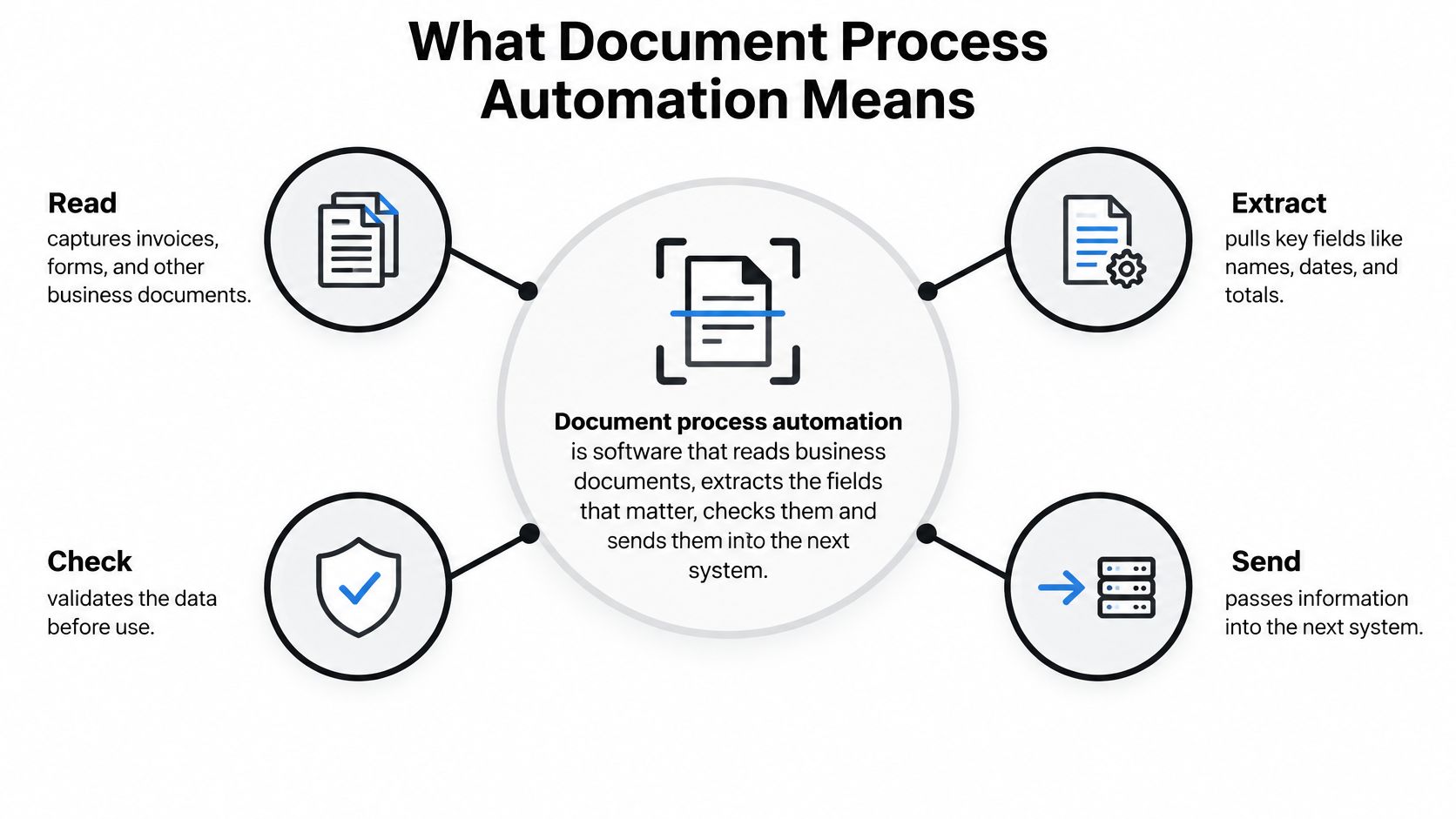
OCR turns pixels into text. Document process automation turns that text into a checked record and a decision. RPA is different again. It copies clicks and keystrokes across screens. It doesn't decide what a total means.
The same pipeline covers invoices, payslips, KYC identity documents, delivery notes, bank statements, customs declarations and contracts.
Ask any tool three questions. What goes in. What comes out. What happens to exceptions. If the third answer is “a shared folder,” you still have a typing queue.
The Hidden Cost of Manual Document Work
Keying one supplier invoice takes several minutes once lookup, checking and correction sit on top of the typing. Skill doesn't shrink that time. Volume multiplies it. Teams often buy OCR and still pay the same bill, because the template never survived the next supplier.

The European Commission figures compiled for the Council show why mixed paper and files linger. In 2010 only 23% of EU enterprises sent or received electronic invoices, 42% of large enterprises and 22% of small and medium-sized ones. Structured e-invoices were about 5% of European business-to-business invoices. By 2020, 32.2% of EU enterprises sent e-invoices, up from 10.3% in 2013.
A machine-readable invoice already carries supplier identity, invoice number, tax, line items and payment terms. Those fields can be checked, matched to a purchase order and posted without rekeying. Most of what still arrives is a PDF or a scan. Template OCR assumes the total sits in a fixed box.
Where the money actually leaves
- Error correction: A wrong amount hits the ledger, and someone unwinds it.
- Duplicate payments: The second payment goes out, then someone claws it back.
- Late-payment fees: Approvals stall, and the supplier charges for the delay.
- Stuck queues: One person holds the file, and the whole queue stops.
- Month-end backlogs: Volume rises faster than the team.
A supplier moves the total box and the template misses it. Every new layout needs another template. Skew and a stamp over the total cause misreads. One PDF with five documents is treated as one document. The OCR licence didn't remove those failures.
Before you watch a product demo, see where a manual queue breaks down.
Measure three costs on your own desk for two weeks. Time per document. Error rate plus the cost of rework. How the backlog moves when volume rises 30%. If those three stay flat after OCR, the template is the bottleneck.
Key Components From OCR to Workflow
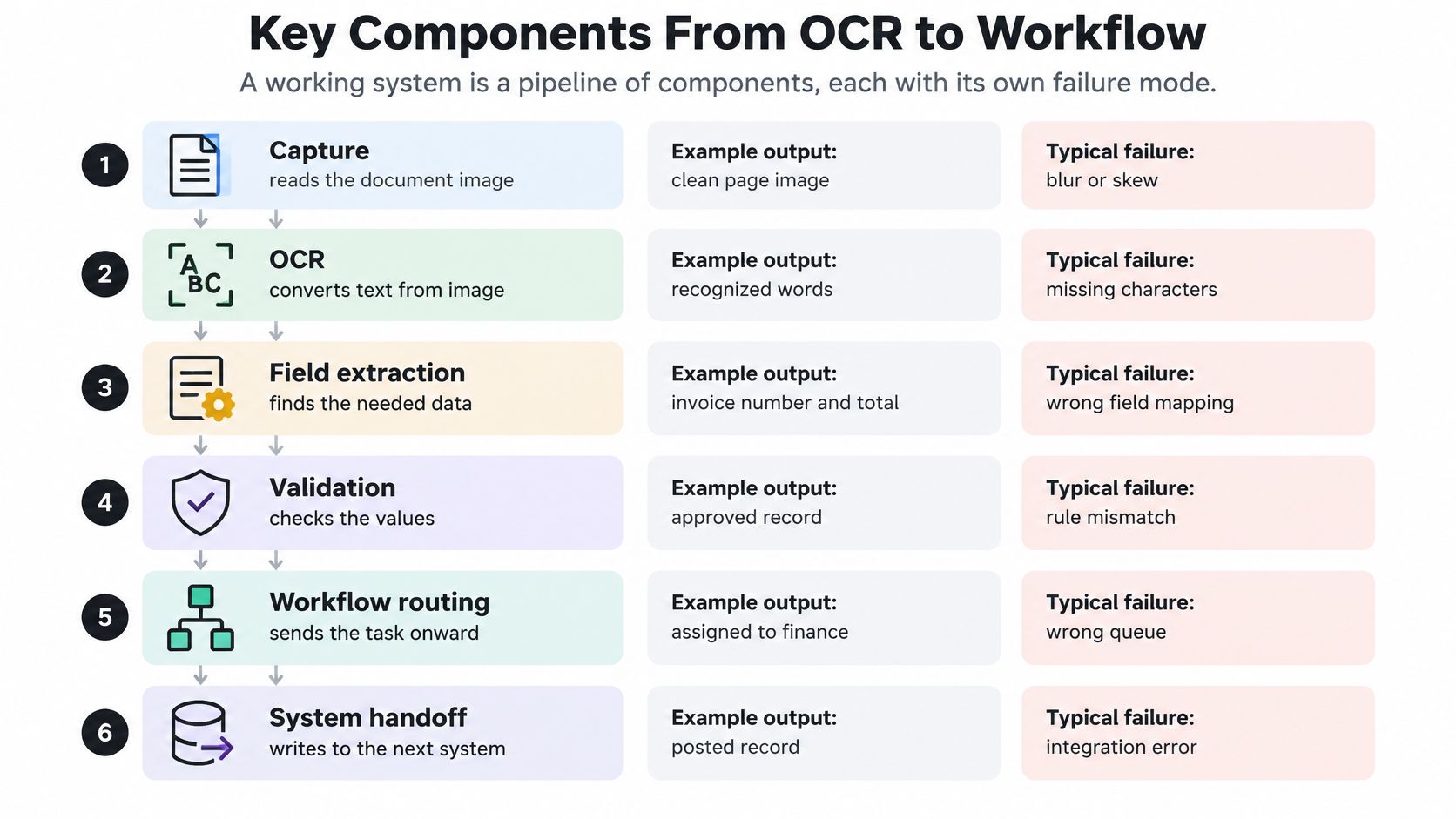
A working system is a pipeline. Each stage has its own failure, and a pretty character read doesn't rescue a bad handoff.
| Component | What It Does | Example Output | Typical Failure |
|---|---|---|---|
| OCR | Reads characters from scans, photos and PDFs | Invoice number 10482 | Blur, low resolution, handwriting |
| Field extraction | Finds the value that matches a field's meaning | Total due 1,240.00 | Look-alike labels, missing fields |
| Classification | Decides the document type | Invoice, payslip or contract | Mixed batches without splitting |
| Splitting | Separates one file into separate documents | Pages 1-3 invoice, pages 4-5 receipt | Unclear page boundaries |
| Validation | Checks totals, dates, tax IDs and cross-field rules | Line items sum to total: pass | Rules missing for new document types |
| Workflow orchestration | Routes data to ERP, CRM, approval or archive | Posted to ledger after approval | No retries or error queue |
Confidence beats a raw read
NIST's Federal Register evaluation separates page-image quality, OCR output and ground-truth text, so blur, bad field cuts and bad characters can be counted apart. On one page-number field, OCR reached 88.1% correct recognition across 64,384 subimages. Pairing OCR with automated validation kept more than 83% of images out of human adjudication, leaving 17% for review.
Practical rule: Attach a confidence score and a validation status to every field, apply fixed rules to totals, dates, identifiers and cross-field checks, and send only exceptions to a person.
An 88.1% character read is not a trustworthy invoice. Totals must add up. Dates must parse. Tax IDs must match a pattern. A line quantity times price must agree with the line amount. Fail any rule and the record stops, even if the characters looked clean.
Traceability and drift
Each extracted value should point at its source page and coordinates. A clerk or auditor can see the box in seconds and correct it without rereading the file. A production response should carry field-level provenance, confidence, the failed rule and those coordinates.
NIST's own set holds scanned images, ground-truth text, OCR results and image-quality scores. You need the same kind of labelled set. Sample scanners, languages and photo quality every month. If phone photos start failing while clean PDFs stay fine, the average will hide it.
Common Architectures and When Each Fits
Pick the design from your volume, how many layouts you see, and who will own the queues. A five-person finance team and an engineering group embedding extraction in a product should not buy the same shape.
| Architecture | How It Works | Best For | Main Limit |
|---|---|---|---|
| Template OCR | Fixed zones mapped to one layout | A few stable forms | Breaks on any layout change |
| Rules-based processing | OCR plus keyword and position rules | Forms with predictable labels | Rules multiply and need constant upkeep |
| AI extraction by schema | Model reads the page against a defined list of fields | Invoices and contracts with varied layouts | Needs validation rules and review thresholds |
| Classify, split and route pipeline | Identifies type, splits files, extracts per type, routes results | Mixed batches feeding several departments | More moving parts and clear owners needed |
| Embedded API | Extraction called from an ERP, CRM or vertical SaaS product | Engineering teams building products | Your team owns queues, retries and error handling |
Keep the page, not just the text
A 2025 benchmark of eight multimodal models across three public invoice datasets found native image processing far ahead of a markdown-first workflow. On scanned invoices, native processing reached 92.71% accuracy versus 64.03% for parsed text. Markdown drops table borders, column alignment, stamps and checkboxes. Those clues tell you whether a number is a subtotal, a tax amount, a quantity or a supplier ID.
Keep the rendered page as the main input. Use extracted text as a helper, not the only view. Report accuracy by document and by field, split by born-digital, scan, photo, language and multi-page files. One high average hides the pile that hits the queue.
Tools like Matil.ai put OCR, classification, page splitting, validation and workflow orchestration behind one API, with accuracy above 99% in multiple use cases. Pre-trained models cover invoices, bills of lading, customs declarations, payslips and identity documents, and a custom model can be trained from your samples in under a week. You use the layers you need instead of building each one. Routing across systems is covered in this guide to workflow orchestration.
Test any architecture with three counts. How many layouts must it read. How many document types does it handle. How many systems receive the output.
Use Cases From Invoices to Logistics
The volumes below are illustrations. Swap in your own counts before you treat them as a business case. Pre-trained models exist for each of these document types, so the first pilot doesn't start from a blank schema.
Supplier invoices
Problem. An accounts payable team of three keys about 10,000 supplier invoices a month. Layouts change, and bank details change without warning.
Solution. The pipeline reads header fields and line items, checks that lines sum to the total, matches the purchase order and sends changed bank details to a reviewer. A practical path is laid out in this walkthrough of how to automate invoice processing.
Result. Fewer rekeying errors reach the ledger, and the close shortens because clean invoices don't wait on the same person who handles disputes.
Payslips
Problem. HR checks payroll for 500 employees and still opens files one by one when a deduction looks off.
Solution. Classify the payslip, extract gross pay, deductions and net pay, and test that net equals gross minus deductions.
Result. Only mismatches land in review. The other 490 don't consume a morning.
KYC documents
Problem. A fintech onboards customers with ID cards, NIEs and passports. Blurred photos and expired dates stall the queue.
Solution. Identify the document type, capture name, number and expiry, check formats and expiry, and route unreadable images to a person. Every field keeps its source.
Result. Onboarding moves faster, and each accepted field has an audit trail.
Logistics files
Problem. A forwarder receives bills of lading and customs declarations (DUA) after the ship has sailed. A wrong container number shows up at the port.
Solution. Extract shipper, consignee, container numbers, weights and references, then match them to the shipment record.
Result. Mismatches are flagged before the cargo arrives, not during a demurrage argument.
The useful result isn't “we read the PDF.” It's a named exception, a reason, and a person who owns the next hour.
ROI and Business Benefits in Numbers
Take 10,000 invoices a month. Manual handling is 6 minutes each, about 1,000 hours. Assume 80% are clean at 0.5 minutes and 20% are exceptions at 6 minutes. Automated handling is about 267 hours. You release about 733 hours. At an assumed EUR 30 loaded cost per hour, that's about EUR 22,000 a month before software. Replace every assumption with your two-week baseline.
| Metric | Manual Process | Notes |
|---|---|---|
| Invoices per month | 10,000 | Same volume in both cases |
| Handling time per invoice | 6 minutes | Model uses 0.5 minutes on clean invoices and 6 minutes on exceptions |
| Monthly handling hours | About 1,000 hours | Automated path is about 267 hours |
| Hours released per month | Not applicable | About 733 hours |
| Exception rate | Not applicable | 2025 AP average was 18.4%; replace with your measured rate |
| Monthly labour value | About EUR 30,000 | About EUR 22,000 released before software cost |
Exceptions decide the return
A 2025 accounts payable analysis found 49% of AP leaders named slow approvals as a top challenge and 48% cited high exception rates. The average exception rate was 18.4%, and only 35.4% of invoices were processed completely without human intervention.
Near-perfect extraction won't pay if supplier master data, purchase-order matching, approval ownership and bank-change checks stay broken. Straight-through processing is the clean slice. The return sits in how fast a real exception is explained, routed and closed without weakening payment controls.
Four benefits follow when that slice is measured.
- Time: Repetitive entry leaves the team. The hours above are the proof, not a slogan.
- Errors: Bad totals stop before the ledger.
- Scale: Volume can rise without a matching rise in headcount.
- Straight-through processing: Clean documents post. People see the rest.
ROI here is annual savings minus annual platform cost, divided by annual platform cost. If you can't name the exception rate, you can't trust the percentage.
Security and Compliance Requirements to Check
A 2025 survey of 465 organizations across North America, Europe, Australia and New Zealand found 76.6% stored 25–75% of their data in documents, yet only 38.1% rated that document data as excellent for AI use. 54% named security as the leading barrier and 49% cited data quality. 82.8% planned to invest in document automation within 12 months, even though nearly half lacked confidence in their pipelines. A model doesn't fix ownership, retention or a weak audit trail.
Put these questions to any vendor in writing. Our own answers are the comparison point, and a wider checklist sits in this note on enterprise document security.
- Roles: When a document holds personal data, who is controller and who is processor? We act as processor under the GDPR and follow only your instructions as controller.
- Retention: How long are files and results kept, and when are they deleted? By default we keep processed documents and results for 12 months for audit, traceability and support, then delete them automatically. We also offer a zero data retention policy, so confirm in writing which setting your contract uses.
- Ownership: Who owns the upload and the structured result? You keep all rights over uploaded documents and the structured JSON obtained from them.
- Certifications: Which of GDPR, ISO 27001 and AICPA SOC are in force, and can you see the current reports?
- Access logs: Is every field view traceable to a user and a time?
- Place of processing: In which country is the file handled?
- Model changes: Who approves a model update, and how is the version recorded?
A zero-retention slogan doesn't repair poor scans, inconsistent field names or a review queue with no owner.
Ask for the retention clause and the processor terms before you send a live ID card or a payslip.
Evaluate Options and Start With One Flow
Roll out one flow before you automate the company.
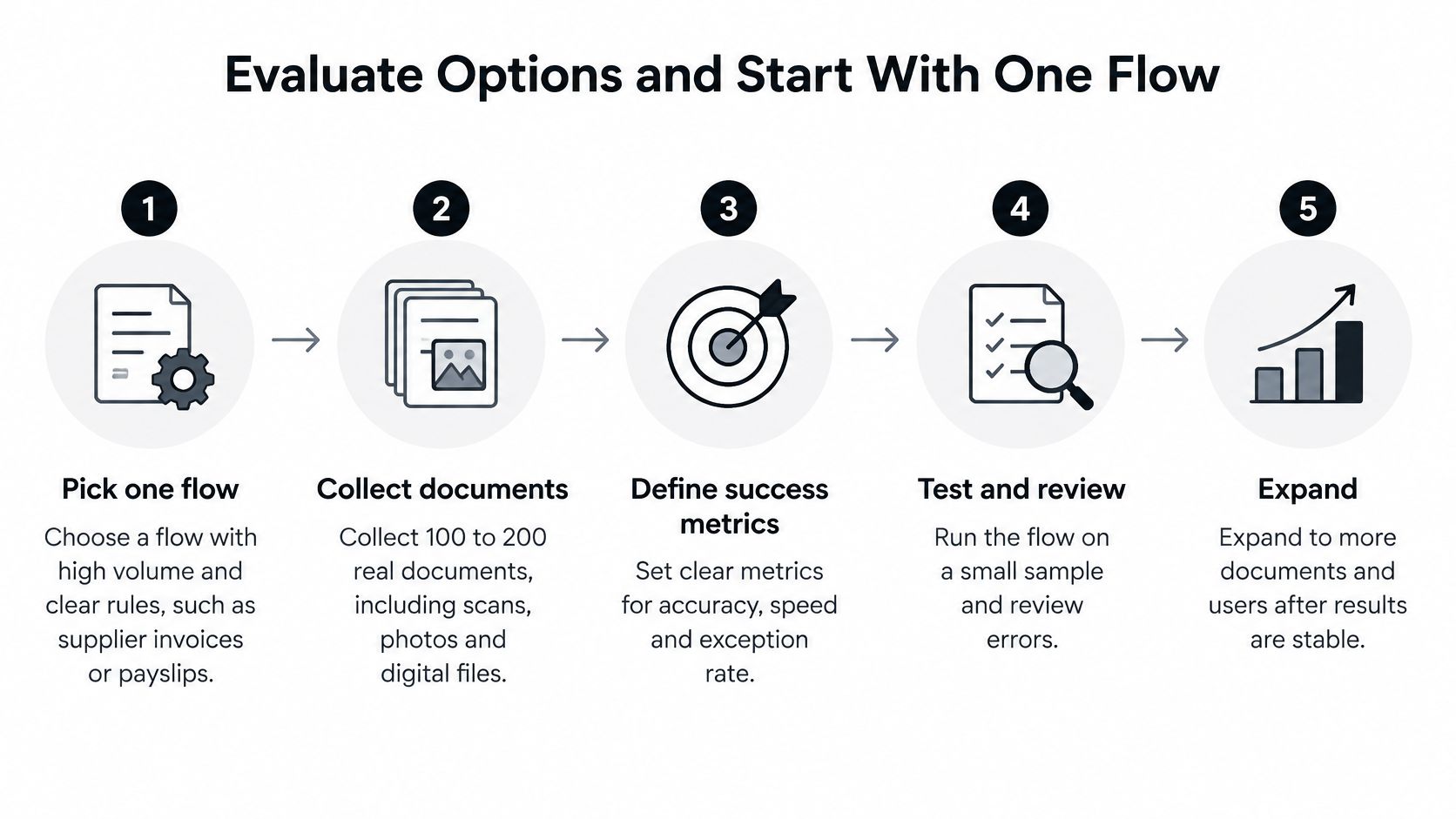
- Pick one flow with high volume and clear rules, such as supplier invoices or payslips.
- Collect 100 to 200 real documents, including scans, photos and multi-page files.
- Measure a two-week baseline: handling time, error rate and exception rate.
- Define the fields, schema and validation rules for that type.
- Set confidence thresholds and a review queue with an owner and a response time.
- Test each candidate on your documents and report field-level accuracy by type and scan quality.
- Connect the output to your ERP or CRM with logs, retries and an error queue.
- Pilot for four to six weeks, then add one document type at a time.
What to score besides security
Leave certifications to the checklist above. Score the operating fit.
- Exception tooling: Can a reviewer see the failed rule, the source box and the next owner?
- API and batch options: One API should cover a live call, a webhook when work finishes, and a batch of hundreds of documents for nightly imports. Each distinct document in a batch is its own request.
- Time to add a type: Days, not a new template project for every supplier.
- Structured JSON: The export should match the schema your ERP expects.
- Pricing you can read: Rates by document type, published where you can check them.
If reviewers still mark up drawing PDFs by hand, a structured product review such as the Exayard vs Bluebeam comparison is a useful habit. It separates markup tools from extraction tools, which is the same discipline you want when two extraction vendors demo the same invoice.
If you're evaluating this process, you can explore Matil.ai and ask for a personalized study of your own documents before you commit.
Conclusion
Document process automation is a governed pipeline. It reads, checks and routes. The return depends on what happens after extraction, when an approval stalls, a total fails or a bank detail changes. Accuracy on a clean sample doesn't answer that.
The first measurable step is one flow, a two-week baseline, a confidence threshold and a named review owner. Readers who measure first can judge any tool, including Matil.ai, on evidence rather than claims. Compare candidates on your own documents. If the fit matches your volume and your retention rules, request a study of your files before you sign.
Matil reads invoices, payslips, KYC files and logistics documents through one API, then checks the fields and returns structured JSON your systems can post. If you want that pipeline judged on your exceptions and your governance rules, not a generic demo, visit Matil and ask for a study of your own documents.


