Unstructured Data Classification: A Practical Guide
Learn unstructured data classification from fundamentals to enterprise deployment. Covers techniques, implementation steps, metrics, and best practices

In 2023, an estimated 92.9% of newly generated data worldwide was unstructured, including documents, images, video, audio, email, and machine-generated content, according to IDC estimates summarized by Docsumo. For finance and operations teams, that means the first automation problem often isn't extracting a field. It's identifying what a file is before the right extraction, validation, compliance, or routing rule can run.
What Unstructured Data Classification Actually Solves
An operations team receives 2,000 mixed PDFs every day. Some are invoices, others are delivery notes, credit notes, customs declarations, or identity documents. If the system doesn't know the document type first, it may apply an invoice schema to a Bill of Lading, send a customs declaration to accounts payable, or extract a delivery note with the wrong field definitions.
Unstructured data classification is the process of assigning incoming content to meaningful categories, such as invoice, payslip, passport, contract, or customs declaration. It isn't the same as OCR. OCR reads characters. Classification determines what those characters and page layouts represent, so the next process can act correctly.
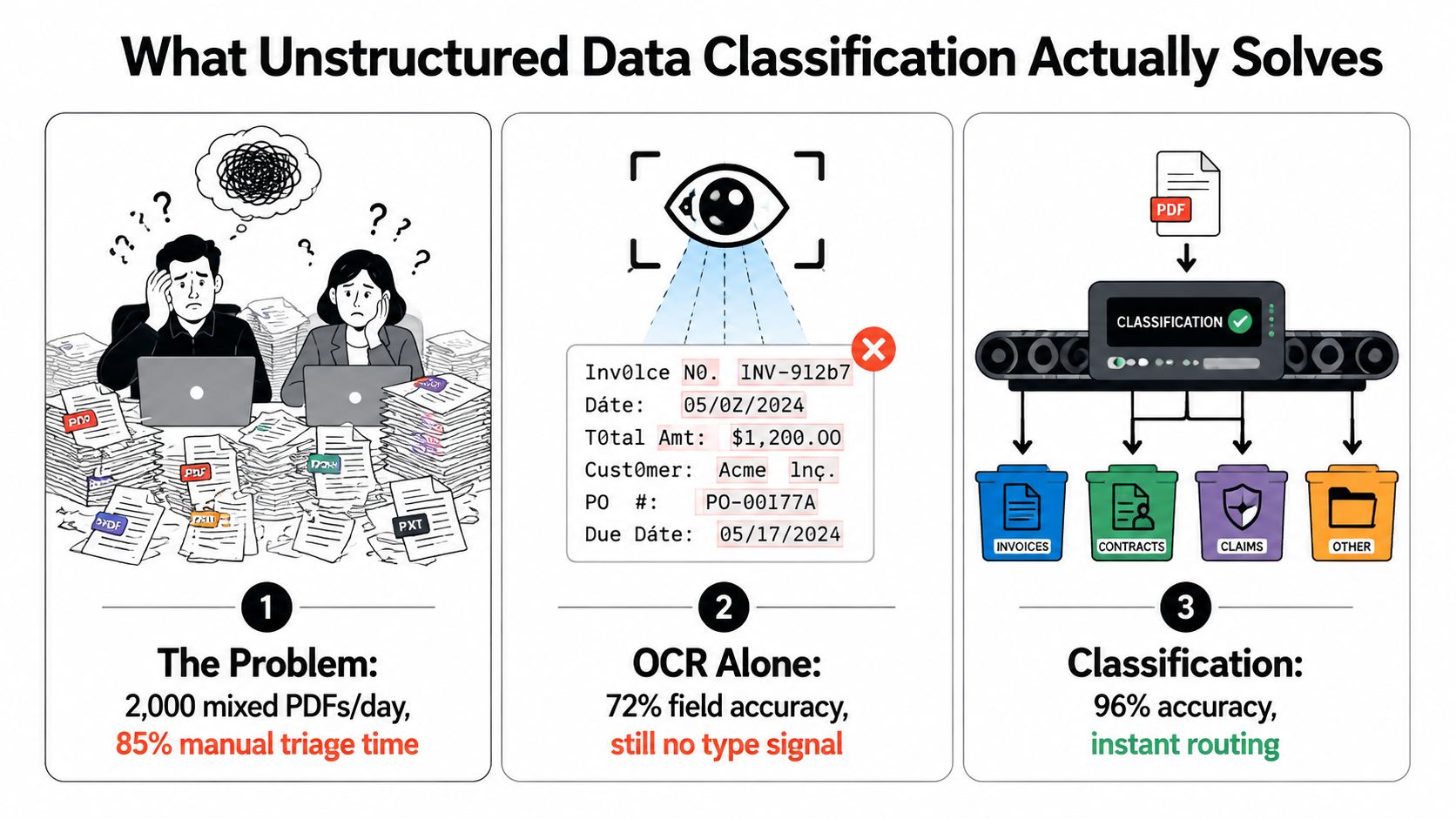
Classification is routing intelligence
A useful mental model is:
- Ingest the file. Accept PDFs, scans, images, email attachments, or multi-page document batches.
- Identify the document type. Assign a class such as invoice, bank statement, or identity document.
- Select the correct processing path. Apply the right extraction schema, validation rules, retention policy, and destination.
- Escalate uncertainty. Send unknown or low-confidence documents to a review queue instead of forcing a misleading label.
This is why classification matters before you try to extract data from PDF files. An invoice might require supplier details, tax values, line items, and total due. A delivery note may require SKU, quantity, shipment, and receiving information. A customs declaration needs a different structure again.
Practical rule: A label has value only when it changes what the system does next.
Classification can also control access and AI use. A sensitive identity document may be excluded from model training, routed to a restricted queue, and retained under a different rule than a public product brochure. For a broader explanation of how organizations handle content that does not fit neat tables, Ares' guide to OCR and document extraction provides useful context.
The difference is operational. A metadata tag that nobody uses is descriptive. A classification connected to extraction, validation, retention, escalation, and audit becomes an enterprise control layer.
How Document Classification Evolved Into a Production Discipline
Automated document classification didn't begin with transformers. Its foundations were established when researchers tried to organize large collections of text without reading every document manually.
In the 1960s, Hans Peter Luhn used document-frequency methods to process literature abstracts automatically. These methods represented documents through the importance and distribution of their terms. Around the same period, Naive Bayes was proposed by Kuhns and Maron and later applied to information retrieval and text categorization.
The next important step came in 1970, when Gerard Salton and colleagues proposed the vector-space model. It represented documents as weighted term vectors, allowing systems to compare documents computationally based on their content. A message containing terms associated with an invoice could be compared with known invoice examples, even without a human reviewing every page.

From rules to learned representations
During the late 1980s, many production systems relied on manually authored rules. A team might define conditions such as “if the page contains a tax number and invoice total, classify it as an invoice.” These rules could be understandable, but they became difficult to maintain when suppliers changed layouts, languages, or terminology.
During the early 1990s, machine-learning methods increasingly learned category boundaries from labeled examples instead of requiring experts to encode every condition. The architecture remained recognizable:
- Represent the content.
- Assign one or more categories.
- Use the category to choose downstream processing.
Modern systems extend the representation layer to scanned pages, document images, layouts, and multimodal content. OCR supplies text, visual encoders recognize page structure, and neural models capture relationships that simple keywords miss.
That history gives buyers a practical evaluation question. Don't ask only whether a vendor uses an advanced model. Ask what information the model sees, how it handles unfamiliar layouts, how its decisions are reviewed, and how its output triggers the next business action.
Comparing the Main Classification Techniques
No single classification technique is ideal for every document pipeline. A rules engine may be the right choice for a highly controlled routing decision, while a layout-aware transformer may perform better on varied scans with complex visual structure.
| Technique | Labeled data needed | Generalization to new layouts | Interpretability | Typical inference cost |
|---|---|---|---|---|
| Rule-based and pattern systems | Little or none, but require expert-authored rules | Weak when layouts or wording change | High, because each decision can be traced to a rule | Low |
| Classical machine learning, such as Naive Bayes, logistic regression, and SVMs | A labeled corpus with representative examples | Moderate for vocabulary changes, weaker for major layout changes | Medium to high, especially with term-level features | Low |
| Deep learning on document images, including CNN and CNN plus RNN systems | More labeled examples, including varied visual formats | Better for visual variation, dependent on training coverage | Lower, because visual signals can be difficult to explain | Medium to high |
| Transformer-based text, layout, and multimodal classifiers | Usually substantial and diverse training data, or a strong pretrained model with adaptation | Stronger when text, position, and visual context are combined | Medium, with explanation and audit tooling required | Medium to high |
Rules remain useful
Rules are effective when the organization needs deterministic behavior. A compliance team might require any document containing a particular sensitivity marker to enter a restricted workflow. That decision can be implemented as a policy rule even if a machine-learning model identifies the broader document family.
Classical machine learning is often efficient for text-heavy collections. With TF-IDF or bag-of-words features, a model can distinguish common categories when the text is legible and the vocabulary is stable. It becomes less reliable when the distinction depends on visual arrangement, handwriting, stamps, or a supplier-specific template.
Visual and multimodal models handle richer evidence
Deep learning models can learn from document images, layout, and visual patterns. This helps when two documents use similar language but place fields in different locations. Transformer-based systems can combine extracted text with coordinates, page structure, and visual features, making them suitable for complex document families.
That capability comes with operational costs. Larger models can require more inference resources, and their decisions need stronger monitoring. Classification teams should also distinguish document semantics from generated-content signals. For readers assessing those signals, Simple Unmark's explanation of AI watermark signals offers helpful background on why visible content indicators and model-based detection aren't interchangeable.
Most enterprise pipelines combine techniques. A model can identify the likely document type, a rules layer can enforce sensitive routing, and validation can reject outputs that violate required formats. Teams comparing architecture options can also review document classification techniques for production workflows before selecting a design.
Building the End-to-End Classification Pipeline
A production pipeline should treat classification as one stage in a connected process, not as an isolated prediction endpoint. The system must accept messy inputs, produce evidence for its decisions, and define what happens when confidence is low.
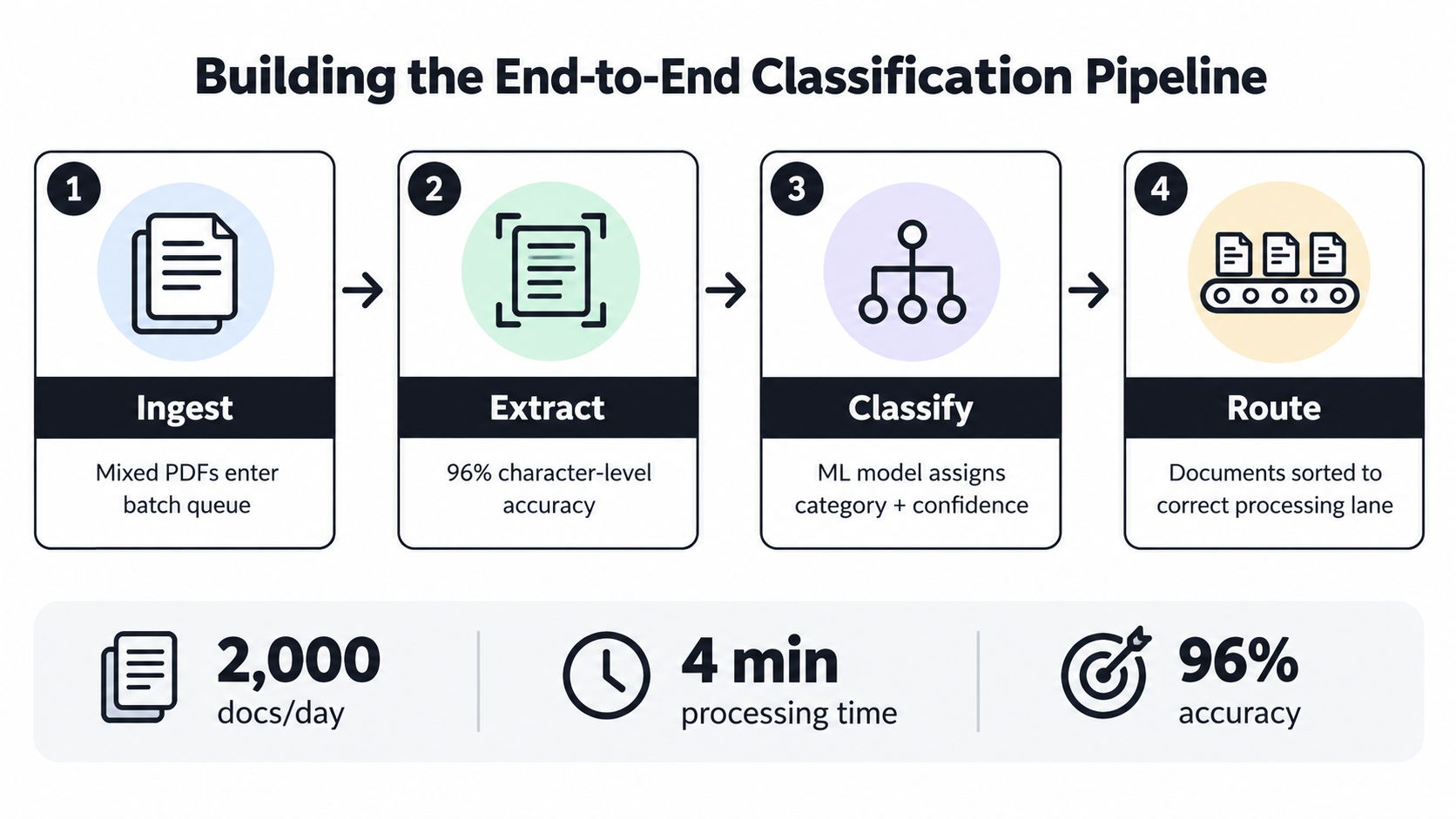
The six operational stages
Step 1, ingest. Accept mixed PDFs, scans, images, email attachments, and multi-page files. Record the source, file identifier, page count, and arrival context so later decisions have a traceable origin.
Step 2, preprocess. Deskew pages, reduce noise, detect language, and split a batch PDF when it contains several documents. A scan that hasn't been cleaned can create OCR errors that later look like classification errors.
Step 3, extract signals. OCR provides text. Coordinate analysis provides layout. Visual encoders can identify elements such as tables, logos, stamps, and signatures. The classifier should use the signals that match the document family rather than relying on text alone.
Step 4, classify. Assign a category and a confidence score. The output might be invoice, delivery_note, or customs_declaration, but it should also indicate whether the model recognized the document confidently or encountered something unfamiliar.
Step 5, extract and validate. Once the class is known, apply the relevant schema. Validate dates, totals, identifiers, currencies, quantities, and required fields against business rules. A correctly classified invoice with an invalid total still needs review.
Step 6, route. Send the result to an ERP, accounting queue, KYC workflow, customs process, archive, or human reviewer. A low-confidence item should have a defined destination instead of disappearing into a failed-job log.
A confidence threshold isn't a universal number. Finance, KYC, and customs teams should set it according to the cost of an incorrect automated decision.
API and intelligent document processing
In an API-based intelligent document processing architecture, classification can be one endpoint in a larger orchestration. The application uploads a file, receives document types and structured fields, checks validation results, and sends approved output to an ERP, RPA bot, case-management system, or data warehouse.
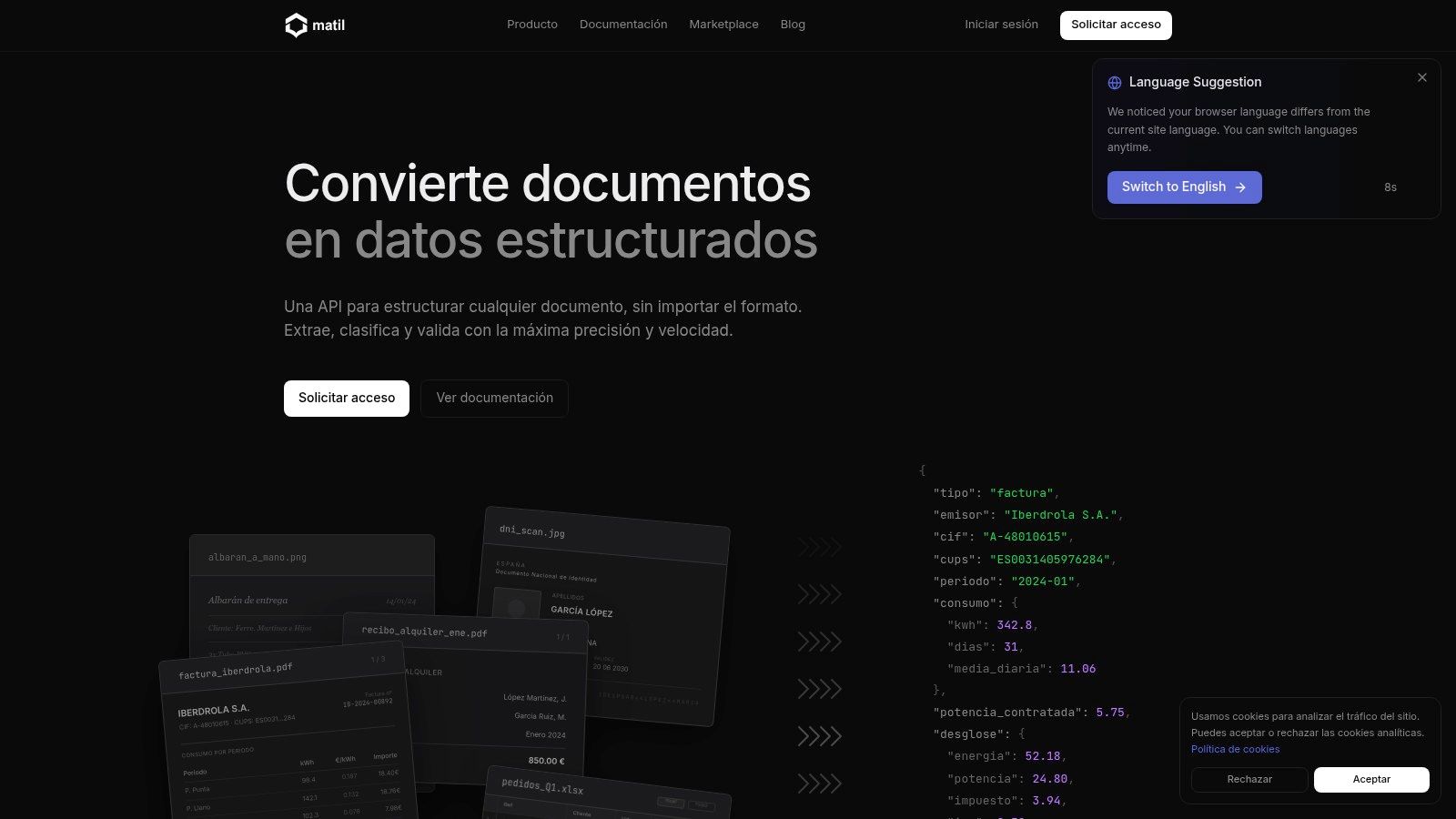
Platforms such as Matil.ai combine OCR, classification, validation, document splitting, and workflow orchestration behind an API. Teams planning the handoff from raw files to structured records can also consult this guide on turning unstructured data into structured data.
The design question isn't just whether classification works. It's whether every outcome has a safe next step: accepted, corrected, rejected, or reviewed.
Evaluating Classifiers Beyond In-Domain Accuracy
A classifier can perform well on familiar documents and still fail when a new supplier, country, scan format, or template appears. The RVL-CDIP benchmark contains 400,000 scanned document images across 16 balanced categories, with a standard 320,000/40,000/40,000 train-validation-test split, according to research on out-of-distribution document classification.
Models that score highly on RVL-CDIP can lose approximately 15 to 30 percentage points when evaluated on the out-of-distribution RVL-CDIP-N set, as reported in the same research. The issue isn't necessarily that the model has learned nothing. It may have learned scan quality, typography, source templates, or layout conventions that happen to correlate with the training categories.
What production evaluation should include
For a vendor or internal model, request evidence across several dimensions:
- In-domain macro-F1. This shows performance across known classes without allowing common categories to hide weak minority-class behavior.
- Held-out templates. Test documents from suppliers and layouts that weren't present during training.
- Geographic or temporal separation. Use documents from new jurisdictions or later operating periods to expose terminology and format drift.
- Confidence distributions. Review whether high-confidence predictions are reliable and whether uncertain cases cluster around particular classes.
- Unknown and OOD handling. Require a reject path for documents that don't belong to any supported category.
- Drift monitoring. Track changes in class distribution, confidence, error patterns, and newly encountered layouts.
Confidence calibration matters because a score is only useful when it corresponds reasonably to the chance of being correct. AI Video Detector's guide to confidence calibration provides a general explanation of why confidence should be tested rather than accepted at face value.
A mature pipeline collects low-confidence and corrected documents for review. Those examples can support reclassification, retraining, new rules, or a new document class. Teams looking for practical ways to improve production performance can review methods for improving model accuracy, but the evaluation principle remains the same: measure on the documents the business will receive.
Where Classification Earns Its Keep Across Industries
Classification creates value when different document types require different actions. The same inbox can contain files that belong to finance, procurement, HR, compliance, or logistics. Sending every file through one generic OCR flow creates avoidable ambiguity.
Operations and accounts payable
Problem: An invoice, delivery note, and credit note arrive together, but each has different fields and business consequences.
Solution: Classification sends invoices to a supplier and totals schema, delivery notes to a receiving schema with SKU and quantity fields, and credit notes to a correction workflow. Electricity and gas bills can use a schema that expects consumption, capacity, and supply identifiers.
Result: The team avoids reading every file manually and reduces the risk of applying the wrong validation rules. Exceptions remain visible because the system can route uncertain files to review.
Finance and HR
Payslips, bank statements, receipts, and payroll documents often arrive through overlapping channels. A classifier can separate them before extraction, sending payslips to payroll processing and bank statements to reconciliation.
The result is a cleaner handoff between document processing and accounting systems. The finance team receives structured records designed for the right workflow instead of a generic text dump.
The same principle applies to procurement. A receipt may require merchant, date, tax, and total fields, while a contract may require parties, dates, clauses, and renewal information.
KYC and customer onboarding
Identity documents need more than readable text. The system must distinguish an ID card, NIE, passport, or another evidence type, then extract the relevant identity fields and route the case through verification controls.
FATF Recommendation 10(a) requires regulated entities to identify customers and verify identity using reliable, independent source documents, data, or information. Classification supports that workflow by selecting the appropriate extraction and validation path, but extraction confidence isn't the same as compliance approval.
FATF also requires ongoing due diligence under Recommendation 10(d). A useful KYC pipeline therefore preserves source data, traceability, and reusable structured fields for later review and monitoring.
Logistics and customs
Bills of Lading, commercial invoices, and customs declarations do not share one compact field set. The World Customs Organization Data Model structures electronic customs messages through XML schemas, standardized data-element names, reference numbers, descriptions, representations, and code lists.
The WCO Data Model contains 727 data elements supporting customs and border-regulatory requirements, as described in this overview of the model. Relevant information can include commodity codes, net mass, supplementary units, parties, locations, transport details, invoice amounts, charges, and customs value.
Classification determines which field set applies. Validation then checks whether the extracted values fit the expected structure before sending them to customs, ERP, carrier, or logistics systems.
Across these examples, the outcome isn't merely searchable text. It is document-specific automation, with fewer manual handoffs, clearer exception queues, and structured output that downstream systems can use.
Enterprise Controls That Turn Labels Into Protection
Classification programs often focus on model accuracy and overlook visibility. A label can't protect a document if the organization doesn't know where the file resides, whether the label is current, or which policy should respond to it.
A 2026 Cloud Security Alliance study found that 35% of organizations had full visibility into where unstructured data resided, while 56% had only partial visibility, according to the study's findings. The same study found that 68% believed a significant portion of their unstructured data remained unprotected, despite 75% expressing confidence in their security posture.
Three controls belong beside every label
- An unknown and OOD path. Documents outside the supported classes should be rejected, quarantined, or reviewed. This prevents the system from converting uncertainty into a confident but harmful action.
- Lineage and version metadata. Store the source file, classifier version, evidence used, confidence, reviewer decision, and reclassification history. A label without provenance is difficult to defend during an audit.
- A policy hook. Connect document type and sensitivity to retention, access, AI eligibility, escalation, and audit rules. Classification becomes useful when it changes enforcement.
AI-readiness makes these controls more urgent. A 2026 BARC study of 225 data, analytics, and AI leaders reported that roughly one-third had inconsistent or nonexistent controls for bias and lineage when deploying agents on unstructured data, according to the BARC study. The same study reported that 56% cited classification and tagging as the top challenge in preparing unstructured data for AI, while 46% cited governance and security.
A vendor evaluation should therefore ask:
- Can the system show where classified content lives?
- Can it reject unknown document types?
- Does every label include source, version, confidence, and review history?
- Can policies act on the result?
- Does the platform trigger reclassification when layouts, regulations, terminology, or content change?
The strongest classification program protects a business outcome, not just a benchmark score.
Putting It Together and Choosing Your Next Step
A reliable unstructured data classification program follows four decisions:
- Classify before extraction so each document receives the right schema and workflow.
- Evaluate beyond familiar data with out-of-distribution tests, held-out templates, confidence analysis, and drift monitoring.
- Attach lineage and policy hooks so labels support access, retention, AI eligibility, escalation, and audit.
- Choose the right deployment model for your team, whether that's an API embedded in an existing system or a broader intelligent document processing platform.
Matil.ai is one option for teams that need OCR, classification, validation, and pre-trained document models through a single API. Its supported document families include invoices, payslips, identity documents, delivery notes, bank statements, Bills of Lading, and customs declarations, with GDPR, ISO 27001, AICPA SOC, zero data retention, and an SLA of over 99.99% availability described in its product information.
If you're evaluating document automation, ask each vendor for OOD metrics, lineage examples, confidence handling, and a concrete path from classification to your ERP, KYC, customs, or case-management system.
Matil combines advanced OCR, document classification, validation, and workflow orchestration so mixed PDFs and images can become structured, traceable data. To explore how it could support your unstructured data classification workflow, visit Matil.


