What Is Form Validation and Why It Matters in 2026
Learn what is form validation, why it matters for data quality, how client-side and server-side checks work, and how to validate extracted document fields.

Form validation checks whether data entered into a form meets predefined rules before a system accepts or processes it. In enterprise workflows, those checks can catch missing, malformed, out-of-range, or inconsistent values before they disrupt a finance, operations, or compliance process.
A finance team might paste invoice details into an ERP and discover that a mistyped number has blocked month-end close. The familiar red outline around a signup field is one small version of the same idea. The broader purpose is to help developers apply rules correctly, give operations teams data they can trust, and help decision-makers understand why validation matters beyond the browser. Secure website contact form best practices offer a useful reminder that even straightforward forms need clear, thoughtful validation and feedback.
What Is Form Validation in Plain English
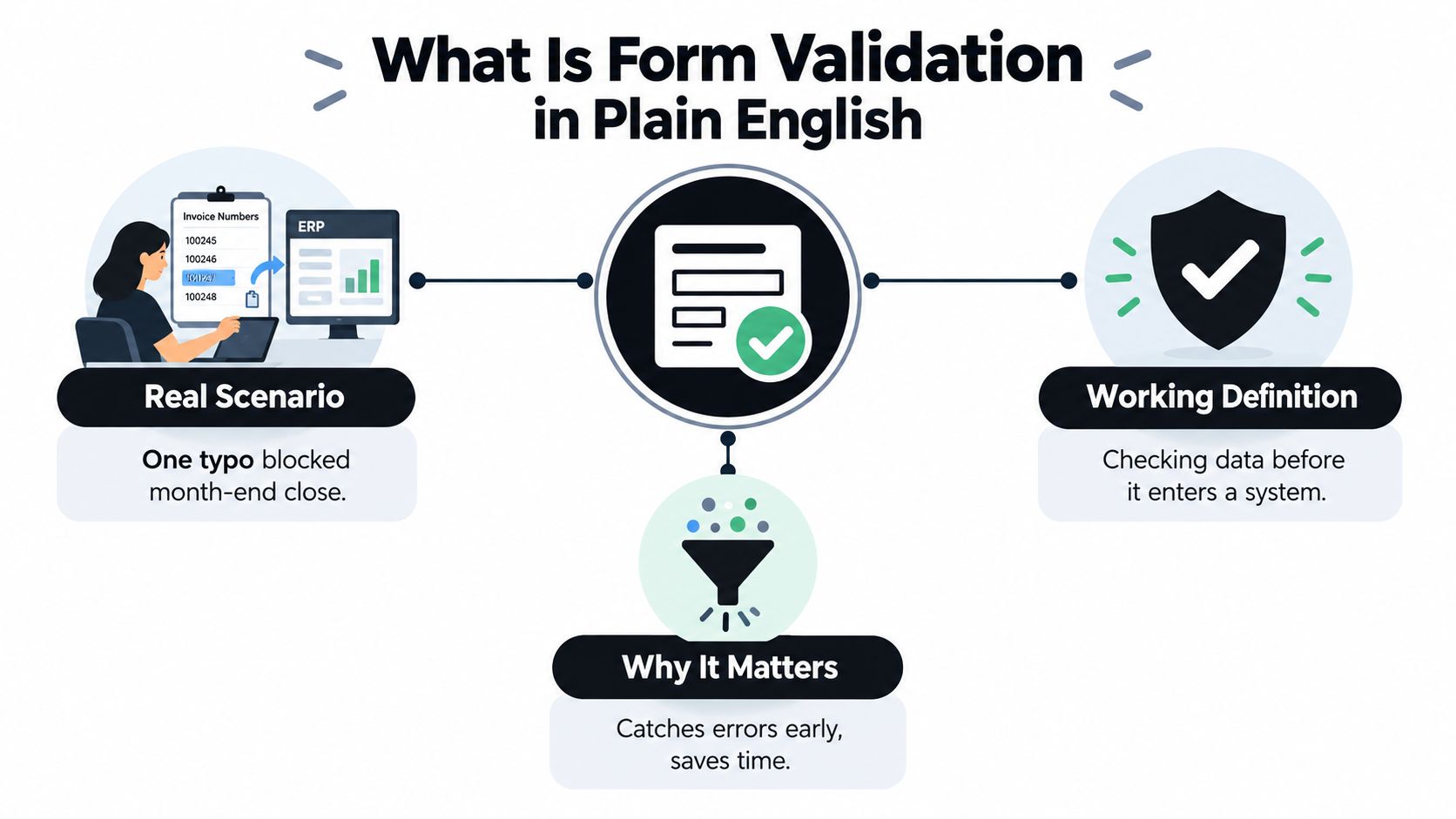
Form validation is the process of checking whether data entered into a digital form satisfies predefined rules before the data is accepted or processed. A browser can check that a required field isn't empty or that an email field has a recognizable format. An enterprise application can go further, checking whether an invoice amount is numeric, a date is valid, or a required accounting field is present.
The distinction matters because a value can look acceptable in a form and still be wrong for the task. A date may be correctly formatted but fall outside the permitted billing period. An invoice number may contain the expected characters but belong to a different supplier. Validation needs to check both the shape of data and whether it makes sense in context.
HTML5 helped make basic browser checks more consistent. It introduced semantic input types such as email, URL, number, date, month, week, and time, alongside native constraint validation. Attributes can require a value, set numeric limits, limit text length, or check a specified pattern. Browsers can apply many of these rules without JavaScript, while the Constraint Validation API gives applications ways to inspect validity and provide custom error messages. MDN's guide to constraint validation describes the browser-side foundation.
Working rule: A form is ready to submit only when its applicable controls meet their constraints, or application code explicitly handles the invalid state.
That browser feedback is useful, but it isn't the whole job. Submitted data can be altered or sent outside the browser, so important rules also need to be checked by the server. In business systems, this makes validation a data-quality control, not just a user-interface nicety.
Why Validation Matters for Data Quality and Compliance
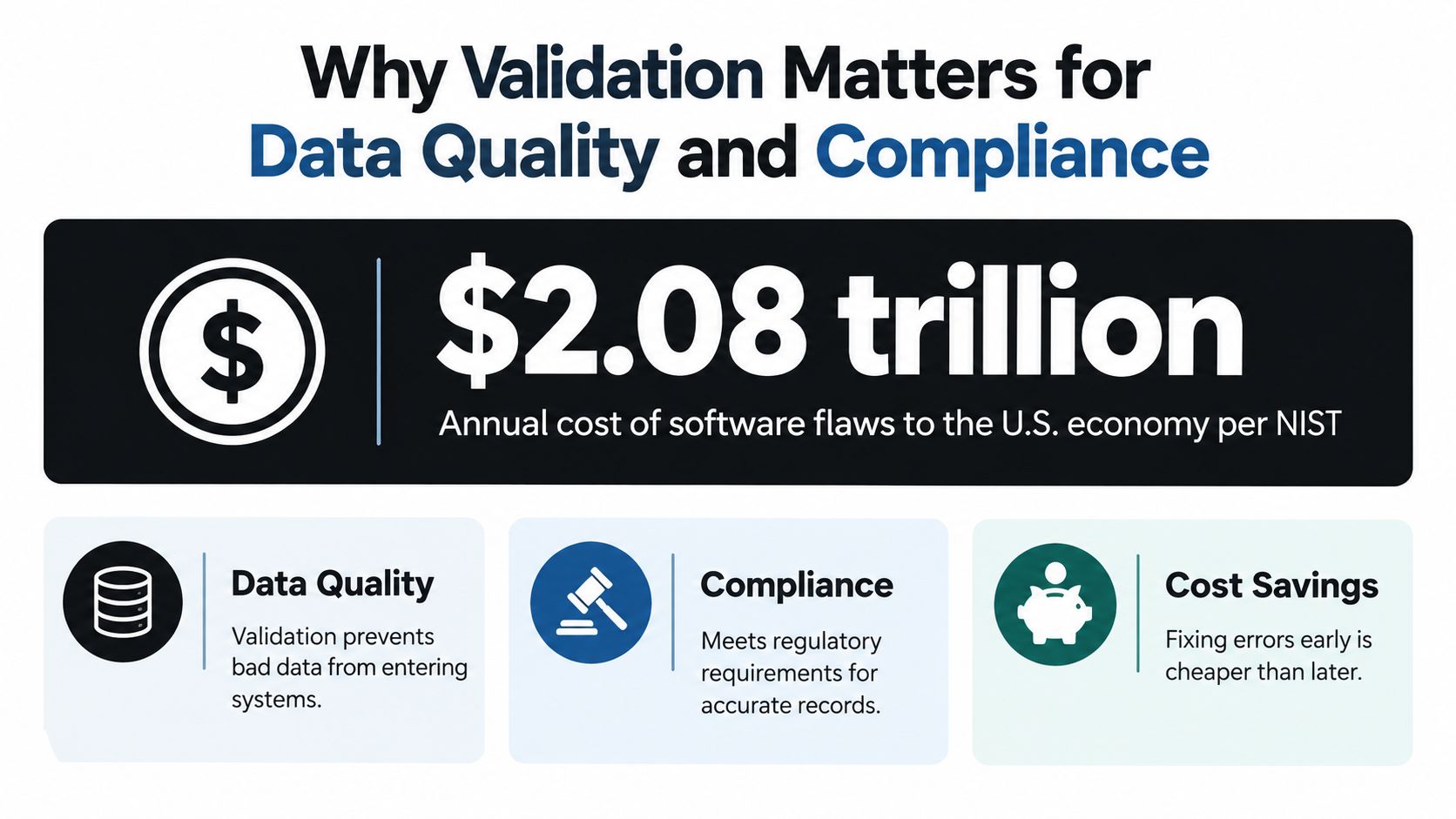
Bad input rarely stays in one place. An invoice amount stored as text can break a calculation. An ambiguous date can distort a report. An identity number that passes a superficial format check may still fail a later verification step. In each case, teams may have to find the error, trace its source, correct the record, and repair whatever downstream process depended on it.
A NIST-cited study estimated that software flaws cost the U.S. economy $59.5 billion annually in 2002, while about 50% of software-development budgets were being spent on testing, according to NIST's account of combination testing. NIST researchers also found that 70% to 95% of software failures were triggered by interactions between only two variables, while nearly 100% were triggered by no more than six. These findings support checking how fields work together, not just whether each field looks valid on its own.
For example, a start date should precede an end date. A currency should be consistent with the relevant account or country. A quantity should make sense for the selected product. A field-by-field check alone won't catch every conflict.
Validation supports controlled workflows
This is especially important in financial and regulated processes. VAT reporting depends on reliable transaction information, and customer identification workflows need more than text captured from an identity document. FATF's digital-identity guidance describes collecting identity attributes, validating and verifying the supporting evidence, and resolving it to one unique identity-proofed person. Reading text from a document is not, by itself, the same as completing those checks.
The European Commission distinguishes a structured electronic invoice, which is suitable for automatic processing, from an ordinary PDF. Its assessment reported that electronic invoicing represented 4% to 15% of invoicing procedures in the EU at that time. The Commission's VAT in the Digital Age proposal set out a change under which e-invoicing would become the default method for issuing invoices in Europe from January 2028, with electronic invoicing used for VAT reporting on intra-community transactions. See the European Commission staff working document for that assessment and policy context.
Early checks help stop invalid records before they trigger correction work or unreliable automation. Teams working to prevent those errors can also review ways to reduce data-entry errors.
The Main Types of Validation Explained
Validation becomes easier to design when you separate the question “Does this value look right?” from “Is this value right for this operation?” OWASP's input-validation guidance recommends both syntactic and semantic validation, because a value can follow the expected format and still represent an invalid action.
Syntax checks the representation
Syntactic validation checks a value's data type, format, character set, length, or pattern. In a web form, that could mean requiring an email-shaped value, limiting a text field's length, or checking that an identification number follows a specified structure.
Think of an address. A syntax check asks whether the postal code has an acceptable form. It doesn't establish that the postal code belongs to the stated country or address. That requires a contextual check.
Semantics checks the meaning
Semantic validation checks whether data makes sense under the rules of the application or business. An end date must not come before a start date. An invoice total should reconcile with its line items. A requested quantity must be allowed for the selected item. OWASP's guidance emphasizes that format-correct input can still be semantically invalid.
Field-level validation evaluates one field at a time, such as checking that an amount is numeric. Cross-field validation compares related fields, such as the invoice total and its line items. The first catches local problems; the second catches contradictions between values.
| Validation type | Example | What it catches |
|---|---|---|
| Syntax | Check that a date follows the required representation | Malformed or wrongly typed values |
| Semantics | Confirm that an end date follows a start date | Values that conflict with business meaning |
| Field-level | Require an invoice number | A missing or invalid individual field |
| Cross-field | Reconcile invoice totals against line items | Conflicts between related fields |
Rules can live in browser attributes, custom application logic, or schemas used by APIs and document pipelines. The important design question is not just which technology to use. It's whether every rule has a clear owner and is enforced at the layer that can reliably protect the data.
Client-Side and Server-Side Validation Compared
Native HTML constraints are a practical first line of feedback. Attributes such as required, type, minlength, maxlength, min, max, and pattern let the browser check common rules without custom code for every field. The WHATWG form-control specification also defines the Constraint Validation API, which exposes willValidate and validity state and provides methods including checkValidity(), reportValidity(), and setCustomValidity().
These browser checks make it easier to explain a problem while someone is filling in a form. A custom rule can, for example, mark a field invalid with a domain-specific message. But browser validation can be bypassed, so it shouldn't serve as the authority for a sensitive or important operation.
| Layer | Typical checks | Strength | Limitation |
|---|---|---|---|
| Browser attributes | Required values, types, length, ranges, and patterns | Immediate feedback with little custom code | Can be bypassed and doesn't cover every business rule |
| Client-side application logic | Custom messages and checks involving multiple fields | Flexible interaction and contextual guidance | Runs in an environment the user can alter |
| Server or API | Authoritative format, meaning, and business-rule checks | Controls what the application accepts | Feedback comes after submission and needs clear error handling |
| Shared schema | Expected fields, types, and permitted structures | Consistent rules across services and processing stages | Needs additional logic for contextual relationships |
A sound design combines these layers. Use browser checks for quick feedback, apply cross-field logic where the application can explain it clearly, and repeat the authoritative rules on the server. A shared schema can help keep expectations consistent between the form, API, and downstream system.
When a rule depends on more than one value, don't hide it behind a generic “invalid” message. Explain which values conflict and what needs to change. And avoid triggering disruptive feedback while someone is still typing; checking at a natural pause, such as when a field loses focus, can be less distracting.
Validation in Document Extraction Workflows
A document pipeline has the same validation problem as a web form, except the initial values come from a document rather than a person typing into fields. OCR converts text in PDFs and images into machine-readable content. That text can still be misread, assigned to the wrong field, or interpreted ambiguously. Sending it straight to an ERP treats unverified text as if it were already reliable data.
A useful sequence is:
- Extract: Read document content and identify candidate fields.
- Validate: Check required values, formats, ranges, schemas, and relationships.
- Flag: Send missing, conflicting, or uncertain values for review.
- Approve: Confirm the record before it enters a downstream workflow.
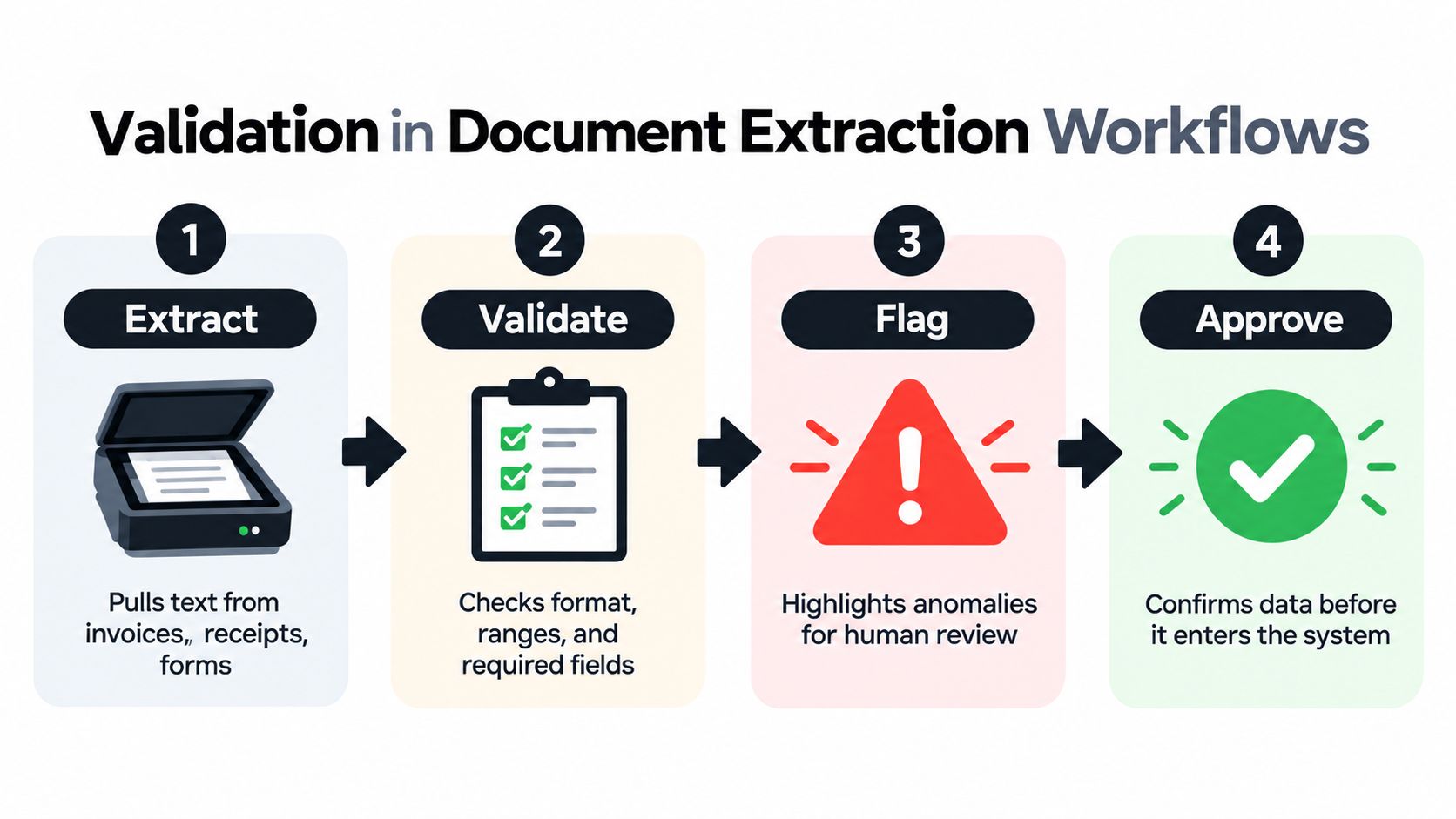
For an invoice, the invoice number may be required and checked against an expected pattern. The total can be reconciled with line items, and the currency checked against relevant account or country rules. A payslip may need required employee and payment fields. For a KYC document, extracting a name or identification number is only one part of checking the evidence and linking the attributes to a single person. On a delivery note, a quantity should be compatible with its item or SKU.
From extracted text to controlled data
A document workflow can validate output against a schema, apply semantic rules, and route unresolved conflicts to a human reviewer. It should preserve enough context to explain why a value passed or failed, instead of turning uncertain OCR into a definitive record outright. For background on document-heavy operational processes, the Goodhand document clearing guide provides additional context on document handling.
Matil.ai is one example of a platform that combines OCR, document classification, configurable schemas, validation, and workflow orchestration through an API. It supports pre-trained models for document types such as invoices, payslips, identity documents, delivery notes, and logistics paperwork, and can return structured JSON with traceability. Its stated capabilities include accuracy above 99% in multiple use cases, custom model creation in days, GDPR and ISO 27001 and AICPA SOC compliance, and a zero data retention policy. Those are product claims, so teams should assess them against their own documents, rules, security requirements, and review process. More on the broader process is available in this guide to automatic document processing.
Accessibility and Traceability in Validation
A strict rule can still be a poor rule if people can't understand or use it. Validation feedback needs to be perceivable, understandable, and usable with assistive technology. Otherwise, an application may reject correct information while leaving the person unsure what went wrong.

The WebAIM Million 2026 analysis reported detectable WCAG failures on 95.9% of the top one million home pages, and missing form input labels on 51% of pages, as summarized in SitePoint's accessibility-errors overview. Those findings underline why validation design needs to account for more than whether a field's value passes a rule.
Make errors usable
Associate labels programmatically with their controls so assistive technology can identify each field. Use plain-language messages that name the problem and suggest a correction. Make error states perceivable without relying only on color, and ensure keyboard users can reach the affected field and recover without losing their place.
Rules also need to allow legitimate variation. A rigid pattern for names, addresses, telephone numbers, or dates can reject culturally valid inputs. Check when feedback appears, too: a warning that fires on every keystroke may interrupt someone before they've finished entering a value. Guidance on document traceability also highlights the importance of making corrections understandable and auditable in workflows that rely on extracted data.
The same principle applies to document processing. If an extracted value needs review, show the field, the evidence it came from, the confidence or reason for review, and the next action. A reviewer shouldn't have to guess whether the system flagged a missing value, a format mismatch, or a conflict with another field.
A solid record should preserve the original value, any normalized value, the rule outcome, relevant evidence, and an escalation path when the system can't resolve uncertainty. That creates a clear basis for correction and review instead of overwriting source data without notice.
A Practical Validation Checklist You Can Apply Today
Use the same ordered checks for a user-submitted form or an extracted document record:
- Validate the schema: Check required fields, types, formats, and permitted structures at the browser, API, or schema layer.
- Reconcile related values: Apply backend or workflow checks to dates, totals, quantities, and other cross-field relationships.
- Apply business rules: Confirm that the record is appropriate for the relevant account, customer, product, or process.
- Check completeness and confidence: Identify missing fields and uncertain extraction results before downstream processing.
- Escalate unresolved conflicts: Route ambiguous or conflicting records to a human reviewer with enough context to act.
- Log the outcome: Preserve original and normalized values, rule results, evidence, and review decisions for traceability.
For operational workflows, make sure the rules cover the documents and decisions teams handle. A distributor reviewing delivery paperwork, for example, may find a proof-of-delivery guide for distributors useful when defining what information a record needs to support.
If you're evaluating automated document extraction, Matil combines OCR, classification, validation, and workflow orchestration through an API, with configurable document schemas and traceable structured output. Explore Matil to assess whether its document types, integration approach, and security controls fit your team's validation needs.


