OCR Accuracy Comparison: How to Measure What Matters
An OCR accuracy comparison that goes beyond CER and WER: field-level metrics, test methods, engine results, and how to choose by document type.

The usual buying advice is simple. Pick the engine with the highest accuracy percentage and move on. That advice fails the moment a finance or compliance team posts a wrong total.
An OCR accuracy comparison that stops at one character score hides swapped columns, broken invoice lines, and amounts that look plausible and still fail validation. A page can read cleanly while one digit ruins the payable.
Judge engines by field-level correctness, validation failures, and touchless rate. Those are the numbers that change cost per document, not the brochure percentage.
Why Headline OCR Accuracy Numbers Mislead Buyers
A high character accuracy can still produce a wrong invoice total. A few character mistakes corrupt whole words, tax codes, and amounts. The page looks fine. The ledger does not.
Historical-print research shows how far the two metrics split. A combined OCR and image-preprocessing workflow typically reached average word accuracy of 90% to 95% on seventeenth- and eighteenth-century books, with eighteenth-century material only 1 to 2 percentage points better than seventeenth-century material. A separate historical-print study reported character accuracies from 94% to above 99%, but word accuracies from 76% to 97%, and a mean word accuracy of 91% across its models. Well-preserved documents scanned at 300 dpi, in color or grayscale, and correctly segmented into text lines could reach character accuracy above 98% across modern-printing periods, according to that historical OCR accuracy research.
One bad digit is a small character error and a failed payment. Character scores and word scores are not interchangeable, and neither is a field exact match on a tax identifier.
Scan setup moves the result as much as the model. Resolution, color mode, line segmentation, and preprocessing change what any engine returns. Teams that score engines on clean screenshots, then run phone photos of receipts, are not running the same test. A practical guide to OCR for shared expenses is useful because expense workflows send cramped receipt photos, not studio scans.
A vendor percentage without the metric, the document type, the scan quality, and the preprocessing setup is a brochure, not a buying input.
A fair comparison reports four things.
- Metric used: character error, word error, or field exact match.
- Document type: invoices, IDs, statements, or logistics forms.
- Scan quality: resolution, noise, color, and capture device.
- Pipeline: raw image, or the same preprocessing and domain model on every engine.
Headline accuracy cannot be the decision on its own. Break it down by language and document condition before anyone treats it as production readiness.
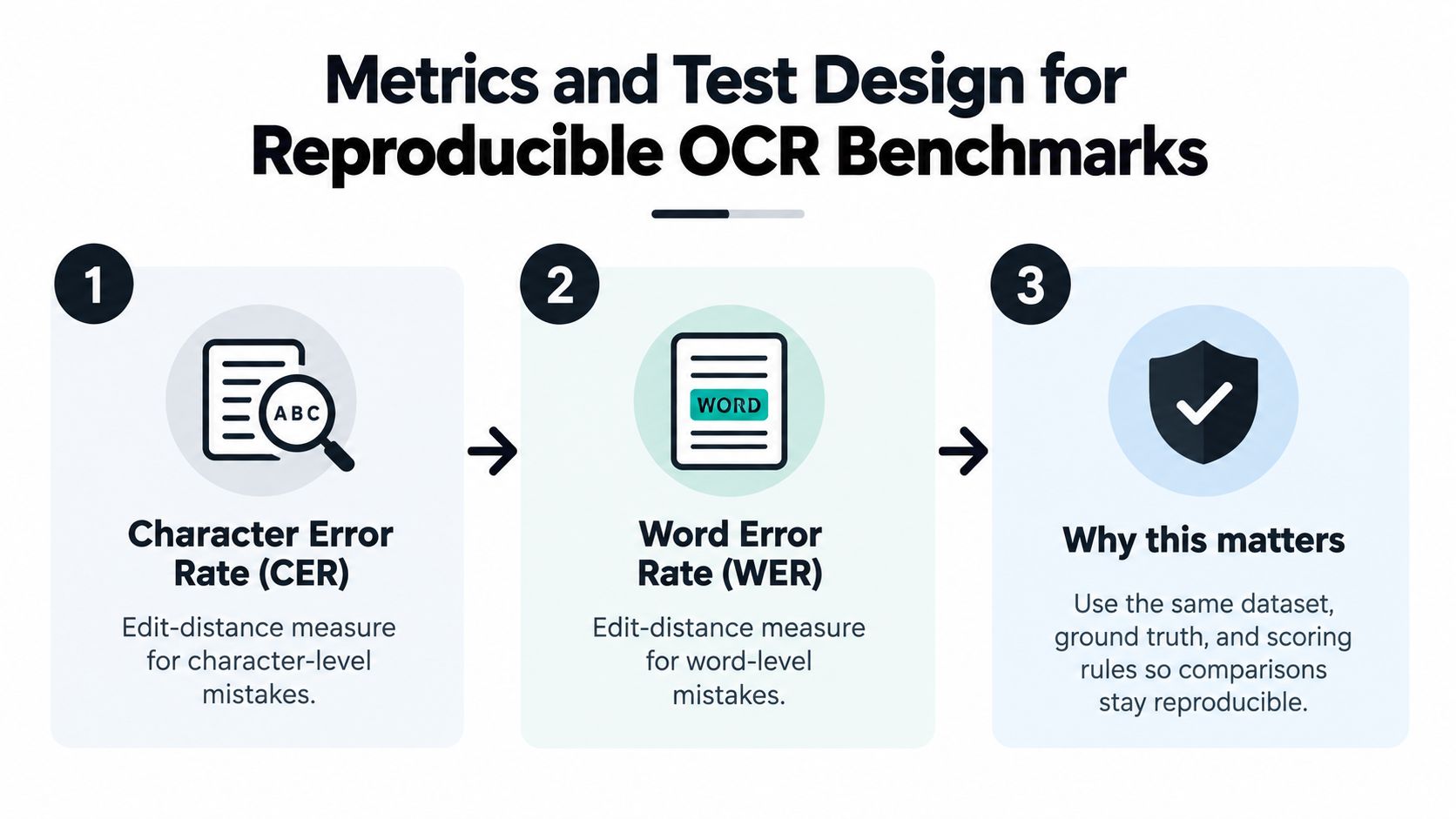
Metrics and Test Design for Reproducible OCR Benchmarks
Character error rate (CER) counts character insertions, deletions, and substitutions against the true string. Word error rate (WER) does the same at word level. Both are edit-distance scores. They do not check reading order, table structure, or whether a value landed on the correct invoice line.
Recent evaluation work measures text edit distance alongside table structure, formula accuracy, and reading-order fidelity. OmniDocBench covers 1,000 real-world documents from nine sources, 19 layout categories, and more than 20,000 block-level and 80,000 span-level annotations. A slightly worse transcription score can still be the better operational system if layout survives and uncertain values are flagged instead of posted.
Add these measures to CER and WER.
- Field-level precision and recall: did the right value land on the right label.
- Numeric accuracy: totals, tax, quantities, and rates, not nearby text.
- Table-cell alignment: a correct number in the wrong column is still a miss.
- Document classification: the file type must be right before extraction starts.
- Validation failure rate: rules that reject impossible dates, sums, or IDs.
- Abstention: low-confidence fields held for review instead of guessed.
Dataset and controls
Build the set from invoices, receipts, bank statements, delivery notes, payslips, and multi-page mixed files. Annotate every field in ground truth. A clean single-page sample will flatter every engine.
Lock preprocessing so the comparison stays honest. Use a fixed 300 dpi target, the same grayscale or color handling, the same deskew, and the same line segmentation on every engine. Publish results with preprocessing and without it. If you need a method for labeling those fields before you score anything, start with ground truthing for extraction data.
A script you can rerun
- Load ground-truth JSON for each document and field.
- Call each engine on the same image or PDF bytes.
- Normalize whitespace, case, and number formats with one shared function.
- Compute CER, WER, and field exact match.
- Write tables by language and by document type, plus validation failures and abstentions.
Same files, same labels, same scoring rules. Anything else is not a reproducible OCR accuracy comparison.
Side-by-Side Results for Engines, Cloud APIs, and Matil.ai
Published studies use different cameras, languages, and noise. Treat the figures below as evidence about stability and conditions, not as a league table, until every candidate runs on one shared set.
| Engine | Mean recognition accuracy | Variance |
|---|---|---|
| Google Vision | 96.7% | 0.0096 |
| PaddleOCR | 91.7% | 0.0396 |
| EasyOCR | 82.8% | 0.0580 |
| Tesseract | 38.0% | 0.1127 |
A controlled assistive-technology evaluation reported those means when images from the study's main camera were pooled across camera heights, with variances of 0.0096, 0.0396, 0.0580, and 0.1127 respectively, in this camera-height OCR comparison. Tesseract was not only less accurate on that set. It was less stable. Google Vision combined the highest mean with the tightest variance.
Variance matters as much as the mean. A system can average well and still fail when distance, lighting, or layout shifts. For KYC and back-office work, the metric that holds up is field-level exact match on your documents, plus confidence calibration, not raw text accuracy alone.
What changes on noisy scans
A 2021 peer-reviewed benchmark compared Tesseract, Amazon Textract, and Google Document AI on 322 English book scans and 100 Arabic article scans. Researchers added artificial noise, produced 18,568 document instances, and issued 51,304 processing requests. The two server-based systems performed substantially better than Tesseract when images contained noise. Google Document AI was strongest overall, and every system did considerably better on English than on Arabic, as reported in that multilingual OCR benchmark.
Open-source OCR can still be the right tool on clean, single-language print. Cloud systems in that study were more consistent once scans degraded.
Where a full extraction API sits
Matil.ai is not only OCR. One API combines OCR, classification, validation, and workflow orchestration, with pre-trained models for invoices, payslips, KYC documents, and logistics paperwork. The vendor reports accuracy above 99% in multiple use cases. Treat that as a claim to verify on your own test set, not as a score from the studies above. Those studies never put Matil on the same files as Tesseract, Textract, or Document AI, so they do not rank it.
Where OCR Accuracy Breaks Down Across Document Types
Errors do not arrive as one average. They cluster by speed, page count, handwriting, tables, and script. Each cluster changes a different trade-off.
Speed only matters at the bottleneck
Seconds per page matter when the batch waits on recognition. Measure at the batch size you run, not on a single demo page. A slower engine that cuts exceptions can still finish the day sooner than a fast engine that sends half the file back to a clerk.
Multi-page files compound small misses
Page breaks split line items from totals. Test whether quantities and sums survive a split, and whether classification and PDF splitting happen before extraction. A mixed upload of invoice, delivery note, and ID will fail if the pipeline treats it as one document.
Handwriting is a separate score
Printed body text and handwritten annotations are different tasks. Report them apart. A strong print score can hide unreadable notes in the margin, and those notes often carry the exception a reviewer must see.
Tables fail by column, not by character
A correct number in the wrong column is a costly error, even when edit distance looks excellent.
Score cell alignment, header mapping, and row integrity. CER will congratulate you for reading "1,250" while that amount sits on the wrong SKU.
Languages hide tail risk inside a high average
The 2025 CC-OCR benchmark includes 7,058 annotated images, 41% from real applications, and ten languages across Latin, East Asian, Arabic, and Vietnamese scripts, described in the CC-OCR benchmark paper. That breadth still leaves a buyer question. Will the engine hold on your market mix, including diacritics, low-resource languages, and pages that mix scripts.
A high overall score can conceal tail risk. A system may do well on English and Spanish and fail on Arabic, Thai, Cyrillic, or mixed-script identity documents. Emerging designs such as DocAtlas push further, with more than 5,500 samples across 82 languages and checks for tables, formulas, and reading order, not plain text alone. Ask for per-language error rates and a confidence trigger for human review. Image cleanup before that test is covered in image preprocessing in Python.
Three trade-offs follow from those breaks.
- Accuracy versus latency: pay for speed only after field errors are acceptable.
- General models versus pre-trained models: domain models help on bills, payslips, and IDs, and still need your samples.
- Self-hosting versus a managed API: control and data residency versus less pipeline work and more consistent noisy-scan behavior in the studies above.
What Extraction Errors Cost Finance and Operations Teams
A strong recognition rate does not remove manual work. Exceptions, re-keying, and routing still consume the day. The cost shows up in minutes and in the approval queue, not in CER.
A 2025 analysis summarized by Resolve Pay puts manual invoice handling at roughly $15 to $16 per invoice, against about $3 to $5 when the workflow is automated, a gap of up to 80%. Manual handling takes about 15 minutes per invoice, automated handling fewer than 5 minutes. Manual error rates sit near 1.6%, against less than 0.1% in automated workflows. Approval cycles commonly run 10 to 20 days manually and 2 to 3 days after automation, per that invoice cost comparison.
What still burns time after the text is read
Touchless processing rate is the share of documents that finish without a person re-keying fields. Exception rate is the share that bounce for a bad total, a missing tax ID, a duplicate, or a failed rule. Those two rates connect OCR output to finance outcomes. If clerks still type every line, the engine did not automate accounts payable. It produced a transcript.
Developers wiring that handoff into an ERP can use Scrappey's guide to data extraction to separate capture from the validation and routing steps that cut rework.
A cost check on your own volume
You do not need a lab to see the money.
- Count documents per month.
- Measure the exception rate on a sample you already process.
- Multiply exception count by rework minutes, then by loaded hourly cost.
- Add the cycle time those exceptions add before approval.
- Compare that total with the extraction tool's cost on the same volume.
Practical rule: if the tool's field match is high and the touchless rate is low, the gap is validation and routing, not another OCR model.
These invoice figures are operational benchmarks from published summaries, not a guarantee for every market or document type. Use them to set what you will measure next, which is cost per document, receipt-to-approval time, exception rate, and touchless rate.
Real Document Workflows from Invoices to KYC and Logistics
The same pipeline should not be scored once and declared done. Each document type fails in a different field, so each team should define the problem, the fields that must be exact, and the result it will measure on its own files.
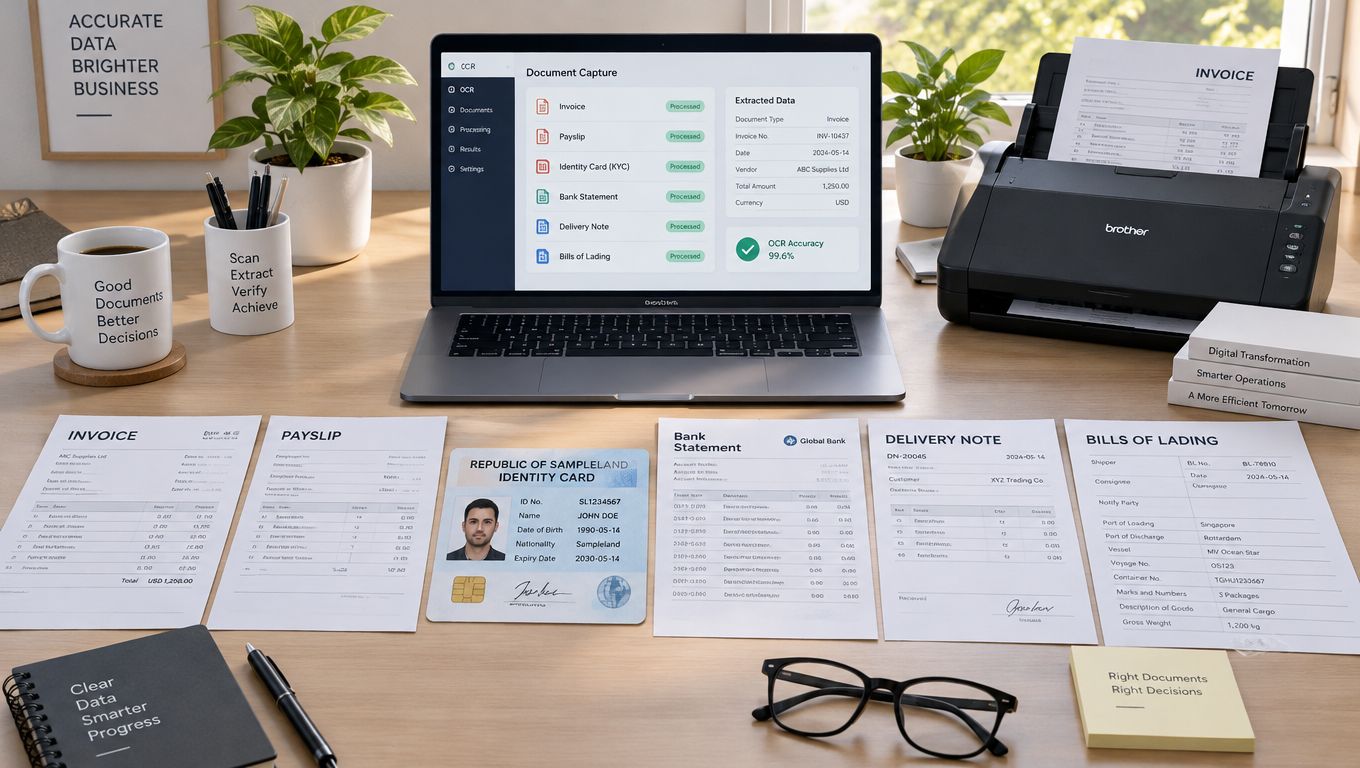
Smaller operations often start with filing and search before extraction. A roundup of digital document tools for small businesses is a useful map of that layer. Extraction only pays once the file is stored, typed, and ready for rules.
Invoices and payslips
The problem is line items, tax identifiers, and totals that do not add up. The requirement is header fields plus rows, with a sum check before approval. The result to measure is field exact match on totals and tax IDs, plus the share that posts without re-keying. Payslips add employee identifiers and pay components. A wrong component is a payroll dispute, not a typo.
KYC and bank statements
Identity files fail on names, document numbers, and dates. For onboarding, the fields that matter are those on an ID card, NIE, or passport, checked before the account opens. Bank statements need balances and transaction rows that survive multi-page splits. Measure validation pass rate and how often low-confidence fields are held, not a single page-level score.
Logistics paperwork
Bills of Lading, customs declarations (DUA), and ocean freight rates mix codes, parties, and amounts across pages. A misread container reference or rate code creates a downstream dispute that a character score will never show. Measure those codes as exact matches, and measure whether classification split a mixed upload before extraction.
Matil.ai supports these paths with pre-trained models for electricity and gas bills, including CUPS codes, power capacity, and consumption, plus delivery notes with SKU and quantities, payslips, and identity documents. Custom models can be defined in days when a form is specific to one operation. Automatic classification and PDF splitting matter when one upload mixes several types. None of that replaces a test on your documents.
A short walkthrough of capture in a live workspace:
Keep the scorecard local. Problem, required fields, and the exception rate you will accept. That is the result, not a promised percentage from someone else's corpus.
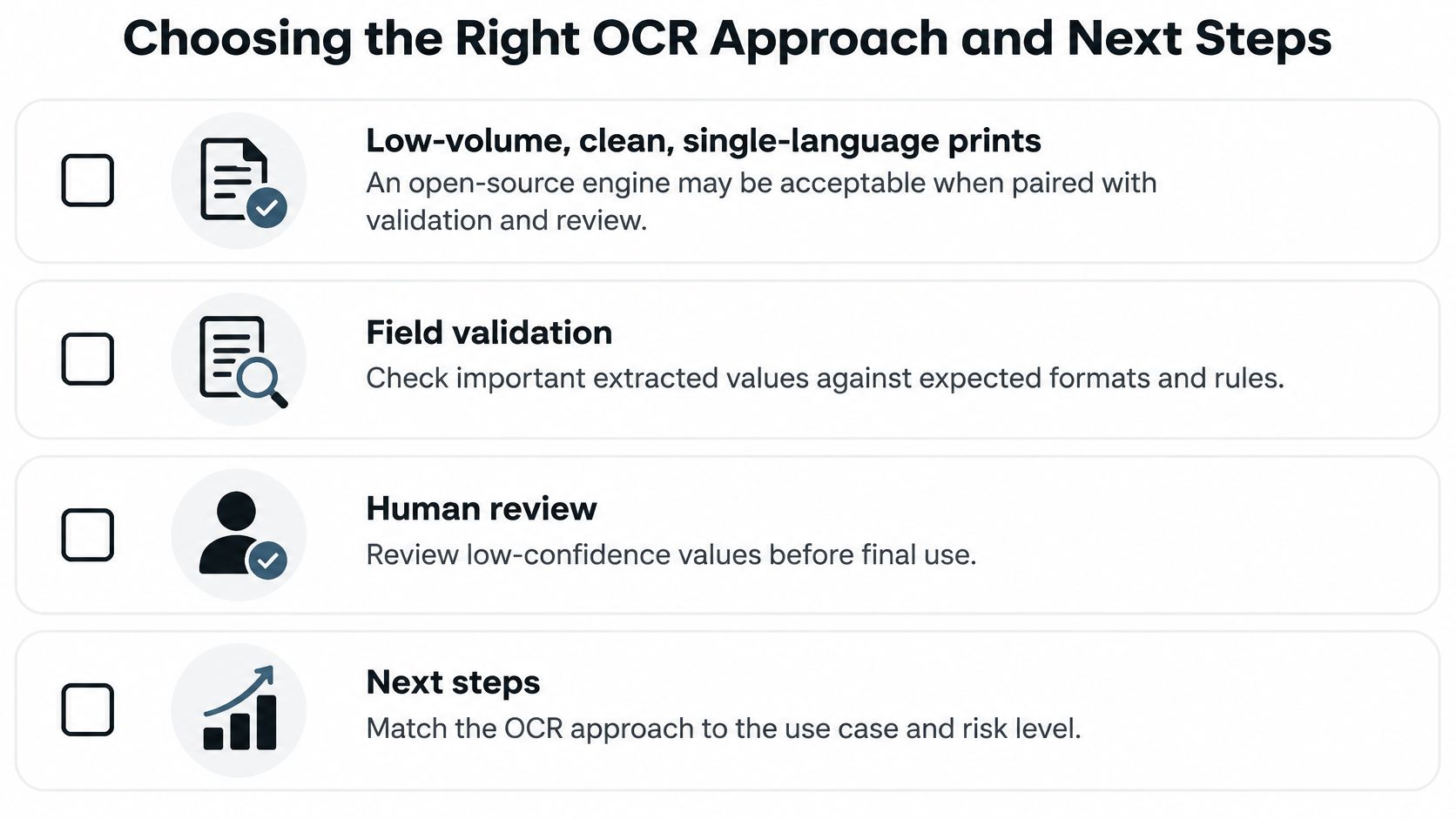
Choosing the Right OCR Approach and Next Steps
Match the stack to volume, noise, and what a wrong field costs. Do not match it to a leaderboard.
Low-volume, clean, single-language print can run on an open-source engine if you add field validation and a human review queue for low-confidence values. Multi-language, noisy, or regulated files usually need a managed API with confidence scores and validation rules. High-volume mixed sets benefit from a platform that classifies, validates, and routes, because transcription alone leaves the clerk in the loop.
Security questions before a pilot
Finance, legal, and KYC teams should confirm controls in vendor documentation, not in a sales slide.
- GDPR and data-processing terms for EU personal data.
- ISO 27001 and AICPA SOC reports, with the scope of the audit.
- Zero data retention if documents must not be stored after the call.
- A stated SLA above 99.99% availability, checked against the contract, not the homepage.
Matil.ai states those controls for enterprise use. Confirm each one in the current documentation before you send identity files or invoices.
The test that should decide
Build a set of about 200 representative documents. Include the ugly scans, the mixed languages, and the multi-page files. Annotate fields. Run the same script from the benchmark design on each candidate. Compare field-level accuracy, exception rate, and touchless rate. Drop any engine that cannot abstain.
If you are evaluating automation for this process, run Matil.ai on that same set before you commit to an integration. A plain API is enough to see whether classification, validation, and JSON output cut exceptions on your files. For the surrounding workflow, see automatic document processing.
The right choice is the one that lowers costly field errors on your documents, at a latency your batch can live with, under controls your compliance team will sign.
Matil combines OCR, classification, validation, and workflow automation in one API, so an OCR accuracy comparison can be judged on field match and touchless rate instead of a single character score. Pre-trained models cover invoices, payslips, KYC documents, and logistics files, and you can check them on your own sample before you integrate. If you are evaluating this process, visit Matil and run the same test set you would use on any other engine.


