8 OCR Examples That Show Document Extraction at Work
Explore 8 practical OCR examples across invoices, payslips, KYC, logistics and more — see how automated document data extraction works in real workflows.

The inbox has 63 PDFs in it before 9am: supplier invoices, an electricity bill for a warehouse nobody remembers adding to the contract, four payslips a lender asked for, and a delivery note that contradicts the invoice it arrived with. Someone opens each file, reads the numbers and types them into the ERP. Three weeks later a supplier calls about a payment that doesn't match their records.
OCR examples are the fastest way to see what automated extraction delivers, because each one forces the same three questions: what does the system read, what does it structure, and what does it validate before the data reaches a business system?
Document data extraction is the process of converting unstructured documents such as PDFs and images into structured, validated information. That's a bigger job than recognition. Traditional OCR reads text, and stops there. It doesn't classify what kind of document it's looking at, doesn't check that net plus VAT equals the total, and doesn't push anything into accounting. Those three gaps are where the manual work lives, and each of the eight examples below closes them differently: invoices, utility bills, payslips, identity documents, delivery notes, Bills of Lading, customs declarations and bank statements.
Each gets the same treatment. Problem, solution, result, the exact fields to pull, the validation rules worth automating, and the steps that get you from a folder of PDFs to a pipeline.
1. Invoice Data Extraction From Supplier Invoices
Invoice data extraction is the process of reading a PDF or image invoice and converting its fields into structured information. In accounts payable, the fields that matter are the supplier name and tax ID, invoice number, issue date, net amount, VAT and total. Everything else is context.
The recognition layer is old technology. A documented history of optical character recognition traces commercial document reading back to a 1955 installation at Reader's Digest, and Ray Kurzweil's omni-font system in 1974 removed the single-typeface constraint. Reading characters has been a solved problem for decades. Deciding whether a number is safe to pay is a different problem.
Where the manual work actually sits
Finance teams open each PDF and retype amounts into the ERP. The cost isn't the typing. It's the error that surfaces six weeks later in a supplier reconciliation, plus the audit trail that doesn't exist to explain it. The European Commission's eInvoicing guidance names both weaknesses directly: eInvoicing removes manual data entry and reduces the risk of errors.
The pipeline looks like this in practice.

The system classifies the file as an invoice, extracts the fields against a fixed schema, and validates that net plus VAT matches the total, that the tax ID matches the supplier master record, and that the invoice number hasn't already been posted. Tools like Matil.ai run that sequence through one API call using pre-trained invoice models, so the only documents a person opens are the ones that fail a rule.
Worked example: an accounts payable team receives invoices by email and sends them to the ERP without touching a keyboard, reviewing only exceptions. A second team with international suppliers validates that totals match line items before approving payment.
Rule of thumb: if a field can be checked arithmetically or against a master record, check it. Human review belongs on the exceptions, not on every document.
Three steps to start
- Define mandatory fields and validation rules first. Supplier tax ID, invoice number and total are required. A document missing any of them goes to a queue, not to the ERP.
- Connect the output to your accounting system by API. Manual CSV exports reintroduce the copy-paste step you just removed.
- Measure the straight-through rate. Track the share of invoices that passes without review, then tune rules from there.
Review new supplier formats periodically. A template change from a large supplier is the most common cause of a sudden drop in pass rates.
2. Electricity and Gas Bill Extraction With CUPS Codes, Capacity and Consumption
Two hundred stores, a different retailer for each site, one spreadsheet nobody wants to own. Utility bill extraction means reading electricity and gas invoices to obtain fields such as the CUPS code, contracted capacity, consumption per period and amount. It's the classic case for companies with many sites, where every bill arrives in a different layout and reviewing them by hand takes days nobody has.
Bill layouts vary by retailer and tariff, and the different types of utility bills rarely share a template. One supplier prints the CUPS code in the header, another buries it in a table on page three. Manual review stops scaling at a handful of sites, so most companies stop checking and keep paying.
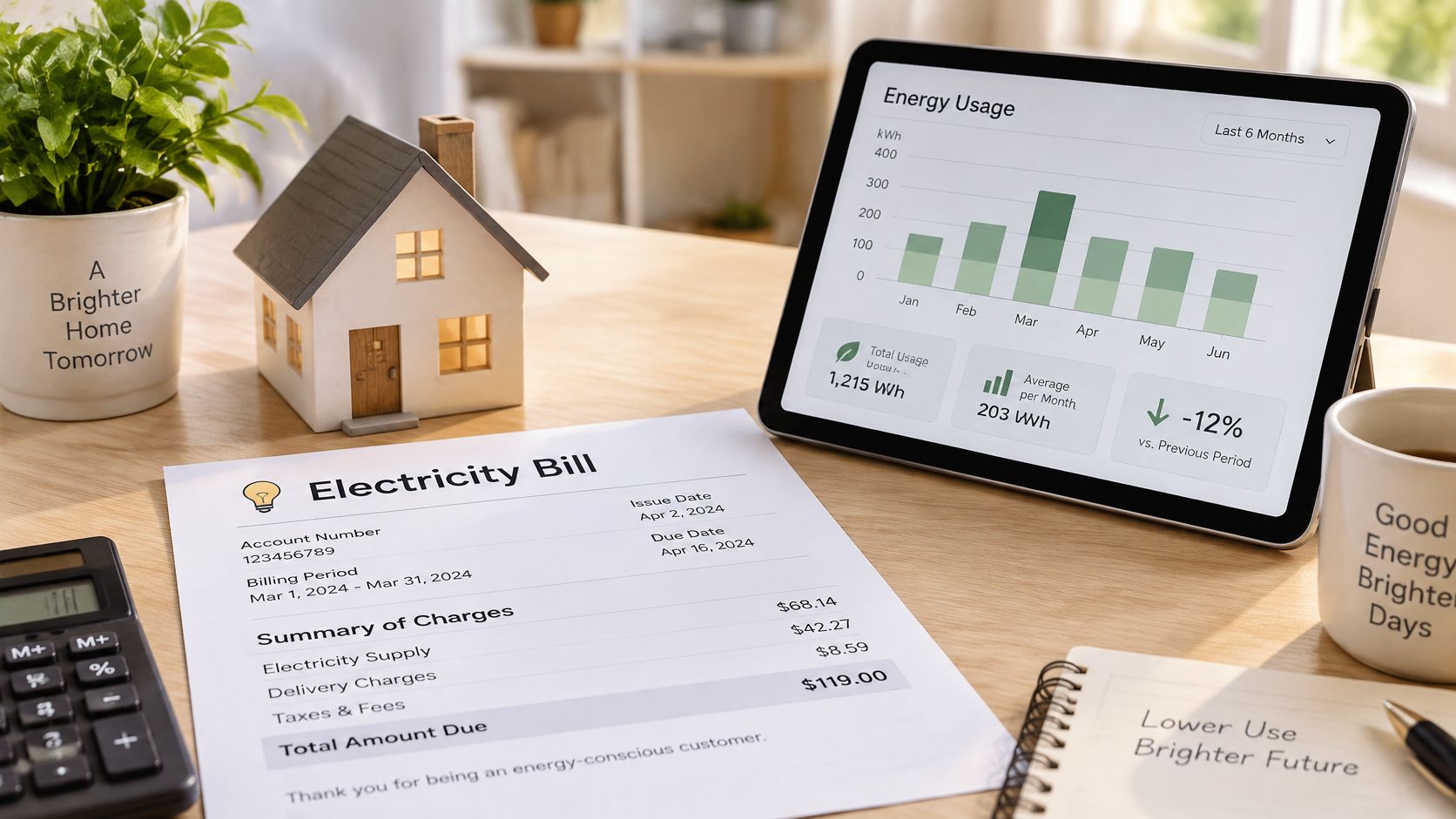
The extraction itself is straightforward once you fix the fields: CUPS, supply address, tariff name, contracted capacity per period, consumption per period, reactive energy, power term charges, taxes and total. Pre-trained models for electricity and gas bills cover these without training from scratch.
Why CUPS is the key field
The CUPS code identifies the supply point, not the customer. Use it as the unique key that joins a bill to its contract, its site and its budget line. When a bill arrives with a CUPS that doesn't match your contract register, that's either a billing error or an unregistered site. Both deserve attention before payment.
Worked examples: a retail chain with 200 stores processes every electricity bill monthly and compares actual consumption against budget per store. A logistics company discovers one warehouse is paying for more contracted capacity than it uses.
Two sites in the same city paying different rates for identical capacity isn't a negotiation problem. It's a data problem, and it's invisible until every bill sits in one table.
Three checks worth automating
- Consumption against the previous month. Set the alert threshold per site type, not globally, or a cold snap buries the review queue.
- Contracted capacity against the contract. Capacity creeps up after a temporary increase and never comes back down.
- Total against the sum of charges. Estimated readings break bill arithmetic more often than suppliers admit.
Review contracted capacity at least once a year, site by site.
3. Payslip Data Extraction for HR Teams and Audits
Payslips look like the easy document. They aren't. Payslip data extraction is the automated reading of salary slips to obtain fields such as employee, gross salary, income tax withholdings, social security contributions and net pay. HR teams use it to reconcile payroll cost against accounting. Lenders, auditors and courts use it to verify income.
The difficulty isn't the text. It's that every payroll provider produces a different layout, and the documents carry personal data that shouldn't end up in a shared folder. A pipeline that ignores either constraint creates a compliance problem while solving an operational one.
What good looks like in numbers
A 2025 peer-reviewed evaluation of an OCR-based clinical data-entry system, run across multiple sites with 1,018 data points and eight untrained operators, reported average entry time per patient falling from 6.0 minutes to 3.4 minutes, a 43.9% mean reduction, with 98.5% completeness and 96.9% accuracy. The published study also shows why review queues still matter: accuracy ranged from 95.3% to 100% depending on site and operator.
That range is the useful part. Non-specialist users, variable document quality and layout differences all move the number, so build for the low end rather than the average. Measure three things: time per document, field-level accuracy, and the share of documents routed for review. Recognition accuracy on its own tells you nothing about whether the workflow got faster.
Validation that catches real errors
- Gross minus withholdings and contributions equals net. The single most useful arithmetic check on a payslip, and the cheapest.
- Employer contribution bases against the payroll system. Catches version mismatches between the file and the record.
- Period and employee ID against the payroll register. Catches re-sent and mis-filed documents before they pollute the reconciliation.
Worked examples: a financial institution receives customer payslips with loan applications and extracts net income without manual entry. An HR department confirms that every payslip for the month reconciles with the cost recorded in accounting.
Restrict who can see the originals and the extracted values, and define what you store and for how long before the first document is processed.
4. KYC Document Extraction Across ID Cards, NIE and Passports
Identity documents are where document automation meets regulation. KYC data extraction means reading identity documents such as ID cards, NIE numbers or passports to obtain name, date of birth, document number and expiry date. Banks, fintechs, insurers and telecoms need it to verify customers and keep an auditable trail for anti-money-laundering requirements.
That's not text recognition with a compliance label attached. NIST's Digital Identity Guidelines define three identity-assurance levels and require a credential service provider to use the evidence an applicant supplies to establish identity at a useful level. Extraction is one step inside that process, and the decision it supports has to be traceable afterwards.
The fields and the checks
Pull the document number, full name, date of birth, nationality, issue and expiry dates, and, where the document carries one, the machine-readable zone on a passport, which holds check digits you can verify arithmetically rather than trusting a confidence score.
Then validate. Expiry date against today. Name against the customer record. Date of birth against the application. A per-field confidence threshold is the practical control: anything below it goes to a reviewer with the cropped region in front of them, not to a general queue where it ages for two days.
Worked examples: a fintech completes onboarding in minutes because the ID is read from the photo the customer uploads. An insurer verifies a policyholder's identity and stores a decision record for audit.
Data protection is part of the design
The European Commission's GDPR principles require data minimisation, meaning you collect and process only what's adequate, relevant and necessary for the stated purpose, and storage limitation, meaning you keep personal data for the shortest period possible subject to legal retention rules. They also require accuracy, with correction or erasure without delay when data is wrong.
In practice that means defining the fields you need before you build the schema, setting retention per document type, and logging corrections instead of overwriting the original value.
- Combine extraction with validity and consistency checks. A perfectly readable passport that expired last month is a rejection, not an extraction success.
- Set the confidence threshold from your own test set. Vendor averages don't transfer to your document mix.
- Document the process. The audit trail is the deliverable, not the JSON.
5. Delivery Note Extraction and Three-Way Order Matching
A delivery note on its own is just a receipt. Delivery note extraction is the automated reading of delivery notes to obtain SKU references, quantities, lots and dates. Its value appears when you reconcile three documents: the purchase order, the delivery note and the invoice. When received quantities differ from what was ordered or what's being invoiced, you want that flagged before payment, not discovered at year end.
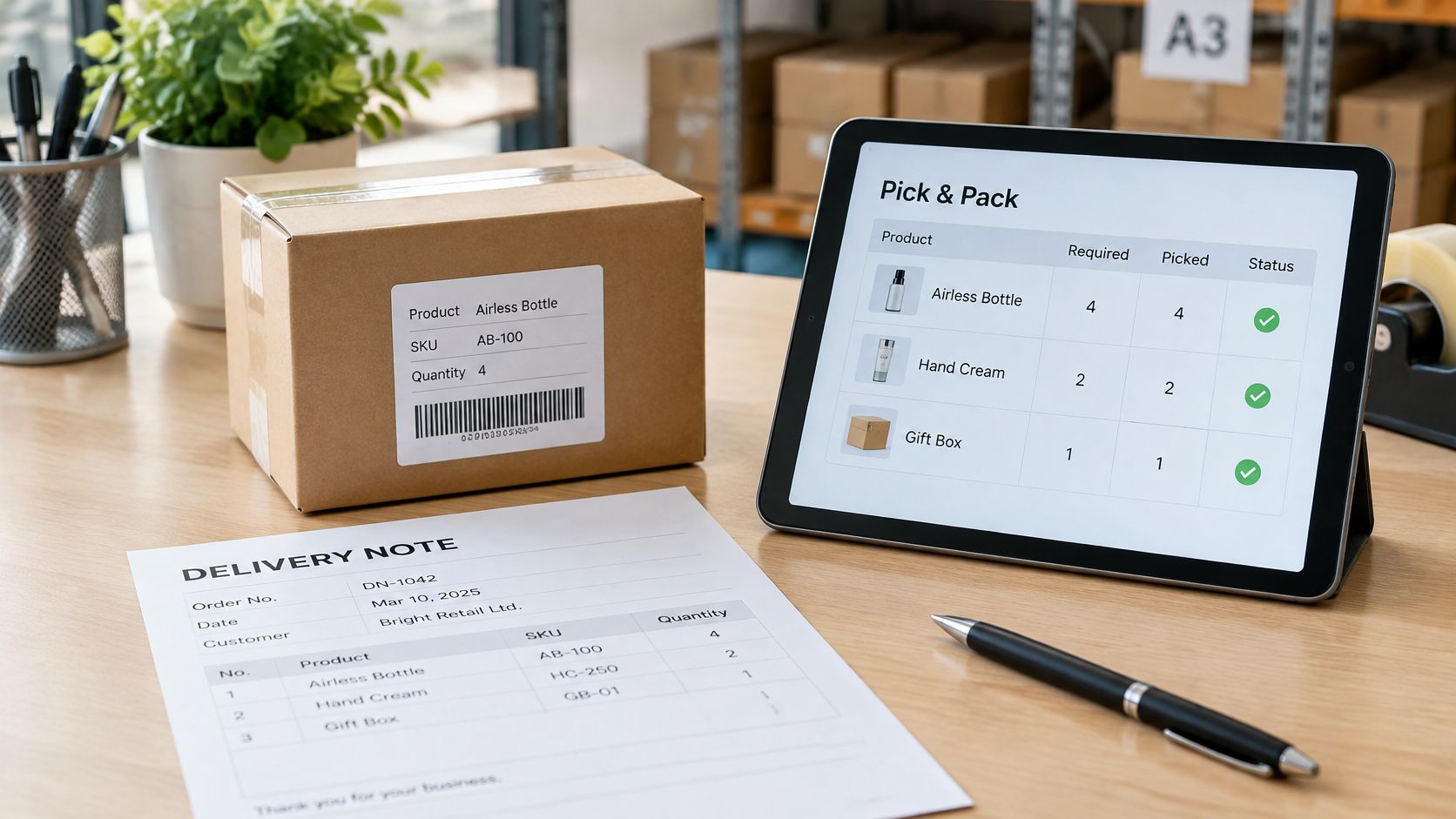
What a delivery note contains varies by supplier and sector. The matching logic doesn't: line by line, SKU by SKU, with a tolerance per product type.
Why layout is the hard part
OCR accuracy depends on document quality, script and layout, so no single percentage holds across suppliers. A model that reads clean digital PDFs well can stumble on a photographed note with a stamped signature and a folded corner. Test any extractor on your own delivery notes, from your actual suppliers, before you rely on its output.
Delivery notes are table documents. A model that flattens a table into a line of text loses the column relationships and returns a quantity with no idea which SKU it belongs to. Multi-line product descriptions and rows split across a page break make it worse: the extractor has to decide which line a continuation belongs to.
Practical rule: never accept a quantity without the SKU on the same row. If the extractor can't return both together, it isn't reading the table.
Steps that hold up
- Use the SKU as the matching key. Build a supplier equivalence table for the suppliers who insist on their own codes, and map each one to your internal reference before matching starts.
- Set a quantity tolerance per product type. Zero tolerance on serialised goods, a small percentage on bulk items where weighing varies between sites.
- Run the match per line, not per document. An invoice can be right in total and wrong on one line. Compare ordered, received and invoiced quantities for every SKU.
- Review incidents daily. An unmatched-lines backlog becomes a month-end project with a deadline attached.
Worked example: a warehouse books goods in and the system flags every line where received quantity differs from the order. A distributor reconciles hundreds of weekly delivery notes against supplier invoices and releases payment only on fully matched documents.
6. Bill of Lading and Ocean Freight Rate Extraction in Logistics
Global logistics still runs on paper. A United Nations ESCAP document on electronic bills of lading estimates that approximately 45 million paper bills of lading circulate annually, with courier costs of roughly US$30 to US$100 per document, and puts electronic adoption at approximately 2% to 5%. That gap is why reading the paper version still matters.
Bill of Lading data extraction means reading the ocean transport document to obtain shipper, consignee, ports of loading and discharge, container numbers, weight and the B/L number. Get one of those fields wrong and cargo sits at the port while somebody emails a correction.
The fields that drive the workflow
- Parties. Shipper, consignee and notify party, with addresses kept as printed rather than normalized into your address book.
- Routing. Port of loading, port of discharge, place of receipt and delivery, vessel and voyage.
- Cargo. Container numbers, seal numbers, description, package count, gross weight and volume.
- Commercial. B/L number, freight terms, number of originals issued.
Validate container numbers against the ISO 6346 check digit, and normalize port names against UN/LOCODE before anything reaches your transport management system. Those two rules kill most of the duplicate records that surface weeks later.
Ocean freight rates arrive in a different mess: carrier spreadsheets, PDFs with rate tables, and emails with surcharges buried in footnotes. Extracting the same fields from every quote is what makes a five-carrier comparison possible.
Worked example: a freight forwarder receives B/Ls from a dozen carriers in a dozen layouts and loads them into its tracking system automatically. An importer compares quotes from five providers by pulling identical fields from each offer.
Classification earns its keep here too. A shipping folder holds B/Ls, arrival notices and invoices, and routing each to its own schema is the difference between one pipeline and three.
7. Customs Declaration (DUA) Extraction and Mixed File Classification
Customs is the least forgiving document set in this list. DUA data extraction means reading the customs declaration to obtain reference, customs regime, line items, tariff code, customs value and country of origin. In Spain the DUA (Documento Único Administrativo) is the standard clearance document, and errors in it trigger penalties or delays rather than a polite correction request.
The document-level problem is harder than the field-level one. A customs file arrives as a 40-page PDF containing the declaration, the commercial invoice, the packing list, a certificate of origin and an insurance certificate, sometimes scanned at different resolutions by different people on the same afternoon.
Exact match is the right metric
Character similarity flatters a system. A production-oriented multilingual study of Indian government document extraction reports an 89.8% Exact Match score for its Parichay models across nine document categories, including identity and vehicle records. Exact Match is stricter than approximate similarity, and it is the right measure here: one wrong character in a tariff code or a declaration reference can invalidate the field entirely.
A declaration that is 97% correct is a declaration that gets stopped.
What the pipeline has to do
- Classify before extracting. Assign each page to declaration, invoice, packing list or certificate, then split the file.
- Apply a schema per category. A packing list has no customs value, and forcing one in produces confident nonsense. Each schema defines its own field names, types and descriptions, so the output JSON only carries what that document contains.
- Validate tariff codes against the current table. Rates change, and last year's code is not this year's code.
- Keep an extraction record per document. Customs audits ask what you submitted and when, not what you remember.
Worked example: a customs agent receives a 40-page mixed file, splits it automatically, extracts each document against its own schema and reviews only the pages that failed a rule. A pipeline that chains classification and per-category extraction in a single API call handles the next file the same way without manual triage; Matil's compositor works this way, and its classifiers and schemas can be defined without writing machine learning code.
The sequence matters for teams moving off manual entry: classification, splitting, extraction, validation. Skipping the first two steps and running everything through one schema tends to produce errors that are hard to trace back to their cause.
8. Bank Statement Extraction and Accounting Reconciliation
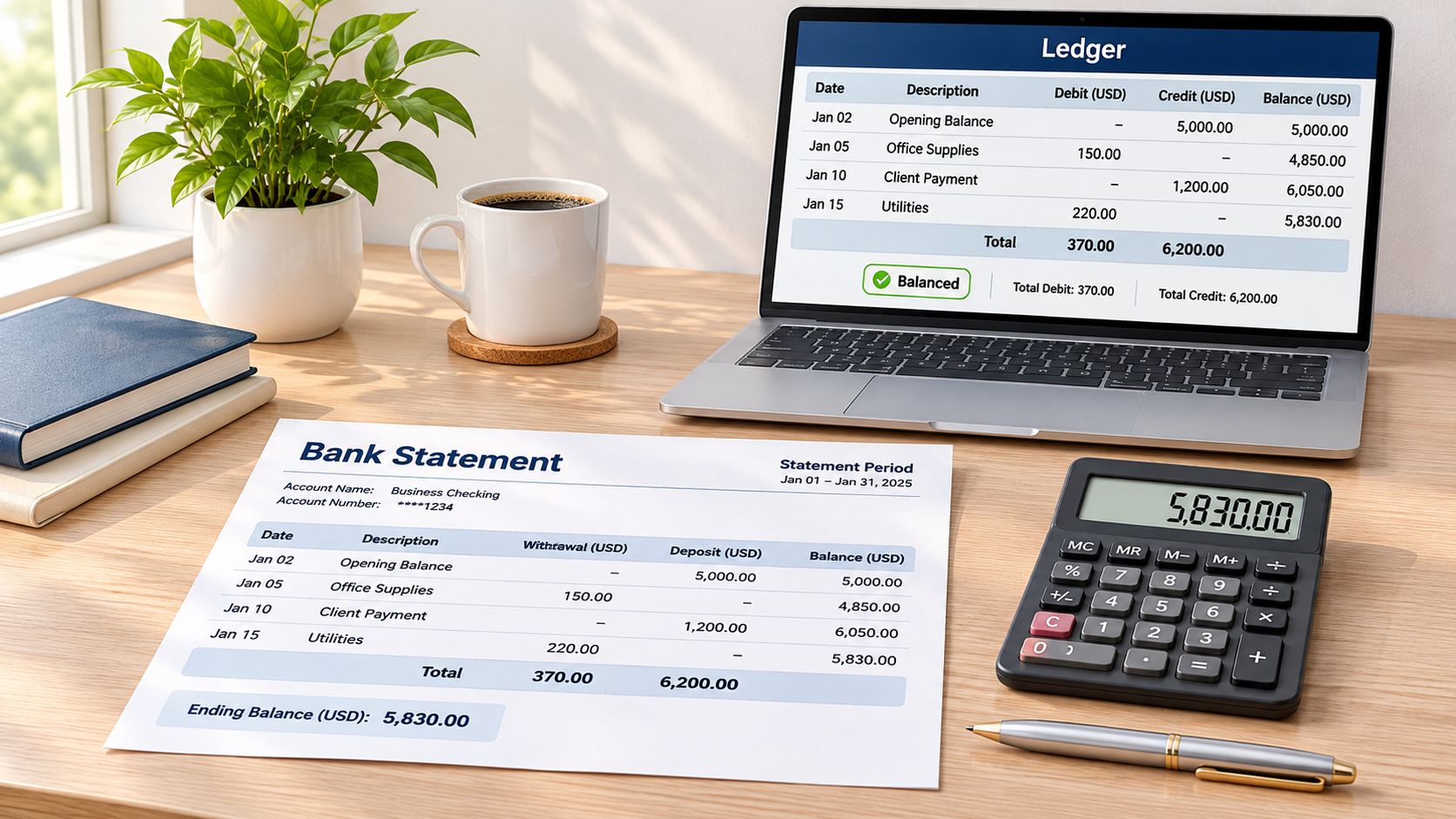
Every bank formats statements differently, and every one of them believes its format is obvious. Bank statement data extraction is the automated reading of transactions to obtain date, description, amount and balance for each entry. It feeds reconciliation, the monthly close and treasury analysis.
Tables run across multiple pages, descriptions get truncated to a couple of dozen characters, and one bank puts the running balance in a column that shifts position on page three. Done by hand, that takes hours and leaves the reconciliation with an unexplained difference that somebody eventually plugs.
The check that never fails you
Opening balance plus the sum of movements must equal the closing balance. If it doesn't, the parse is wrong, not the bank's arithmetic. Fail the document and re-run it with a different strategy before anyone touches the ledger.
Poor source quality is the normal case, not the edge case. A 2026 enterprise benchmark reconstructed 1,355 documents across scanning artifacts, warping, screen photography, illumination variation and skew, and found leading multimodal models scoring below 50/100 on a broad evaluation covering layout perception, complex elements and real-world degradation, despite strong results on simple text-recognition tasks, as reported in the benchmark analysis. A statement photographed on a phone is exactly that kind of document.
Steps that shorten the close
- Validate balance arithmetic first. It's the cheapest quality signal in the entire pipeline and it runs on every page.
- Normalize descriptions before matching. Map recurring strings to your chart of accounts once, then reuse the mapping every month.
- Automate recurring movements first. Payroll, direct debits and bank fees are predictable and high volume.
- Flag duplicates by amount, date and counterparty. The same charge twice is easy to spot in structured data and nearly invisible in a PDF.
Worked example: a treasury team receives statements from five banks and reconciles them in a single table each month. A company detects duplicate charges by comparing statement lines against paid invoices.
OCR Examples by Document Type
| Example | Document type | Key fields extracted | Typical validation | Best for |
|---|---|---|---|---|
| Supplier invoice extraction | Invoice | Supplier, tax ID, invoice number, date, net, VAT, total | Net plus VAT equals total; duplicate detection | Accounts payable and ERP automation |
| Electricity and gas bill extraction | Utility bill | CUPS code, contracted capacity, consumption, amount | Match supply point; flag unusual consumption or charges | Tracking energy costs across multiple sites |
| Payslip data extraction | Payslip | Employee, pay period, gross pay, deductions, contributions, net pay | Gross pay minus deductions reconciles with net pay | HR reviews, audits, and income verification |
| KYC document extraction | Identity document | Name, date of birth, document number, expiry date, passport MRZ | Check expiry and field consistency | Customer onboarding and compliance records |
| Delivery note extraction and order matching | Delivery note | SKU, description, quantity, unit, lot, delivery date | Match quantities and SKUs against orders and invoices | Goods receipt and procurement reconciliation |
| Bill of Lading and freight rate extraction | Shipping document and freight quote | Shipper, consignee, ports, container numbers, weight, B/L number, rates | Validate container numbers and normalize port names | Cargo tracking, customs clearance, and freight comparison |
| Customs declaration extraction | Customs declaration (DUA) | Reference, customs regime, line items, tariff code, customs value, origin | Validate tariff codes and declaration data | Customs file preparation and clearance |
| Bank statement extraction | Bank statement | Transaction date, description, amount, balance | Opening balance plus movements equals closing balance | Accounting reconciliation and monthly close |
From Reading Text to Running an Automated Pipeline
Eight document types, one pattern. In every case the useful work starts after the characters are recognized: classification decides which schema applies, validation decides whether the data is safe to act on, and workflow automation puts the result where a business system can use it.
That's why an OCR example gallery full of clean typed pages teaches so little. The hard cases are tables, multi-page statements, stamps, skew, mixed files and handwriting, and each of them fails in a different place. Accuracy above 99% in multiple use cases comes from pairing recognition with structure and checks, not from a better character reader.
The benefits repeat across the eight. Time savings show up as documents processed in seconds instead of minutes per entry. Error reduction comes from arithmetic and master-data validation catching what a tired person misses at 4pm. Scalability means volume grows without headcount. Automation means the only documents a person opens are the exceptions, and exceptions are where judgment adds value.
The building blocks are also more accessible than they were. Tools like Matil.ai let teams define custom extraction schemas by specifying field names, types and descriptions, and get structured JSON back that follows that definition. Custom schemas and classifiers are built without writing machine learning code. A compositor chains the operations into one pipeline: it classifies documents first, then routes each category to its own extraction schema, all in a single API call. That matters for the mixed files in examples 7 and 8, where one PDF holds several document types.
For common cases there's no schema work at all. Pre-trained models cover invoices, utility bills, payslips, ID documents for KYC, bank statements, delivery notes, receipts, insurance policies and logistics documents such as Bills of Lading, customs declarations and ocean freight rates. The platform runs under GDPR, ISO 27001 and AICPA SOC, with zero data retention and an availability SLA above 99.99%, which is the part compliance and legal teams tend to ask about first.
If you're evaluating how to automate any of these document workflows, exploring a platform built for extraction rather than plain OCR is a practical next step. Start with the document type that hurts most, define its validation rules, and measure the straight-through rate for a month.
Matil turns these workflows into one pipeline: documents go in, structured and validated JSON comes out, with classification, extraction and checks handled through a single API and pre-trained models for invoices, utility bills, payslips, identity documents, bank statements, delivery notes, Bills of Lading and customs declarations. Custom schemas and classifiers can be defined visually in a matter of days rather than trained from scratch, and the platform operates under GDPR, ISO 27001 and AICPA SOC with zero data retention. If you're weighing up automating any of the examples above, visit Matil to test the API on your own documents.


