PDF Data Extractor Explained: How AI Automation Works
Learn what a PDF data extractor is, how OCR plus classification and validation work, key use cases, and how to choose the right solution for your business.

A PDF data extractor is software that converts unstructured PDFs into structured, ready-to-use data using OCR, classification, and validation. Yes, it can automate invoice, payslip, KYC, and logistics extraction end to end.
That matters when someone on your team is still opening PDFs, copying supplier details into an ERP, checking totals in a spreadsheet, and correcting fields before payment. The file may look organized to a person, but its content often isn't organized for software.
Why Manual Document Processing Is Holding Your Team Back
An accounts payable clerk receives a PDF invoice, opens it, searches for the supplier name, finds the invoice number, copies the issue date, retypes the tax amount, and enters line items into an ERP. Then they compare the total with the document and repeat the process for the next file.
The task feels simple because a human can understand the page quickly. The business process is harder because every field must be entered in the right place, with the right value, and with enough evidence to support approval or payment.
Incorrect invoice information caused payment delays for 15.1% of invoices transacted in Europe, according to a European Commission report on electronic invoicing. The same report cites a Hasselt University study in which electronic invoicing reduced processing costs by 54.5% for issuers and 71.8% for receivers. Those figures concern electronic invoicing rather than OCR alone, but they show what becomes possible when document information is captured into a structured workflow.
Practical rule: The problem isn't that your team isn't working hard enough. The problem is that a visual document still has to be converted into usable structure before software can act on it.
The hidden cost of copying fields
Manual entry creates several points of failure:
- Rekeying: A person types information that already exists in the source document.
- Context loss: A number may be copied without preserving whether it is a tax amount, subtotal, account number, or invoice total.
- Delayed exceptions: Missing fields and inconsistent formats are often discovered after data reaches accounting.
- Limited scale: Adding more documents usually means adding more review effort.
A PDF data extractor is software that reads a PDF, identifies its document type and relevant fields, validates the extracted values, and returns structured data for systems and workflows. It addresses the underlying issue directly: the absence of machine-readable structure, not merely the presence of text.
Why Traditional OCR Fails on Real Business Documents
Traditional OCR answers a narrow question: which characters appear on the page? That answer is useful, especially for scanned PDFs, but it doesn't tell an ERP which number is the invoice total, which date is the payment due date, or which quantity belongs to a specific line item.
A flat text result can contain every visible word and still be operationally wrong. Reading order may be broken, table columns may collapse into one stream, and fields with similar meanings, such as issue dates and expiry dates, may be confused.
The explanation of optical character recognition is useful here because OCR is only one layer of document processing. It recognizes visible characters. It doesn't automatically reconstruct business relationships or decide whether a result is safe to post.
Errors travel downstream
Suppose OCR reads one digit incorrectly in a supplier account number. The error can affect supplier matching, payment preparation, approval routing, and reconciliation. A misplaced value in a table can associate the wrong price with the wrong product even when every character was recognized correctly.
The OHRBench evaluation covered 1,261 PDFs and 8,561 document images. Even the strongest evaluated OCR systems showed at least a 14% performance gap, equivalent to five F1 points, compared with using ground-truth structured data, as reported in the OHRBench evaluation.
That result supports an important distinction:
- Character recognition asks whether text was read.
- Field extraction asks whether the text was assigned to the correct field.
- Business validation asks whether the field makes sense in context.
- Workflow reliability asks whether the result is safe to use.
Why tables expose the weakness
Tables are particularly difficult because their meaning depends on relationships. A row may contain a product description, quantity, unit price, tax rate, and amount. A text-only extractor can return all those values without preserving the row and column associations.
A reliable system must detect the table, segment cells, determine reading order, map columns, and return structured rows. It should also check totals, row counts, tax amounts, dates, currencies, and identifiers before the output reaches a payment or operational system.
What a PDF Data Extractor Really Does
A PDF is a visual container, not necessarily a structured record. It was designed to preserve how a document looks across software, hardware, and operating systems. That means a page can appear perfectly organized to a person while its text, tables, images, metadata, and scanned content remain difficult for software to interpret.
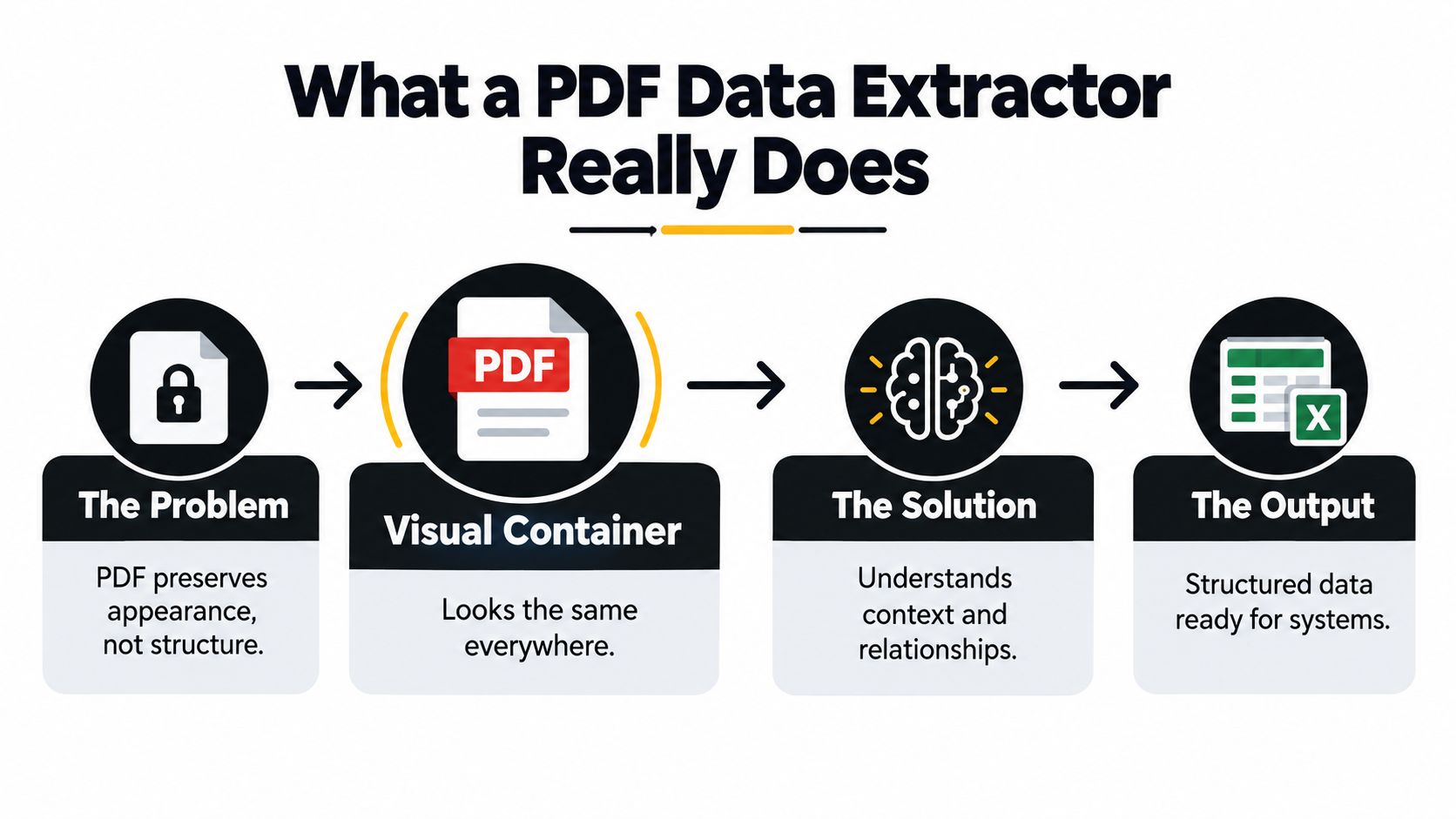
Adobe introduced PDF in 1993. PDF 1.3 added capabilities for logical structure in 2000, and PDF 1.4 introduced tagged PDF in 2001. In January 2007, Adobe initiated the transfer of PDF standardization to ISO, resulting in ISO 32000-1:2008, published in July 2008, according to Adobe's accessibility information about PDF.
Why the file type matters
A PDF may be:
- Born digital: It contains an encoded text layer created by business software.
- Scanned: It contains page images that need OCR.
- Mixed: Some pages contain selectable text while others are scans.
- Form-based: Values may exist in fields, overlays, or flattened page content.
- Table-heavy: Meaning depends on coordinates, borders, rows, and columns.
This is why extracting data from a PDF isn't the same as copying text. The system must first determine what kind of content it has and how much interpretation the document requires.
What the output should contain
A modern extractor should map content into a defined schema. For an invoice, that schema might include:
- Supplier name and tax identifier
- Invoice number and issue date
- Due date and currency
- Tax amounts and total
- Line items with descriptions, quantities, and prices
- Page number, coordinates, and source evidence
The result may be returned as structured JSON, a completed spreadsheet, an ERP-ready record, or another defined format. The important point is that each value should remain connected to its original page location and document context.
A trustworthy extraction result doesn't just say what a field is. It shows where the field came from and what happens when the system isn't confident.
How AI Extraction Works Step by Step
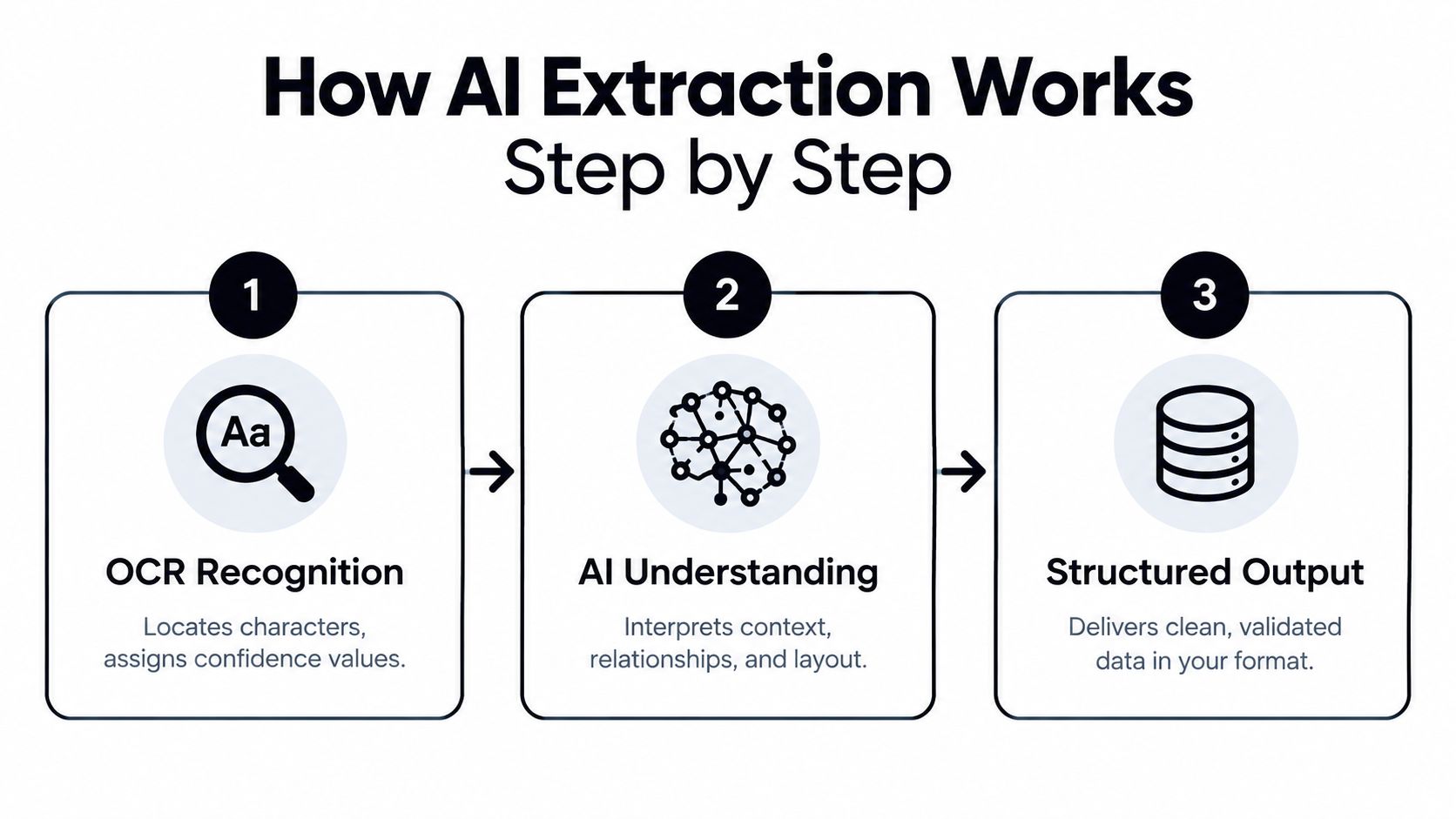
A modern PDF data extractor combines OCR with document understanding and business controls. The process can be described in three stages, although production systems often apply additional routing and review logic around them.
Step 1. OCR recognition
OCR examines document imagery, locates plausible character segments, assigns character classes, and produces confidence values. This is consistent with the U.S. National Institute of Standards and Technology definition of OCR.
The confidence value matters because the system shouldn't treat every recognized character as equally reliable. A clear invoice number may pass automatically, while a blurred tax identifier can be sent for validation or review.
OCR alone still doesn't identify meaning. It creates the evidence that later stages interpret.
Step 2. Document classification and understanding
The system identifies what the document represents, such as an invoice, payslip, identity document, Bill of Lading, customs declaration, receipt, or contract. Classification lets the workflow select the appropriate fields, validation rules, and review policy.
This is also where layout and relationships matter. The system needs to understand that a value beside “Total due” has a different role from a similar number beside “Taxable base”. It needs to connect line-item descriptions with quantities and amounts rather than returning an unstructured text stream.
Mixed PDF files benefit from this stage because the extractor can classify pages, split separate documents, and route each one to the relevant schema.
Step 3. Validation and exception routing
Validation checks whether extracted values satisfy business rules before downstream action. Examples include:
- Arithmetic checks: Compare line items, subtotals, tax amounts, and totals.
- Format checks: Confirm dates, currency codes, identifiers, and required fields.
- Relationship checks: Make sure a shipment reference belongs to the correct document or goods item.
- Confidence checks: Route low-confidence or weakly grounded fields to a review queue.
A field can look plausible and still be wrong. Validation catches errors that character accuracy cannot.
The final output should include structured values, field-level confidence or review signals, and provenance such as page references and bounding boxes. That combination makes automation safer because teams can inspect uncertain data instead of accepting it without question.
Modern PDF Data Extraction vs Legacy OCR
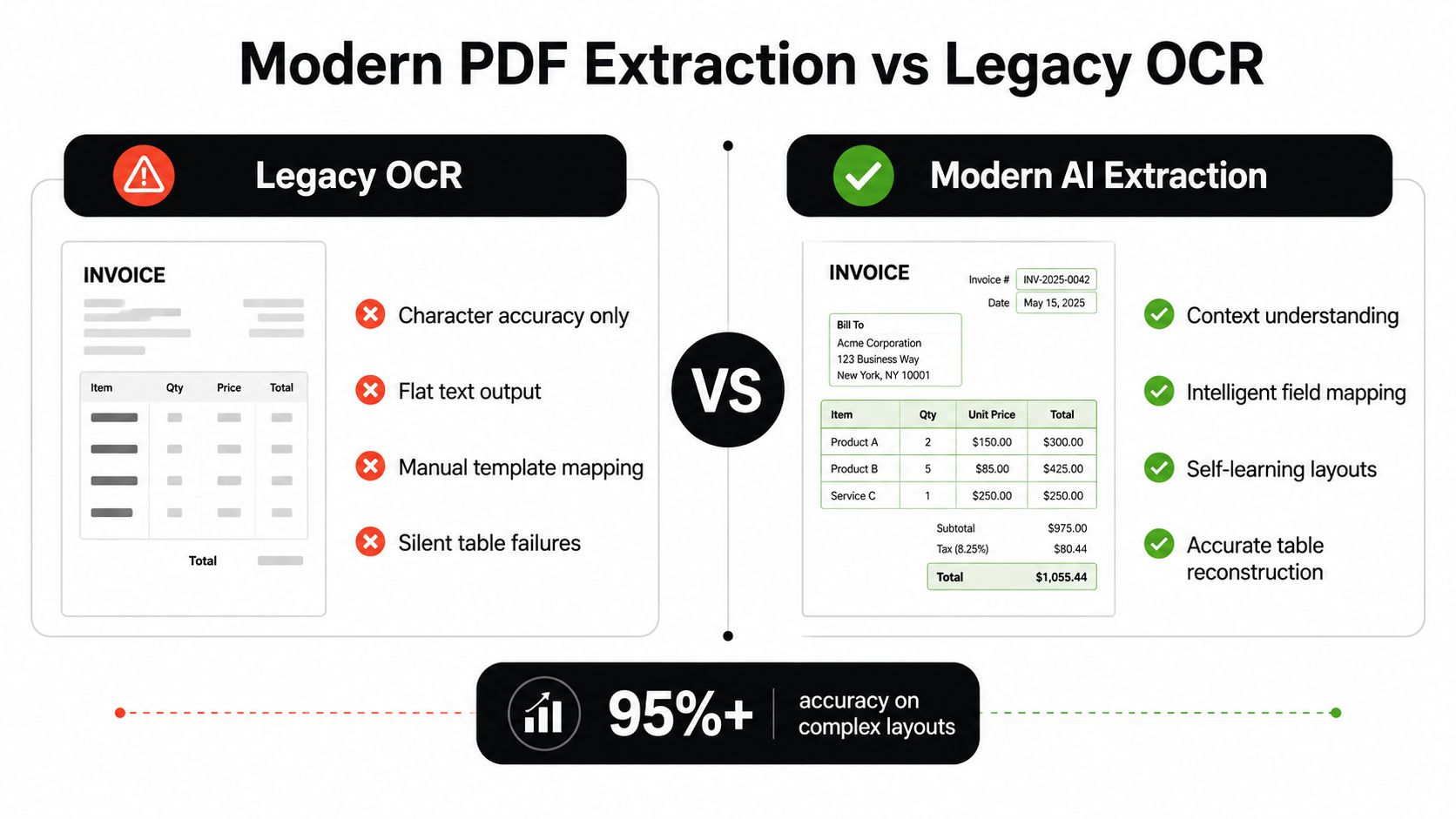
Legacy OCR is useful when the requirement is searchable text. It becomes fragile when the business needs reliable fields, reconstructed tables, and automated decisions.
A modern platform treats extraction as a complete process. It recognizes text, interprets layout, classifies documents, maps values into a schema, validates critical fields, and routes exceptions.
The difference is visible in the output:
| Criteria | Legacy OCR | Modern PDF Data Extractor |
|---|---|---|
| Output format | Flat text or page text | Schema-based fields, tables, and structured JSON |
| Structure handling | Limited reading order and table reconstruction | Contextual layout and cell relationships |
| Validation | Usually external or manual | Business rules and field-level checks |
| Error behavior | May pass questionable text downstream | Can expose confidence and route exceptions |
| Setup effort | Fixed templates or manual mapping | Pre-trained models and adaptable schemas |
| Traceability | Text may lack source context | Values can retain page and field provenance |
A benchmark of 21 contemporary PDF parsers tested 100 synthetic documents containing 451 tables. Its human-validation study found that LLM-based semantic evaluation correlated more strongly with human assessment, with Pearson r = 0.93, than Tree Edit Distance Similarity at r = 0.68 or Grid Table Similarity at r = 0.70, as described in the PDF table extraction benchmark.
The implication is practical. Teams shouldn't select a parser based only on character similarity or a single OCR score. They should test whether the final invoice fields, table rows, relationships, and business meaning are correct.
Where Matil fits
Automatic document processing with Matil illustrates the modern category: OCR plus classification, validation, and workflow automation through an API. Matil offers pre-trained models for common document types, supports custom structures, and reports accuracy above 99% in multiple use cases, according to the platform information provided for this article.
The useful distinction isn't that OCR has become irrelevant. OCR remains necessary for image-based PDFs. The distinction is that OCR is treated as evidence inside a larger extraction and automation pipeline.
Real-World Use Cases for PDF Data Extraction
The strongest use cases share a pattern. A team receives documents in inconsistent formats, extracts a defined set of fields, validates them, and sends only reliable records into the next system.

Invoices and delivery notes
Problem: Accounts payable teams receive invoices from suppliers with different layouts. Delivery notes may contain product codes, quantities, signatures, and references that must be matched with purchase orders.
Solution: Extract supplier details, invoice numbers, dates, tax amounts, totals, line items, SKUs, and quantities. Validate required fields and arithmetic before sending the record to accounting or procurement.
Result: The workflow replaces repetitive retyping with a structured review path. An exception can be shown with the original page and highlighted field instead of requiring someone to search through the entire PDF.
Teams designing this workflow can also consult latest thinking on expense tracking automation for broader process ideas around capturing and organizing transaction data.
Payslips and bank statements
Problem: Payslips and bank statements often vary by employer, bank, country, and export system. A fixed coordinate template can fail when a field moves or a page includes additional sections.
Solution: Define a schema for employee details, pay components, deductions, account information, transaction dates, descriptions, and amounts. Preserve page-level evidence and validate dates, currencies, balances, and required identifiers.
Result: Finance and operations teams receive consistent records even when source layouts differ. They can then feed the data into payroll, reconciliation, reporting, or onboarding workflows.
KYC and identity documents
Problem: Identity cards, passports, and NIE documents contain sensitive attributes that must be extracted accurately. A recognized name or document number isn't sufficient proof of identity by itself.
Solution: Extract identity attributes while preserving the source page, coordinates, and document type. Apply validation and route uncertain fields for risk-based review.
The Financial Action Task Force states that regulated entities must identify customers and verify identity using reliable, independent source documents, data, or information. It also recommends a risk-based approach to digital identity that considers the reliability, independence, and assurance level of the identity system, as explained in FATF guidance on digital identity.
Result: Compliance teams gain a traceable extraction step that supports, rather than replaces, identity verification controls.
Logistics documents
Problem: Bills of Lading, customs declarations such as DUA, packing lists, invoices, and freight documents contain references that relate to shipments, goods, transport, and individual products. Flattening those values into one text block can destroy the relationships needed for clearance and review.
Solution: Extract document references, shipment identifiers, transport details, goods items, quantities, and supporting-document links into nested structures. Validate that each reference is attached to the correct shipment or product.
Result: Logistics teams reduce repetitive entry while preserving the relationships required for customs and transport workflows. This is more valuable than merely producing searchable text because the downstream system can act on the extracted structure.
Integration, Security, and Compliance Essentials
A technically accurate extractor can still be unsuitable for production if it doesn't fit the team's integration model or data-governance requirements. Evaluate the whole path from file upload to downstream record, including authentication, output handling, review, logging, and retention.
Integration choices
A practical PDF extraction platform should offer:
- REST API: Submit PDFs and receive structured JSON using a defined schema.
- No-code access: Provide upload interfaces for business users who don't need to build an integration.
- Template output: Populate Excel or PDF templates when the receiving process still depends on those formats.
- Document routing: Classify mixed files, split multi-document PDFs, and apply the right model or schema.
- Model flexibility: Start with pre-trained models for common documents and support custom models for specialized forms.
Matil's enterprise positioning includes an API and no-code workflow options, alongside pre-trained models and custom model creation. Its stated security and compliance posture includes GDPR, ISO 27001, AICPA SOC, zero data retention, and an availability SLA above 99.99%. These are vendor claims that should be verified against current contractual and technical documentation before adoption.
Security questions to ask
For KYC, legal, payroll, and financial documents, data lifecycle controls deserve the same attention as extraction quality.
Ask vendors:
- Where are files processed and stored?
- Is zero data retention available for the relevant plan and workflow?
- How are API credentials protected?
- Can the platform return page-level provenance?
- Which certifications and audit reports are available?
- How are access permissions, deletion, and incident response managed?
- What availability commitments apply to the production service?
A guide to SOC 2 compliance can help technical and compliance stakeholders understand why independent controls matter, but certification alone doesn't answer every implementation question. Your team still needs to review the vendor's data-processing terms, retention policy, access model, and integration architecture.
How to Choose the Right PDF Data Extractor
The right question isn't “What is the headline OCR accuracy?” It is “Which fields must never be wrong, and what does the system do when one of them is uncertain?”
For finance, those fields may include invoice totals, tax IDs, bank-account numbers, dates, and supplier names. For logistics, they may include shipment references, product identifiers, quantities, and customs data. For KYC, names, document numbers, dates, and identity attributes may carry much greater risk than ordinary body text.
Recent research shows that corrupting a named entity or other critical term can sharply reduce information-retrieval performance even when overall character error rate barely changes. A 2025 multilingual OCR study reported retrieval effectiveness beginning to decline around a 5% word-error rate, as discussed in this research on entity-critical OCR reliability.
A practical evaluation checklist
- Use representative documents: Include native PDFs, scans, mixed files, tables, degraded pages, and layout variations from real suppliers or customers.
- Define critical fields: Separate ordinary text from values that can affect payment, compliance, shipment release, or identity decisions.
- Measure field outcomes: Track critical-field accuracy, validation-pass rates, exception rates, and corrections required after review.
- Test table meaning: Check row associations, column mapping, totals, taxes, quantities, and multi-page continuation.
- Inspect evidence: Confirm that every important value can be traced to a page region or source location.
- Test failure behavior: Verify that low-confidence fields are blocked or routed for review instead of being accepted without review.
- Verify governance: Review certifications, retention, access controls, availability commitments, and contractual terms.
A slightly lower average score may be safer if the system catches and blocks errors in financially or legally important fields. The best PDF data extractor is the one that produces usable structure, validates meaning, preserves evidence, and gives your team control over exceptions.
Matil combines OCR, document classification, validation, structured JSON extraction, and workflow automation for PDFs and other business documents. If you're evaluating invoice, payslip, KYC, or logistics automation, visit Matil to explore an API and no-code options for turning document data into traceable, ready-to-use records.


