How to Use an Extraction Tool: A Developer Guide
Learn how to use an extraction tool for documents. Upload, validate, and automate data flow with step-by-step guidance for developers.

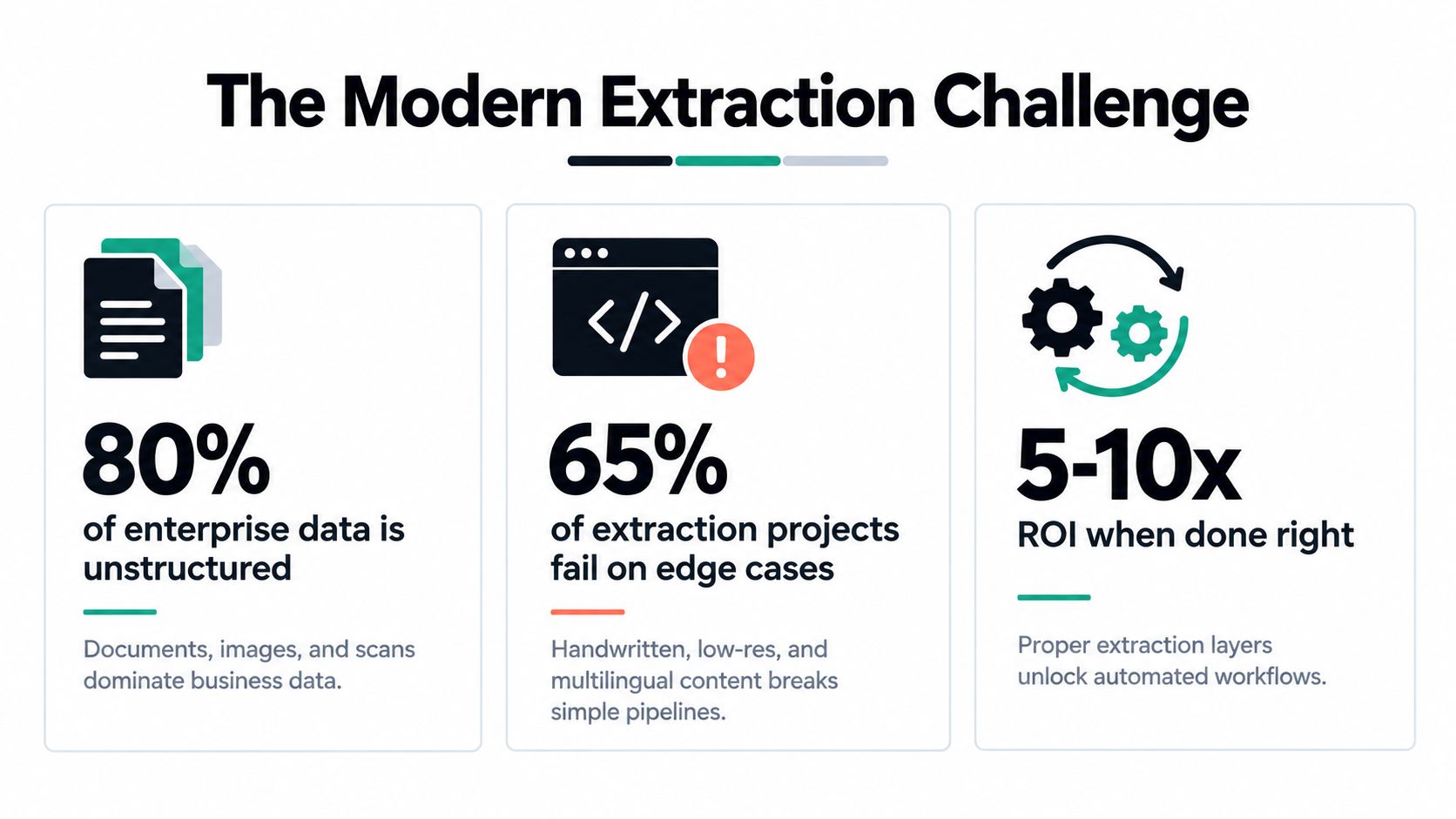
A reliable extraction tool turns documents into structured data by combining a defined schema, document classification, OCR, programmatic field validation, and human review for uncertain results. The need is clear: unstructured data represented approximately 92.9% of all data generated worldwide in 2023, and it is forecast to remain about 89.6% in 2025 and 82.3% in 2028. IDC's Global DataSphere figures show why document extraction is now an integration problem, not just a scanning task.
A finance team may still be opening invoices one by one, copying supplier details into an ERP, checking totals manually, and emailing exceptions to another department. An operations team may receive PDFs, phone photographs, scanned forms, and multi-page files from different suppliers. The process appears manageable until volume rises, layouts change, or one incorrect field reaches a payment, compliance, or logistics workflow.
Understanding the Modern Extraction Challenge
The practical definition is simple: document extraction converts human-oriented content into machine-readable fields. That content may be a PDF, image, scan, invoice, payslip, identity document, Bill of Lading, DUA, ticket, receipt, or contract. The output might be JSON, a database record, an ERP payload, or a task for a reviewer.
The difficulty comes from the gap between how people read documents and how systems consume data. A person can understand that a value near “VAT” is probably a tax amount, even when the page is rotated or the label is faint. A downstream system needs a precise field, a valid data type, a traceable source, and a clear decision about what happens when the value is missing or uncertain.
Why simple OCR pipelines break
Traditional OCR converts visible characters into text. That's useful, but it doesn't necessarily identify the document type, distinguish an invoice number from a purchase order number, reconstruct a table, or validate whether a total makes sense.
The NIST evaluation documented the difference between character categories. It tested more than 40 OCR systems from over 25 organizations using 58,646 segmented digits, 11,941 uppercase letters, and 12,000 lowercase letters. Roughly half of the systems correctly recognized more than 95% of digits, but the comparable results were above 90% for uppercase letters and above 80% for lowercase letters. At zero rejection, about half had error rates below 5% for digits, 10% for uppercase letters, and 20% for lowercase letters. Human performance on the digit test was approximately 98.5%. The NIST report makes the engineering lesson clear: accuracy changes by character type and operating condition.
Practical rule: Treat extraction as a conversion layer with controls, not as a single OCR call that returns trustworthy text.
A production workflow therefore needs more than upload and download. It needs classification, schema mapping, confidence handling, validation, provenance, retries, and exception routing. The “dirty” bottom portion of a corpus, such as handwritten notes, faded scans, unusual fonts, mixed scripts, and low-quality photographs, often determines whether a proof of concept survives contact with real operations.
Configuring Your Schema and Document Rules
Start with the output, not the file. Before you learn how to extract data from a PDF, define the exact fields the receiving system needs and the rules each field must follow.
For an invoice, the schema might include:
- Document identity: invoice number, invoice date, due date, supplier name, and supplier identifier.
- Amounts: subtotal, tax rate, tax amount, total, currency, and payment information.
- Line items: description, SKU, quantity, unit price, tax treatment, and line total.
- Traceability: source page, extracted text span, confidence value, processing timestamp, and review status.
This design prevents a common failure mode: collecting every visible value without deciding which values matter. A broad schema increases ambiguity and creates more validation work. A narrow schema may omit information needed later by finance, compliance, or customer support.
A practical configuration sequence
Step 1, classify the document. Decide whether the file is an invoice, payslip, identity document, delivery note, contract, or another category. Mixed PDFs should be split before extraction if they contain multiple document types.
Step 2, define field types. Mark dates as dates, amounts as numeric values, currencies as controlled values, and line items as arrays. Define whether a field is required, optional, nullable, or conditionally required.
Step 3, describe acceptable variation. Supplier labels may differ. “Invoice No.”, “Invoice number”, and “Reference” might map to the same target field, but only when the surrounding context supports that interpretation.
Step 4, add relationship rules. An invoice total should be compared with its line items and tax. An identity document should expose the fields needed for cross-checking. A logistics record should preserve units and quantities rather than returning untyped text.
Step 5, version the structure. Store schemas and validation rules in source control. A supplier redesigning its invoice shouldn't change the meaning of a field in production without notice.
If the target is a JSON object, this guide to converting PDF files to JSON illustrates the kind of structured output developers should plan for. The important point isn't the file format alone. It's the contract between the extraction service and the application that consumes the result.
Pre-trained models work well for familiar document classes, but they shouldn't dictate the whole architecture. Use them as a starting point for common invoices, payslips, identity documents, or receipts. Add custom fields and document rules where your business process has requirements that a generic model can't infer safely.
Evaluating Accuracy and Confidence Thresholds
A headline accuracy figure can hide the exact error that matters. An extraction tool may perform well on ordinary printed text while failing on a handwritten account number, a decimal separator, a tax rate, or a field that appears in several places on the same page.
Measure quality at field level, and separate critical fields from convenient ones. A wrong supplier address may require correction. A wrong bank account identifier, identity-document number, or invoice total may require the workflow to stop.
Compare the output with a baseline
Use a representative test set containing the layouts, languages, image conditions, and document types found in production. Label the expected values manually, then compare extracted results field by field.
Useful measures include:
- Exact field accuracy: whether the normalized output matches the expected value.
- Character error rate: useful for text fields where partial recognition matters.
- Precision and recall: useful when fields can be omitted, fragmented, or incorrectly added.
- Critical-field error rate: isolates failures that can trigger financial, identity, or compliance risk.
- Review rate: shows how much work the confidence policy sends to people.
The NIST findings are a useful baseline because they show that digits, uppercase letters, and lowercase letters behave differently. The same principle applies to business fields. A system that handles invoice numbers well may still struggle with descriptions, cursive notes, table boundaries, or low-contrast text.
A practical method for calculating extraction error rates can help teams turn test results into a repeatable quality process rather than a subjective review of a few successful files.
Confidence needs an action policy
Confidence scores are signals, not guarantees. Configure field-level thresholds and connect each outcome to an action:
- Accept automatically when the field passes its confidence threshold and all related validation rules.
- Review manually when the value is plausible but uncertain, such as a blurred digit or ambiguous date.
- Reject or rescan when the document is unreadable, incomplete, incorrectly oriented, or outside the supported language and format range.
- Escalate when a low-confidence field affects payment, identity, customs, or regulatory reporting.
Don't use one threshold for every field. A description can tolerate more uncertainty than a bank-account identifier. The threshold should reflect the cost of a false acceptance and the cost of human review.
A reliable pipeline doesn't ask whether the document is accurate. It asks which fields are safe to accept, which need evidence, and which must stop the workflow.
Record the original file, extracted value, confidence, validation outcome, reviewer correction, and model or schema version. Those records make errors diagnosable and allow the team to detect drift after a supplier changes its template.
Handling Difficult Edge Cases and Formats
The hardest documents aren't rare curiosities. They're often the documents that determine whether automation delivers operational value. Handwriting, cursive text, low-resource languages, faded pages, blur, noise, irregular lighting, mixed scripts, and historical records can all reduce recognition quality.

A production team should classify the document condition before forcing extraction. Image preprocessing can improve orientation, contrast, and legibility, but it can't recover information that the source image never captured. Excessive enhancement can also erase punctuation, merge characters, or distort handwriting.
Research on OCR for underrepresented languages and difficult handwriting identifies limited training data, visually similar characters, connected cursive, and inconsistent writing styles as persistent problems. A recent review also highlights noise, blur, fading, and irregular illumination as factors that reduce recognition quality, while inconsistent evaluation datasets make vendor comparisons harder. The research on multilingual and difficult OCR conditions supports a practical conclusion: benchmark by language and failure mode, not by one average score.
Use a routing decision, not a preprocessing checklist
Accept for automated extraction when the document is legible, the detected language or script is supported, and the required fields are present in recognizable regions.
Preprocess and retry when the document is rotated, lightly skewed, faint, or affected by manageable noise. Keep the original file and record the transformation applied.
Route to a human reviewer when a critical field is plausible but uncertain, when handwriting affects a decision, or when multiple interpretations pass basic validation.
Reject and request a better source when the page is cropped, materially blurred, incomplete, or missing the required section. A controlled rejection is safer than returning invented certainty.
For multilingual intake, detect language and script before selecting the extraction route. Don't assume printed English documents represent the entire corpus. Measure performance separately for each language, script, document condition, and handwriting category. A vendor that performs well on clean forms may still be unsuitable if its difficult segment contains the records your compliance team cares about most.
Teams handling sensitive or fraud-prone documents may also evaluate edge deployment for fraud teams when processing location, latency, or data-control requirements make a centralized workflow unsuitable.
The video below provides a visual example of how a document-processing dashboard can expose statuses and exceptions during intake.
Keep edge cases in a permanent regression set. Every corrected document should become evidence for a future test, especially when a new supplier, language, scan source, or document template enters the workflow.
Validating Results and Ensuring Data Quality
Extraction becomes useful only after the output passes validation. The validation layer protects downstream systems from confident but incorrect values and makes human review predictable.
Begin with field-level checks:
- Format checks: Confirm that dates, currencies, identifiers, percentages, and numeric values use the expected representation.
- Presence checks: Reject or escalate documents missing mandatory fields.
- Range checks: Flag impossible quantities, negative values where they aren't allowed, or dates outside the process context.
- Reference checks: Match suppliers, customers, currencies, or identity attributes against approved records where appropriate.
- Cross-field checks: Compare related values rather than validating each field in isolation.
For an invoice, reconcile line-item totals with the taxable amount, tax, and grand total. If the values don't agree, don't post the document directly to the ERP. Route it for review with the conflicting fields and their source locations visible to the reviewer.
For KYC, compare names, dates, document numbers, and other relevant zones across the document. FATF Recommendation 10 requires regulated entities to identify customers and verify their identities using reliable, independent source documents, data, or information. FATF's digital identity guidance also emphasizes assessing the technology, architecture, and governance of a digital identity system through a risk-based approach. OCR alone isn't a KYC control.
Stop error propagation
A useful exception record should contain:
- the original document reference,
- the extracted value,
- the expected type,
- the confidence score,
- the failed rule,
- the page and region supporting the value,
- the next action,
- the reviewer decision.
This structure lets an application distinguish a transient processing failure from a business validation failure. Retries make sense for a temporary service issue. They don't solve a missing page or an illegible handwritten field.
Create a representative evaluation set before launch, then keep it current. Track corrections after deployment, group failures by cause, and monitor changes after supplier-template updates. Report critical-field errors separately from general extraction quality, because an aggregate result can conceal unacceptable failures in high-stakes fields.
Operational safeguard: Never let a confidence score bypass a failed business rule. Confidence describes the model's certainty, not whether the value is acceptable to your organization.
Human review should be designed as part of the workflow, not added after an incident. Give reviewers the source image, highlighted field, extracted value, and reason for escalation. Store their correction as structured feedback so the team can improve schemas, rules, routing, or model configuration.
Integrating into Enterprise Workflows
An extraction tool should fit into the systems that already receive documents. A typical architecture accepts files from email, upload, scanning, or an API, classifies and splits them, extracts fields into a schema, validates the result, and sends approved data to an ERP, CRM, warehouse, compliance queue, or approval workflow.
Matil.ai is one example of this approach. It combines OCR, document classification, field extraction, validation, and workflow automation through an API, with pre-trained models for document categories such as invoices, payslips, identity documents, receipts, bank statements, delivery notes, and logistics records. It also supports custom structures, JSON output, document splitting, traceability, and no-code workflow options. Its published enterprise positioning includes GDPR, ISO 27001, AICPA SOC, and zero data retention controls, which teams should verify against their own contractual and regulatory requirements.
Integration quality depends on more than endpoint access. Define idempotency so a retry doesn't create duplicate payments. Use asynchronous processing for large or multi-page files. Preserve the original document and extraction version. Emit clear statuses such as received, classified, extracted, validation-failed, review-required, approved, and rejected.
For implementation details, this API integration guide covers the basic pattern of sending documents and retrieving structured results. Your production design should add authentication controls, request tracking, retry policies, dead-letter handling, audit logs, and access restrictions around personal or financial data.
The EU VAT in the Digital Age framework makes structured electronic invoicing the default for intra-EU transactions from 1 July 2030, requires the EN 16931 standard for intra-EU invoices, and adds data requirements such as corrected-invoice references and bank-account identifiers. The EU legal text shows why extracting text from a PDF isn't enough. Finance systems need validated, structured fields that can move through reporting and accounting processes.
The European Commission estimates that the reforms could reduce VAT fraud by up to €11 billion annually and lower administrative and compliance costs for EU traders by more than €4.1 billion per year over the next decade. The Commission's VAT in the Digital Age overview connects those outcomes to e-invoicing and digital reporting, not to OCR in isolation.
A sound implementation starts with a narrow document class, a representative test set, explicit validation rules, and a human escalation path. Expand only after the workflow proves that its output is safe for the system that consumes it.
Matil offers an API for turning PDFs, images, and multi-page documents into structured data with OCR, classification, validation, custom schemas, and workflow support. If you're evaluating how to use an extraction tool for invoices, KYC, logistics, or back-office operations, visit Matil to explore a production-oriented approach.


