OCR Fees in 2026: Models, Rates and How to Budget
OCR fees explained for 2026: per-page, per-field and subscription models, real rate ranges, hidden cost drivers, and a simple formula to budget per document.

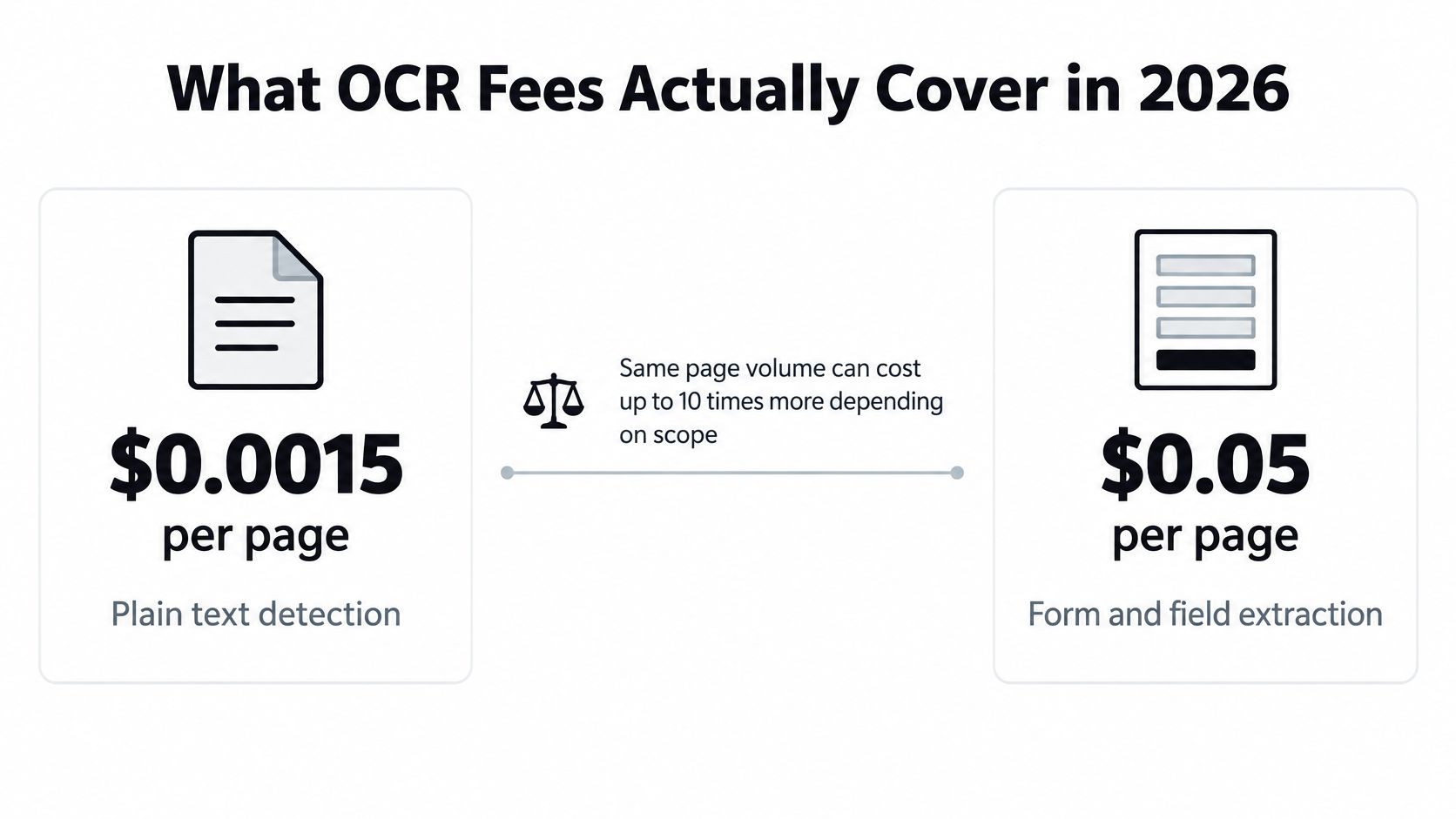
OCR fees in 2026 run from $0.0015 per page for plain text detection to $0.05 per page for form and field extraction, and a production-ready document can cost several times more once validation and support are included. No single per-page rate means anything until you name the extraction mode and say what the rate covers.
The most repeated advice in vendor comparisons is to find the lowest per-page OCR rate and negotiate from there. That advice fails in production. The nominal rate is the least useful number in the budget, because it prices recognition, not the document your finance team can post to the ledger. The API line is often the smallest cost on the page, and the review queue is usually the largest.
What OCR Fees Actually Cover in 2026
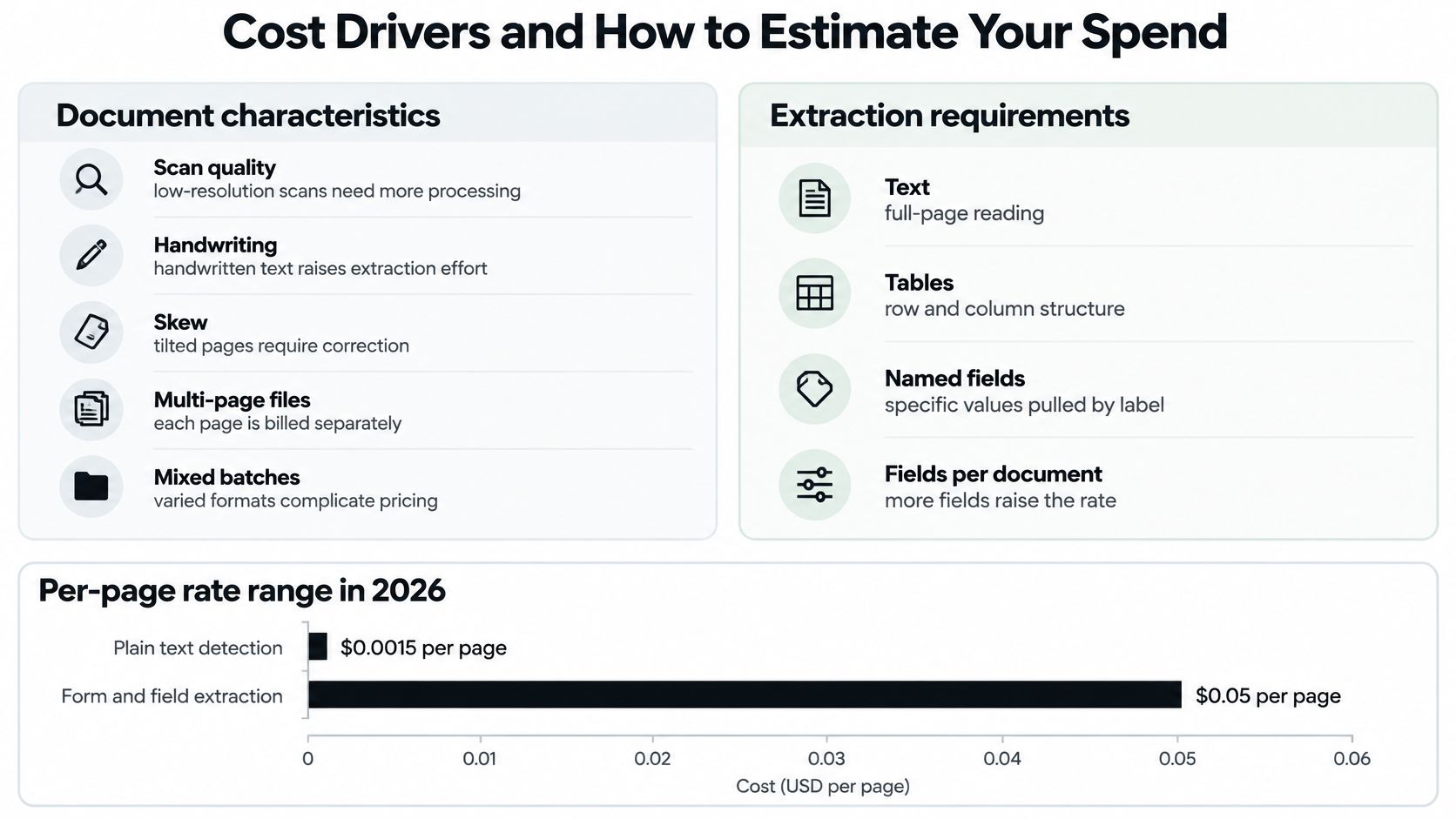
The cheapest line on the price list is the one vendors want you to compare. It is also the one that tells you the least. AWS's Textract price list shows plain text detection at $0.0015 per page for the first million pages, tables at $0.015 per page, and forms at $0.05 per page. The same page volume can cost roughly 10 to 33 times more depending on which mode applies, because a table with cells and a form with named fields is not the same product as a stream of characters.
Put that on real volume. At 100,000 pages, plain text costs about $150, while form analysis costs about $5,000, both before integration or review. Those are API charges for recognition. They are not the fee for a production-ready document.
A quoted OCR fee can bundle three distinct layers, and knowing which ones sit inside the number explains most of the spread between vendors:
- Recognition: text pulled out of an image, with coordinates and confidence scores, nothing more.
- Structuring: values mapped into a named schema, so the invoice total lands in a
total_amountfield with a type and a rule. - Operations: classification, validation rules, exception review by a person, monitoring, and the support tier behind it.
A fee quoted for recognition only looks cheap next to a fee that includes all three, and the comparison is meaningless. Two vendors can both say "$0.05 per page" while pricing different products.
The metric that survives all three layers is cost per successfully validated document. Divide the document charge by the share of documents that pass without human intervention, then add review minutes and support. A cheap rate with a low pass rate loses to a higher rate with a high pass rate, because every failed extraction becomes paid human time. Production deployments also tend to add support and SLA charges on top of base extraction fees, so any quote worth signing should itemise those separately rather than folding them into the headline rate.
For an accounts-payable team processing invoices, a KYC desk reviewing identity documents, or a freight forwarder checking bills of lading, this distinction decides the budget. The page rate is where the cost conversation starts. The validation pass rate is where it ends.
Per-Page, Per-Field and Subscription Fee Models Compared
Four billing models show up in procurement conversations, and each one optimises for a different buyer.
Flat per-page charges the same for a dense invoice as for a blank scan page. It forecasts cleanly and suits high-volume scanned archives where pages are roughly uniform. The clause to check is the minimum page count and how the contract defines a page, because multi-page files and blanks still bill.
Per-mode per-page is the structure AWS publishes: text at about $0.0015, tables at about $0.015, forms at about $0.05. It fits archives where most pages are plain text. The risk is that cost rises 10 to 33 times the moment a meaningful share of the batch needs form extraction, and the clause to check is how each page gets classified into a mode. If the vendor decides that, you don't control the mix.
Per-field or per-request charges per extracted document or field set. For invoices, KYC packs and receipts it aligns price with value better than page counting. Line-item-heavy documents cost more, though, so a 40-line invoice and a 5-line invoice are very different bills. Check the batch rule and the definition of one request.
Prepaid credits draw down a balance per document type. It gives finance a hard spend cap and no surprise invoice. Processing stops when the balance runs out, which is fine for a pilot and dangerous for a live pipeline. Check the consumption rate per document type and the top-up rules.
Subscription plus volume bundles included pages into a monthly fee. Steady enterprise volume fits best. Overage prices, renewal terms and the length of any locked rate need scrutiny before signature.
| Model | Rate basis | Best fit | Watch out for | Clause to check |
|---|---|---|---|---|
| Flat per-page | Fixed charge per page regardless of content | High-volume scanned archives | Multi-page and blank pages still bill | Minimum page counts and page definition |
| Per-mode per-page | Text about $0.0015, tables about $0.015, forms about $0.05 per page | Archives where most pages are plain text | Cost rises 10 to 33 times when forms are needed | How each page is classified into a mode |
| Per-field or per-request | Charge per extracted document or field set | Invoices, KYC, receipts | Line-item-heavy documents cost more | Batch handling and what counts as one request |
| Prepaid credits | Balance drawn down per document type | Teams wanting spend caps | Processing stops when the balance runs out | Consumption rate per document type and top-up rules |
| Subscription plus volume | Monthly fee with included pages | Steady enterprise volume | Overage and renewal terms | Locked rates, term length and overage price |
Mixed batches are the normal case, not the exception. A single intake folder usually holds plain scans, tabular statements and structured forms, so any honest forecast blends the per-mode rates by the share of each type in the volume.
Cost Drivers and How to Estimate Your Spend
Document characteristics decide the mode, the mode decides the rate. Scan quality, handwriting, skewed pages, multi-page files and mixed batches push pages from the cheap recognition tier into the expensive structured tier. Extraction requirements do the same: full text, table structure, or named fields pulled by label, with every extra field adding work.
Operational requirements carry the rest. Classification, validation rules, exception review, retry rate, master-data matching, accuracy monitoring and the support tier are where budgets move. This OCR API benchmark discussion notes that operational costs typically dominate the API charge, and that lowering the nominal rate can raise total spend if accuracy is poor and teams must reconcile extracted data by hand.
The seven-step estimate
Run this on a 500-document sample before you take a second vendor call.
- Classify the sample by document type and the mode each type needs.
- List only the fields downstream systems consume. Nothing else earns a place in the schema.
- Multiply monthly volume per type by each vendor's published rate for that mode.
- Measure the exception rate and the review minutes per failure, not per document.
- Convert review time with a loaded hourly rate that includes overhead.
- Amortise integration engineering over three years, then add a 20 to 40 percent uplift for production SLAs and support.
- Divide annual cost by documents that pass untouched to get cost per validated document. Re-run at double volume to see how the curve behaves.
A worked example makes the arithmetic visible. Take 100,000 pages split 70 percent plain text, 20 percent tables and 10 percent forms.
| Line | Volume | Rate |
|---|---|---|
| Plain text | 70% of pages | $0.0015 per page |
| Tables | 20% of pages | $0.015 per page |
| Forms | 10% of pages | $0.05 per page |
| Total API charges | 100,000 pages | $905 |
API charges come to $905, or about $0.009 per page. Now add a 6 percent exception rate at four review minutes per exception and $35 per hour. Review lands near $14,000, about $0.14 per page. Review is roughly fifteen times the API line.
The number to take into the meeting: your review queue, not your per-page rate, sets the budget. Cut exceptions and you cut the invoice.
Two contract mechanics change the total again. Confirm whether batches bill as one request per document unit or per file, and confirm what happens when a prepaid balance hits zero. If accuracy is the lever that shrinks the review line, it's worth reading how OCR accuracy is measured across engines before you compare rates, because two vendors quoting the same per-page price at different accuracy levels are quoting different costs.
Why OCR Rates Vary Across Providers in 2026
The spread isn't arbitrary pricing. It reflects what's inside the quote. The market splits into three groups, and each prices a different scope.
Raw OCR engines and cloud APIs sit at the bottom. The buyer owns structuring, validation and review. Document AI and IDP platforms sit in the middle, bundling classification and validation. Managed services with human-in-the-loop correction sit at the top, priced per corrected document rather than per recognized page.

The low-end benchmarks are now low. A benchmark reported by Let's Data Science puts open OCR processing at roughly $0.51 per 1,000 pages for RolmOCR, released in April 2025, falling to roughly $0.095 per 1,000 pages for LightOnOCR-3-0.8B, released in October 2026. Separately, a 2026 comparison of eight open OCR models estimated $65 to $130 in GPU rental to digitize one million pages, per What the Future.
Those figures cover recognition and nothing else. No integration, no exception handling, no staffing. A cheap engine price is a starting point, not a quote.
History explains the rest. A 1999 analysis of digitization projects reported an average OCR cost of $1.20 per page against $3.50 per page for manual re-keying, because those fees bundled scanning and quality control rather than machine recognition alone.
One question reveals which segment you're talking to: does the quote include validation and exception handling, or does it stop at characters?
Where Compliance Requirements Change the Budget
Structured extraction is becoming a legal requirement in European invoice flows, not a premium feature. That shifts spending from recognition to field mapping, validation and traceability, and a compliant pipeline costs more than a text endpoint by design.
Germany shows the timeline. Since 1 November 2019, German public-sector entities have been required to receive and process structured eInvoices compliant with EN 16931, according to the European Commission's eInvoicing country profile for Germany. Domestic B2B rules then introduced a receiving obligation from 1 January 2025, with transitional arrangements continuing through the end of 2028. The same profile identifies EN 16931 as the common format and data structure meant to make invoices machine-readable and compatible across systems.
The budgeting consequence is concrete. Pulling visible text out of a PDF doesn't satisfy that model. Supplier identity, invoice number, dates, tax data, totals, line items and payment details all have to land in a schema that validates and exchanges consistently. Field mapping, validation rules and auditability therefore belong inside the fee, not in a separate services line.
The same logic applies outside invoices. KYC identity documents carry name, document number and expiry that must map to a registry. Logistics paperwork such as bills of lading and customs declarations carries consignee, HS codes and declared value that must reconcile against a filing. Teams weighing what it costs to demonstrate that controls work at audit time should look at compliance audit costs and timelines, because traceability built into extraction reduces the evidence-gathering burden later.
Ask vendors plainly whether structured output, validation and traceability are included or billed separately. Then weight retention policy and certifications, since a zero-retention guarantee changes the total cost of risk on identity and financial documents.
The retention question deserves weight in the comparison itself, and how zero data retention works in an AI document pipeline explains why it belongs next to the per-page rate rather than after it.
What to Check Before Signing an OCR Contract
Run these as questions you ask aloud on the call, in this order.
- Rate basis. Are rates set per extraction mode or per document type, and is the consumption rate published and updated in real time or fixed for the term?
- Rate change notice. Under what notice period can rates change, and do the increases apply to a signed capacity reservation, or only to pay-as-you-go consumption?
- Locked rates. Does a capacity reservation hold its rate for the full term regardless of general increases? Confirm the term length, renewal terms and early-termination penalty in the particular conditions, not the general terms.
- Payment failure. What happens to processing if a card expires or a top-up charge fails? Does work queue up, get rejected, or get billed again on retry?
- Negative balance. Can the balance go below zero, and does a negative balance become a monetary debt?
- Activation. Does activating credits count as full execution of the service, making acceptance irrevocable?
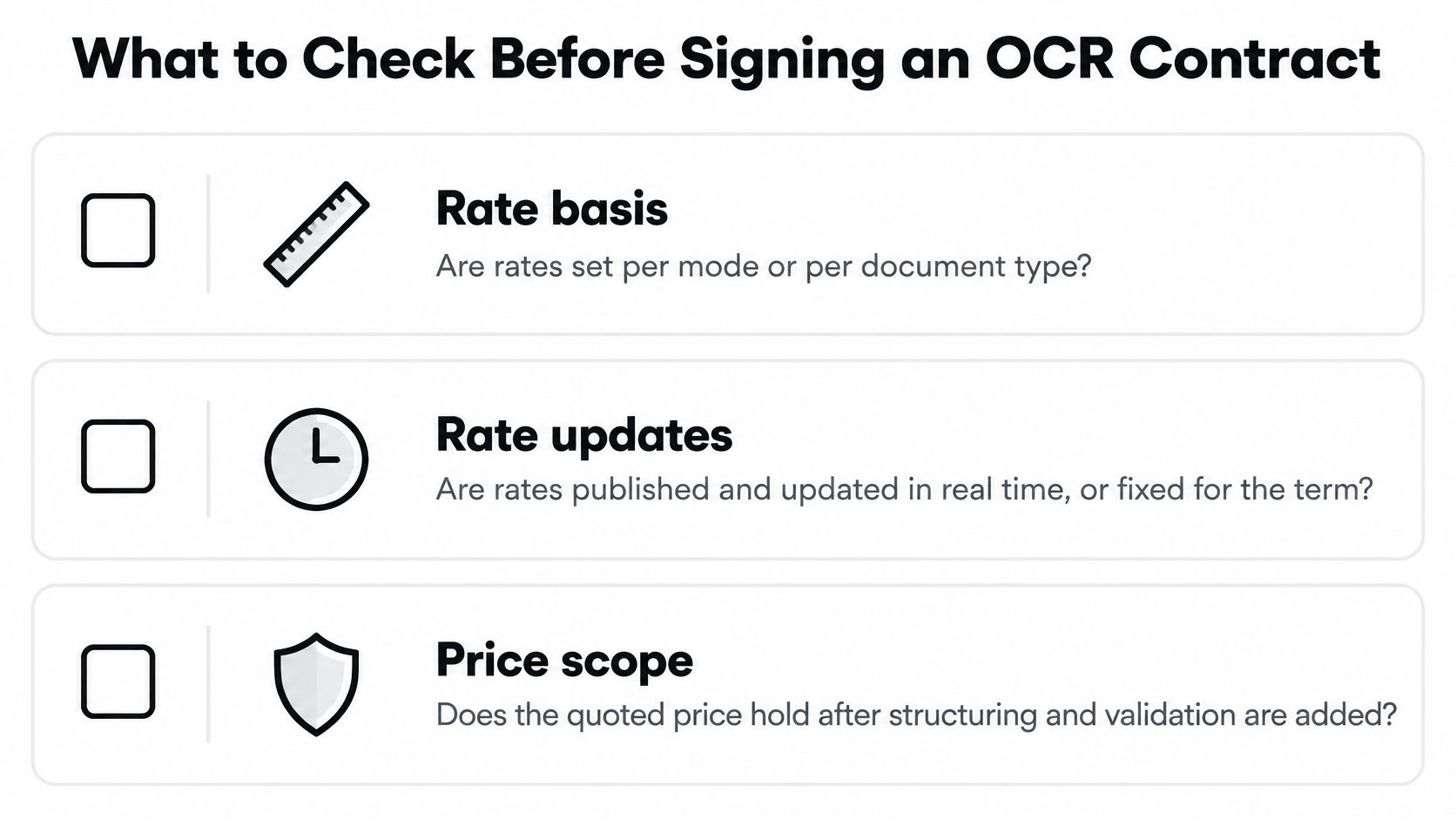
Practical rule: if a vendor can't tell you the consumption rate per document structure before you sign, you're being asked to budget blind.
These are the mechanics that decide whether the quoted fee holds. Here's how we handle them at Matil, because a platform that removes exceptions changes the arithmetic rather than the rate card. Each document structure carries its own consumption rate, published and updated in real time in the admin console, so a buyer sees the cost per type before committing volume. One credit equals one euro, and a capacity reservation keeps its locked rate for its full term regardless of general increases. Automatic top-up is configured with a minimum credit threshold and a predefined recharge amount charged to the saved payment method; if that charge fails, for example on an expired card or insufficient funds, no credits are added and the client has to top up manually to avoid interruption. If the balance is insufficient for a request, the API rejects it and the service stops until a top-up lands. A negative balance is a monetary debt of the same amount in euros.
The reason this matters to the budget is that fewer exceptions shrink the review line, which is the largest line. Matil combines OCR, classification, validation and workflow orchestration in one endpoint, with pre-trained models for invoices, payslips, KYC identity documents, bank statements, bills of lading and customs declarations, and custom models defined visually in days. Accuracy above 99 percent across multiple use cases means fewer documents fall into the manual queue. For enterprise buyers, GDPR, ISO 27001, AICPA SOC and zero data retention belong in the total cost of risk conversation, and the integration path matters too, which is why what an OCR API integration actually involves is worth reading before you compare per-page rates.
If you're evaluating automation this year, model the exception rate first. Then ask every vendor, including us, for cost per validated document.
OCR Fees FAQ
How much does OCR cost per page? Published API rates in 2026 range from about $0.0015 per page for plain text to $0.05 per page for forms, and the extraction mode decides the figure.
Why do OCR quotes differ so much between vendors? The quoted scope differs. Raw recognition, structured extraction, and validated output with exception handling are priced separately by some vendors and bundled by others.
Is cost per page the right metric for a budget? No. Use cost per successfully validated document, which divides total cost, including review and support, by the number of documents that pass without human intervention.
Can an OCR API cover classification and validation? Yes. Platforms such as Matil combine OCR, classification, validation and automation in one API, so the fee covers more than recognition.
Model your exception rate before you compare rates. A vendor with a higher per-page rate and a lower failure rate is often the cheaper contract.
If you're budgeting document automation for this year, Matil turns PDFs, images and multi-page files into structured JSON through a single API that combines OCR, classification, validation and workflow orchestration, with pre-trained models for invoices, payslips, KYC documents, bank statements and bills of lading. You can define custom structures visually in days, and per-document consumption rates are published in real time so you can forecast cost per validated document rather than guess at a per-page figure. Visit Matil to test your own sample batch and price your exception rate against a real quote.


